

The industry went from OpenAPIs specs to MCPs overnight. The MCP protocol has been (in my opinion of course) a blessing to developers and humankind.
In all truth, MCPs are really cool and powerful, until you need to test them. Then you start developing mixed feelings about them.
At Cakewalk, we set out to build the ultimate MCP to rule them all, we call it the MCP Gateway, fancy. But I don’t want to start talking about that here, it might follow with a new blog post, maybe.
Here, I want to share what we learned about MCPs along the way and how solving a problem for ourselves might be helping others out there.
When you are tasked to build a system that can talk to any MCP, you already fear that incompatibilities, versions, tech stack and network issues will be acting as a standing crowd throwing sticks at your wheels. And it was, in fact, like that, but only to some extent. Naively, we started to test the local version of our work-in-progress MCP gateway against first-class MCP implementations, like Miro to name one, and all went well at the start. We were a happy team.
Things turned out complicated, very fast, one word came up often, one word that I had heard before when we were still doing “requirements” and nice old school waterfall project management. I don’t think any non-sociopath uses this word every day, but let me know if you do.
Elicitation
By now we all know what it means, but it is the single most annoying thing about the MCP protocol. At least, until 28th of July 2026, when the simplification of the protocol moved session-bound elicitation/create to multi-round-trip requests. The simulator still includes an elicitation-approval scenario. It was a breaking redesign, which is why client support is uneven. Some agents supported it beautifully, then stopped supporting it, I am still confused what’s the state of the art out there to be honest. We’ll see. Eventually.
The multi-round-trip requests spec
Our biggest challenge about Elicitation was to act as a bridge through the gateway, how to relay the elicitation back and forth when you act as both the client and the server? Spoiler-alert, we solved this.
Another cool thing about MCPs is that you have, of course, tools. But you have other options as well: resources and prompts are underrated. The aforementioned world class MCPs we tested at the start did not offer any of those, so we did not know how to test them out in practice.
So we made our own MCPs, with blackjack and tools.

The WTF simulator
For all of these reasons, we decided to work on an internal tool, initially named after what it was set out to do: WTF simulator, we could use it to plug use cases and see how our gateway behaved and misbehaved. Bad boy.
We built the WTF simulator as an external and stand-alone application, we did not want to merge it with our infra, but this turned out to be quite useful for sharing it externally, that’s why I’m writing about it, I hope that the WTF simulator could help your own WTFs.
The WTF simulator is available to anybody with either a Google or Github account. We need to have you authenticated because we mint a unique token that you can plug into Cursor/Claude or agent of choice. When connecting with that token, we then know it’s you hitting the MCP server.
We have worked on several test scenarios, but since we decided to go public with the simulator, we scoped the test cases to some very simple and configurable set of tools:
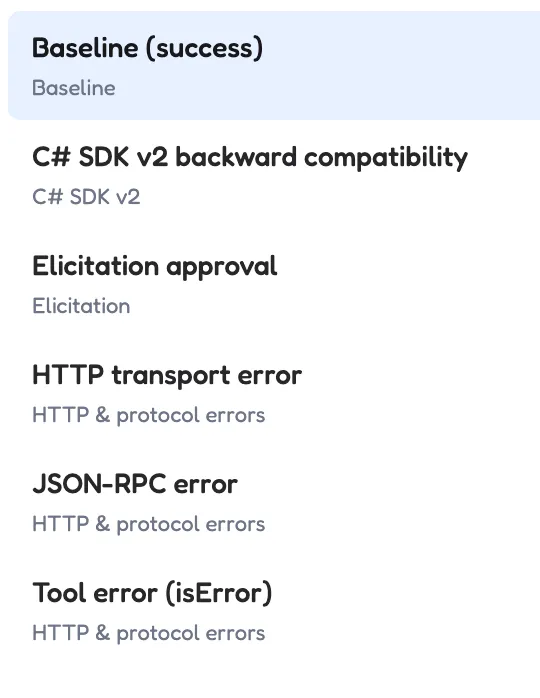
The Tools tab. One scenario is active at a time.
- Baseline (the happy scenario, everything works as expected and boring)
- Elicitation approval (trigger an elicitation flow, comes with complementary panic attack)
- HTTP transport error: returns a configured sequence of HTTP status codes across successive MCP POST requests (transport layer). This way you can build a sequence of errors as it pleases you, and see how your agent (mis)behaves.
- JSON-RPC error, same as the above, but one level below, it returns a JSON-RPC error envelope (HTTP 200, error object in body) on a configured tools/call invocation.
- Tool error (isError): it returns a valid MCP tool result with isError=true on a configured invocation (application layer).
- C# SDK v2 backward compatibility: inspired by the folks behind the recent upgrade of the C# SDK. It offers a dedicated tool that exercises official MCP C# SDK 2.0 / 2026-07-28 backward-compat paths: simulate_ticket_close_mrtr (up-front argument, native MRTR, or down-level guidance), show_negotiated_mcp_protocol (negotiated protocol and headers), and verify_order_region_param_header (Mcp-Param header promotion). run_configured_test_scenario returns a matrix of which cells this stateless host can cover.
Announcing v2.0 of the official MCP C# SDK
We have also added resources and prompts for both happy and not-so-happy scenarios:
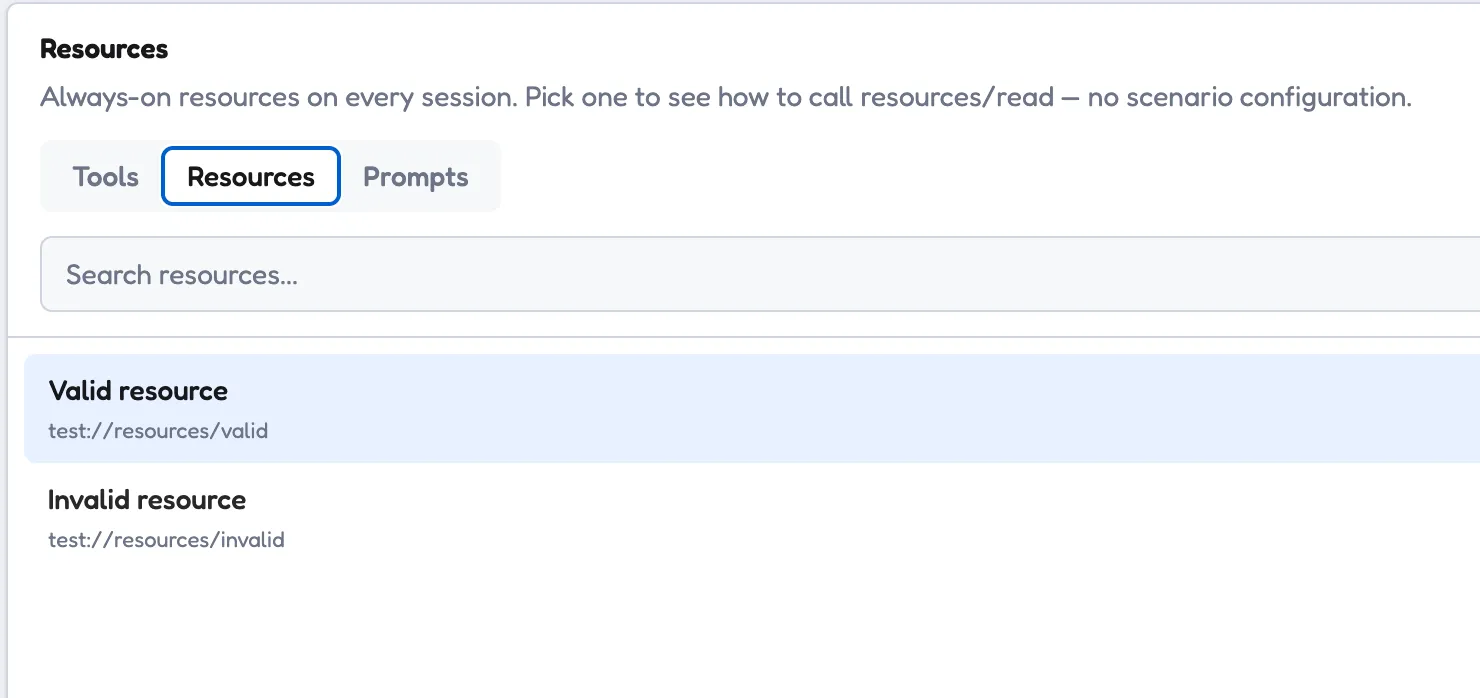
Resources. Always on, no scenario configuration.
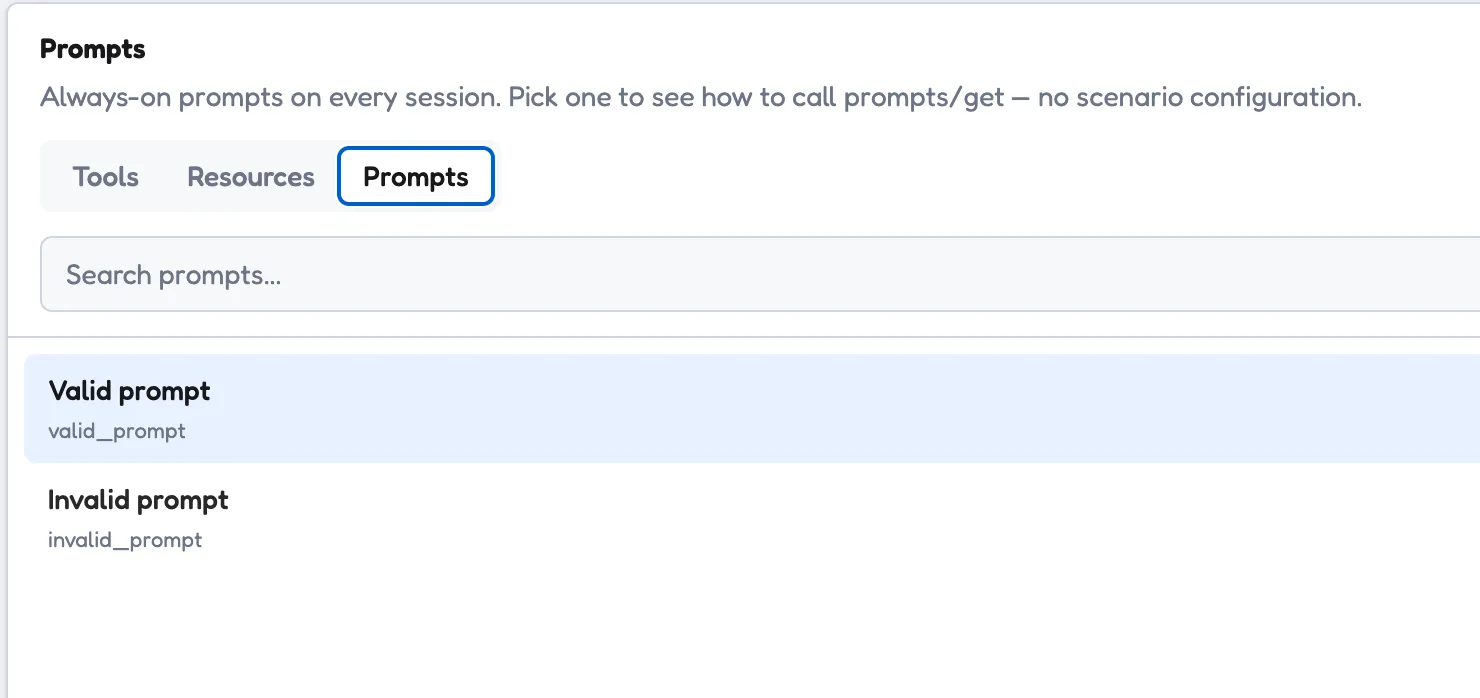
Prompts. Same idea, one valid and one not.
Seeing what happened
All of this is good, but how do I know what’s going on? We solved that as well. We want visibility of everything that happens on the MCP Test Kitchen, we want to know the internal of the WTFs.
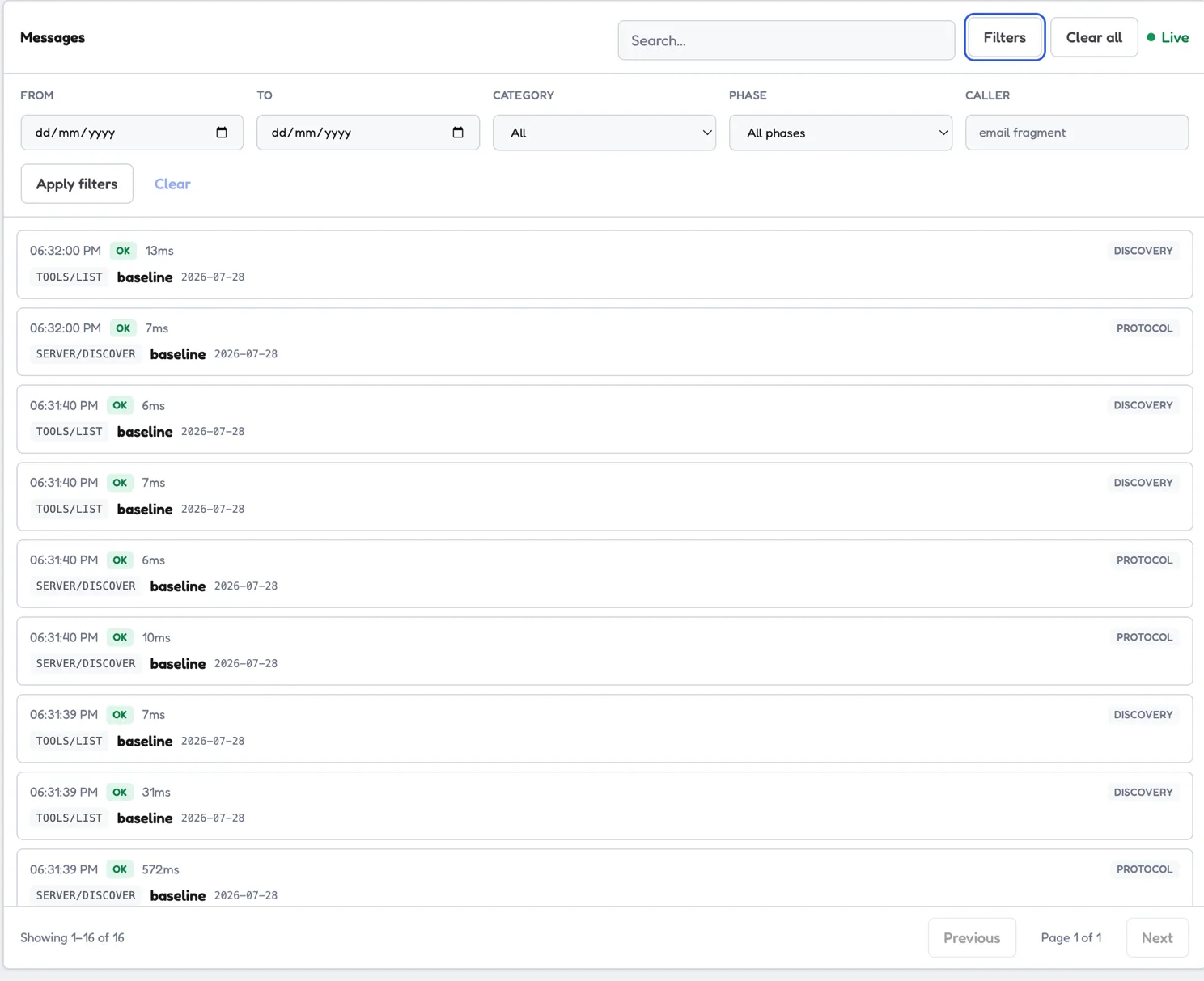
One row per request, filterable, streaming live.
If you want to check out this project, sign in via either Google or Github. We do not store your email address for marketing purpose, and you can delete EVERYTHING at any time with the ERASE EVERYTHING big red button.
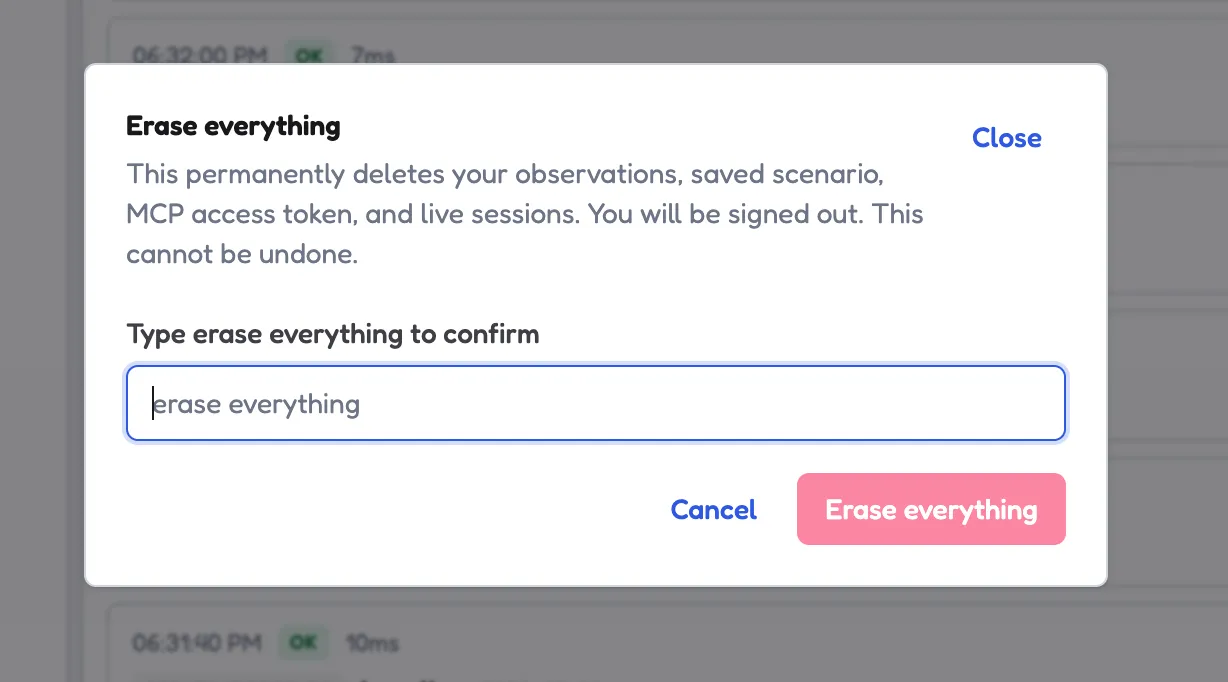
Erase everything. Type it to confirm.
Feedback: if you want to reach out with ideas just hit the button in the console.
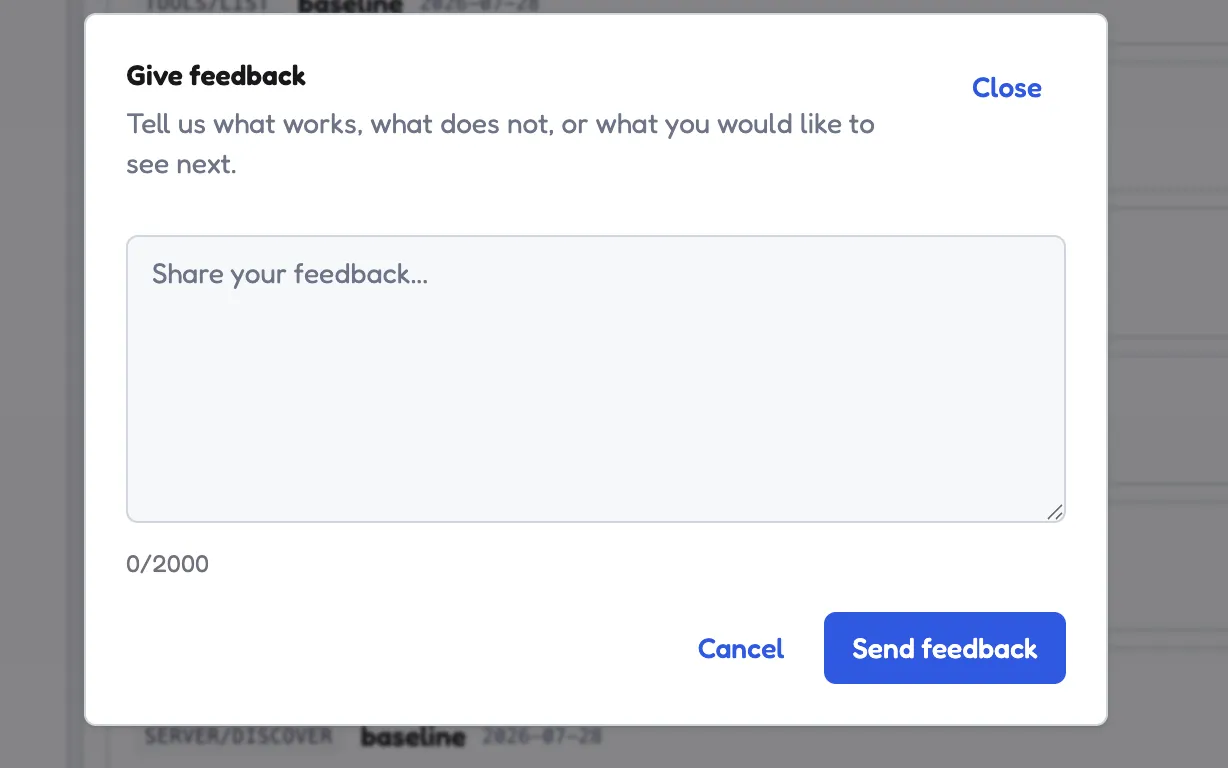
The feedback button, in the console.
The other half
And last but not least, it’s worth mentioning the counter part of the MCP Test Kitchen: the MCP Inspector, which is a very useful tool for connecting to MCP servers. We have designed the MCP Test Kitchen along the same UI, font and style and we hope it will be used as a companion in the world of MCPs, clients and server. And yes, we have connected the inspector with the WTF simulator, it ended up being an inception of testing the tests.