


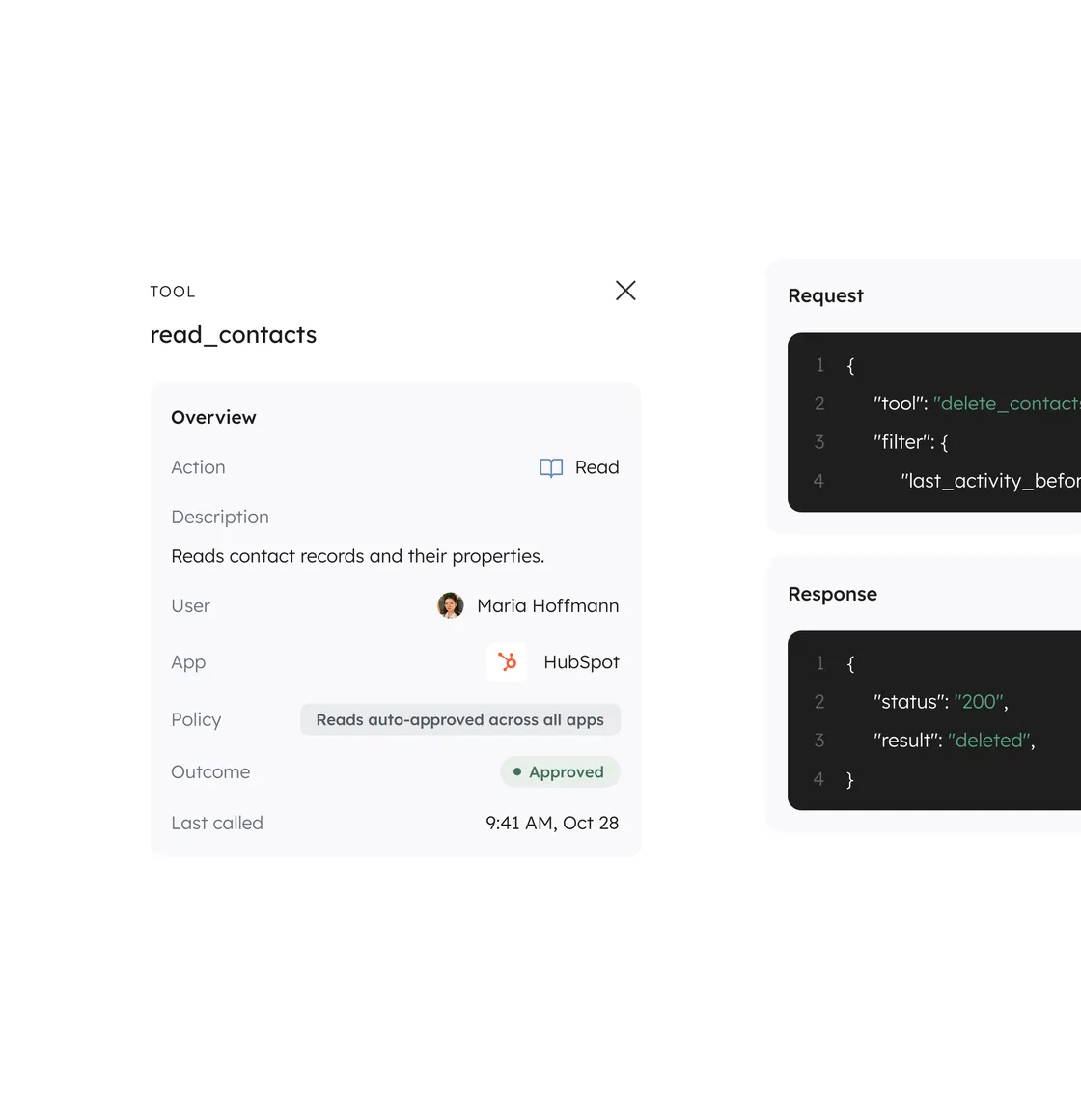
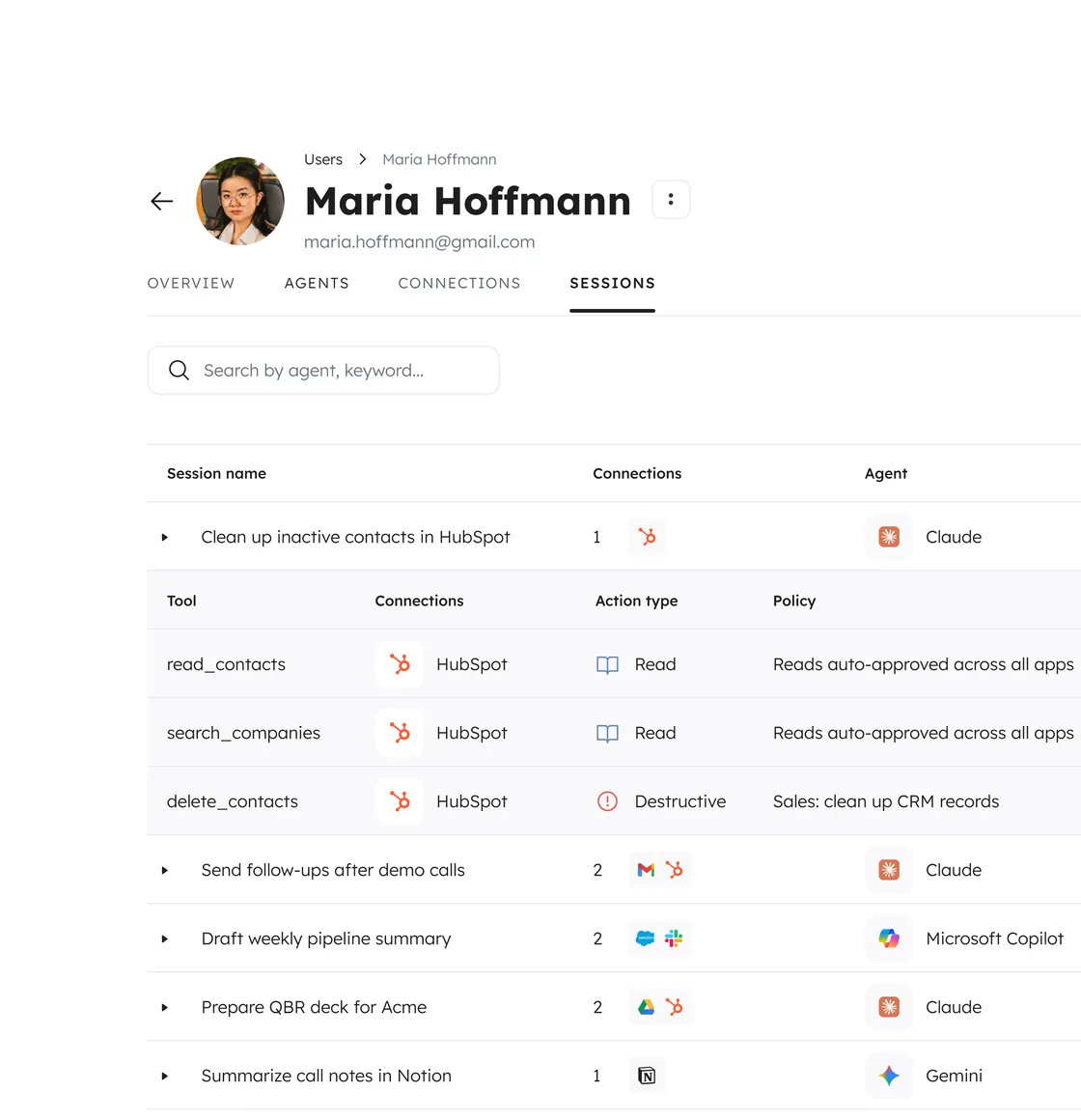
Every agent tool call that runs through the Cakewalk MCP Gateway gets its decision there. The gateway records that decision together with the human behind the agent, the app, the request and the response. Admins find that record in Agent Activity and in the sessions of each employee, agent and app. Nobody can change the record afterwards.
Audit Trail
Keep a Clear Record of Every Agent Tool Call
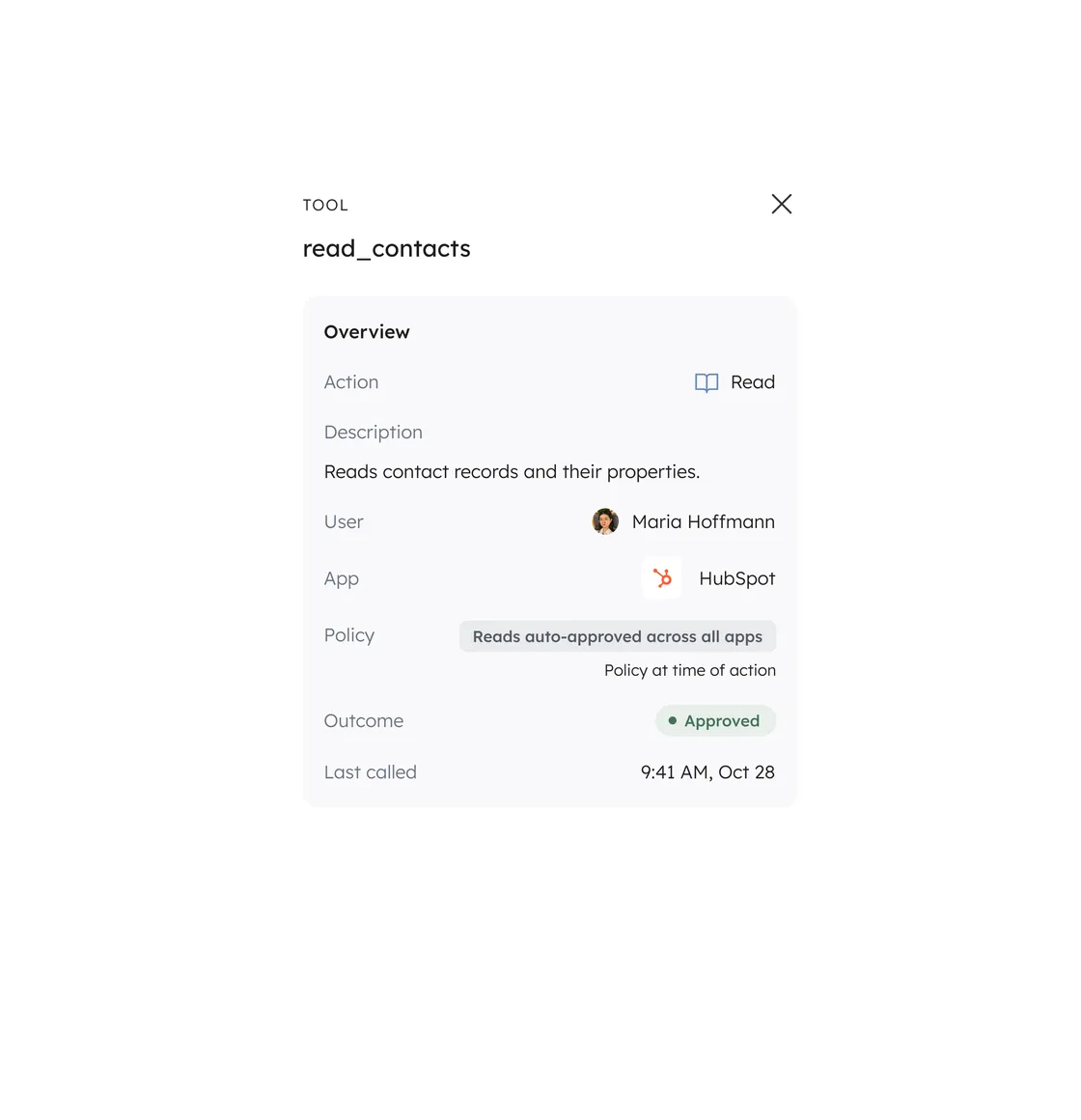
Cakewalk records every agent tool call with the employee, the agent, the app, the policy that fired and the outcome. Each record keeps the request and the response, and nobody can change it afterwards.

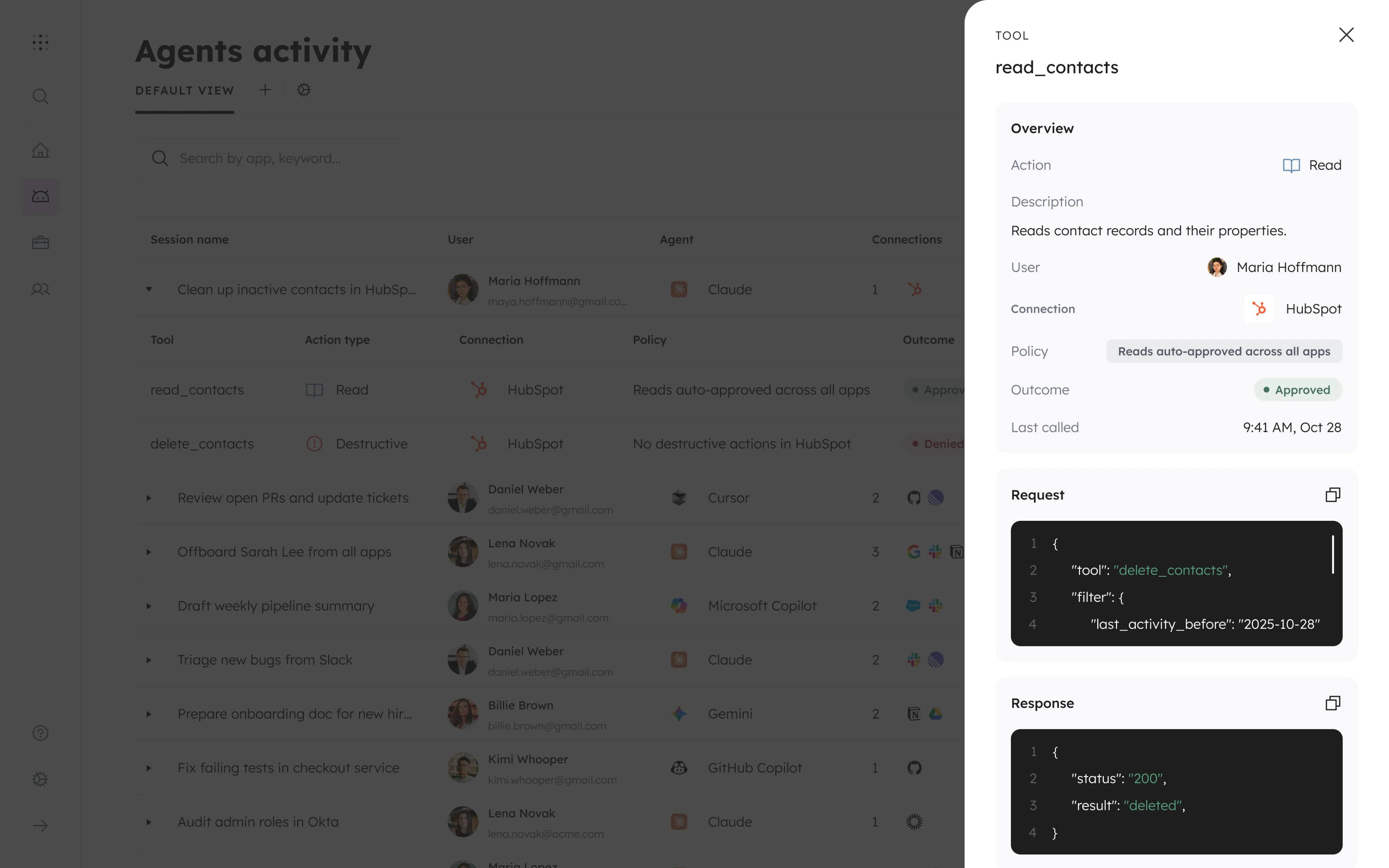
Logs Without the Agent
When Maria connects her agent straight to HubSpot, the agent signs in as her. HubSpot logs every change under Maria's name, so nobody can tell whether she deleted a contact or her agent did.
Scattered Evidence
Every app keeps its own logs in its own format. Piecing together what one agent did in a day means opening one admin console after another.
No Reason Attached
Even when someone finds the action, nothing shows which policy allowed it or whether a person approved it.
How it works
Follow a Missing Record Back to Its Cause
Guarantees
Answer the Questions Your Security Team Will Ask
Evidence for Your Audits
Every record comes straight from the gateway that made the decision, and nobody can change it afterwards. Each record keeps the policy as it was at the moment of the tool call. Teams use these records as access control evidence in their own SOC 2, ISO 27001 or ISO 42001 audits.


Access control evidence
SOC 2, ISO 27001, ISO 42001
Zero Retention Available
Companies decide how much gets stored. With Zero-Retention Mode turned on, Cakewalk stops storing the request and the response. Agents never hold your company's credentials, and Cakewalk is ISO 27001 certified.
ISO 27001
Certified
Works With Your AI Stack?
Cakewalk records every tool call that passes through its MCP Gateway, in every connected app and for every agent that connects over MCP, such as Claude, Cursor and VS Code.
Any MCP client
Claude, Cursor, VS Code


Related features
More Ways to Control Agent Access
Least Privilege
Give AI agents only the access their task needs.
Instant Session Termination
End a person's agent sessions, and every tool call through Cakewalk stops.
Human in the Loop
Ask a person to approve sensitive tool calls before an agent makes them.
FAQ
Q&A

Need to Talk Through Something Specific?
Contact UsWhat is an audit trail for AI agents?
An audit trail for AI agents is a record of every tool call an agent makes, with the employee, the agent, the app, the policy that fired, the outcome and the full request and response. Cakewalk writes one record for each tool call that passes through its MCP Gateway.
How do we find what an agent deleted by mistake?
Cakewalk stores the request and the response of every tool call, so the record shows exactly what an agent deleted, when and for whom. Your app admin uses it to restore the data inside the app. With Zero-Retention Mode turned on, Cakewalk does not store this data.
Does the record show what our people approved?
Yes. When a policy requires approval, the record shows whether the person approved or denied the tool call, right next to the call itself.
Can we keep request and response data out of the records?
Yes. Companies that turn on Zero-Retention Mode keep requests and responses out of storage. Cakewalk then stops saving that data for agent tool calls.
Which tool calls show up in the record?
Every tool call that runs through the Cakewalk MCP Gateway, in every connected app and for every agent that connects over MCP, such as Claude, Cursor and VS Code.
Need to Talk Through Something Specific?
Contact Us
We start with a call about your setup
In a first call, we look at the AI agents and apps that already run in your company and where their access sits. We help you sort out the agent chaos and the scattered access, and together we find out whether Cakewalk fits.
You try Cakewalk for free on your own stack
We connect Cakewalk to your company's real systems and hand it over. You'll quickly know if your team will use it.
If Cakewalk helps, we roll it out together
The same team you met in the first call stays with you while we onboard the rest of your company. After that, we meet your team for regular check-ins and support you whenever you need us.