


Open API and MCP
Integrate Access Management With Your Tech Stack
Cakewalk fits into the way your company already operates instead of replacing it. Connect it to your tech stack through the Open API, and let your team ask it about access from AI apps like Claude, ChatGPT and Cursor.

Requests made in the service desk get retyped by hand
People ask for app access in the service desk, where they ask for everything else. IT copies each request into the identity provider by hand, where one wrong group grants the wrong access.
Internal apps stay outside the access process
Apps a company built for itself have no integration, so IT provisions them with scripts it has to maintain. Their access stays off the record, so reviews and audits miss it.
Access evidence stays out of the GRC platform
Who holds which app and who approved it sit in one more admin console. Before each audit someone exports the records by hand and uploads them to the governance, risk and compliance (GRC) platform.
What you get
Work With Cakewalk From Your Company's Systems and AI Apps
How it works
See What Your Team Can Build With Cakewalk
Related features
Shape the Rules Every Request Follows
Customization
Build the approval policies each request follows, wherever it starts.
Auto Provisioning
Let our provisioning agents create the accounts approved requests need.
Audits
Show auditors the approval trail behind each access request.

Need to Talk Through Something Specific?
Contact UsWhat can our systems do through the Cakewalk Open API?
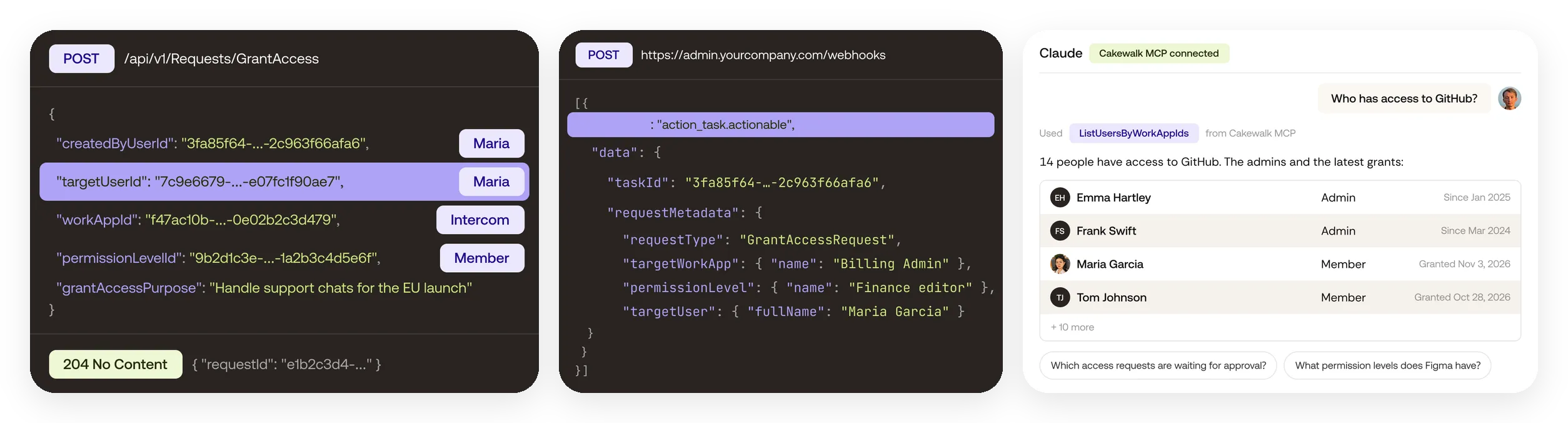
Your company's systems can read people, groups, apps, permission levels and who holds access, with each person's last activity in an app where Cakewalk has it, plus the history of access requests. They can also request, change and remove access, add people to Cakewalk groups, set an app's approval policy and start access reviews.
Do access requests made through the API follow our approval policies?
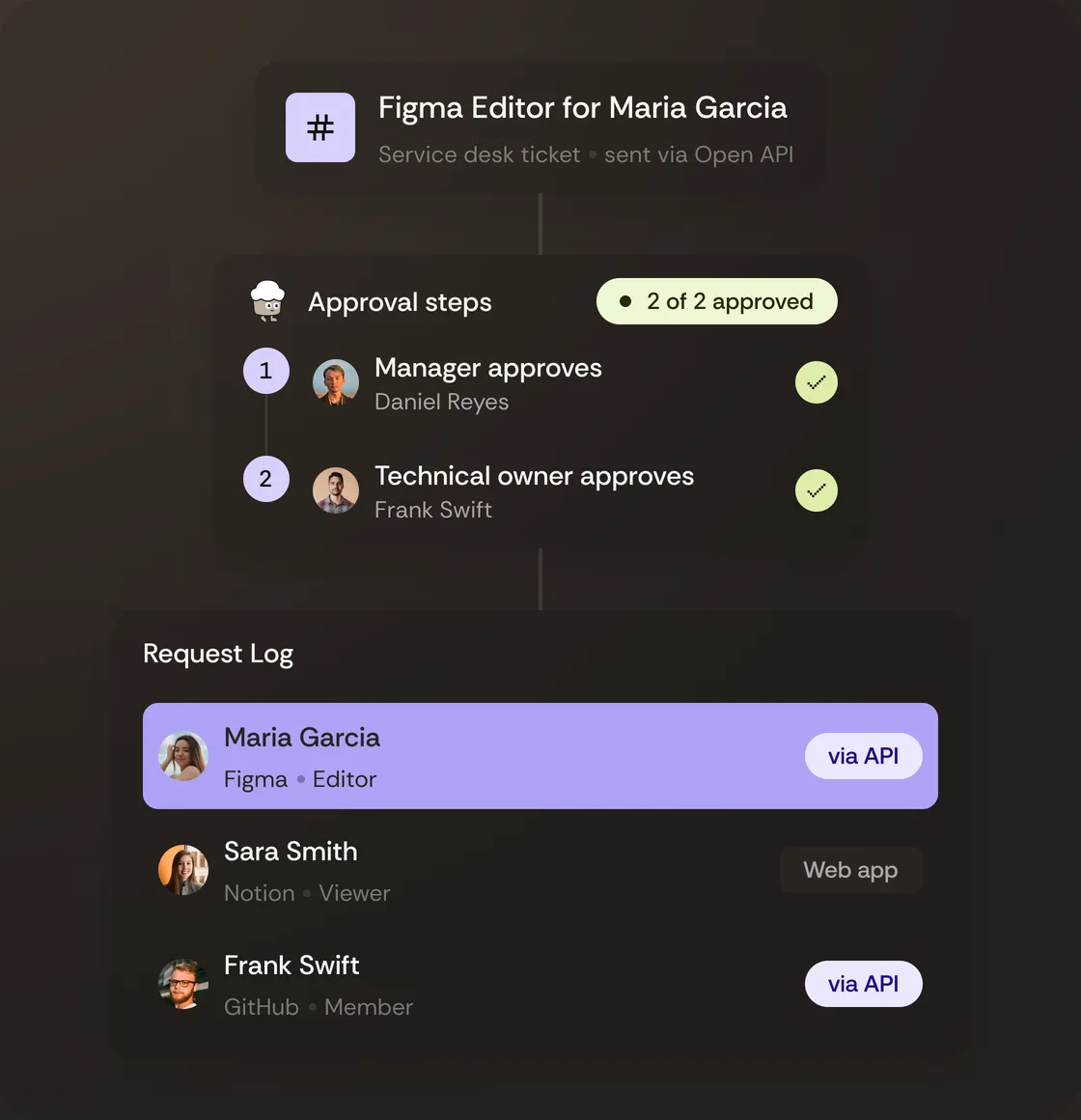
Yes. Cakewalk files a request from the API the same way as one made in the app. The app's policy sets the review steps and decides automatic approval or denial as usual. Our provisioning agents carry out what gets approved.
Can the Open API cover apps Cakewalk has no integration for?
Yes. Your company's systems can send Cakewalk who holds access in internal apps or in any other app without an integration, so those apps sit on record next to the rest. When a request for one of them is approved, a webhook hands the step to your company's script, which confirms it through the API.
Which events do Cakewalk webhooks send?
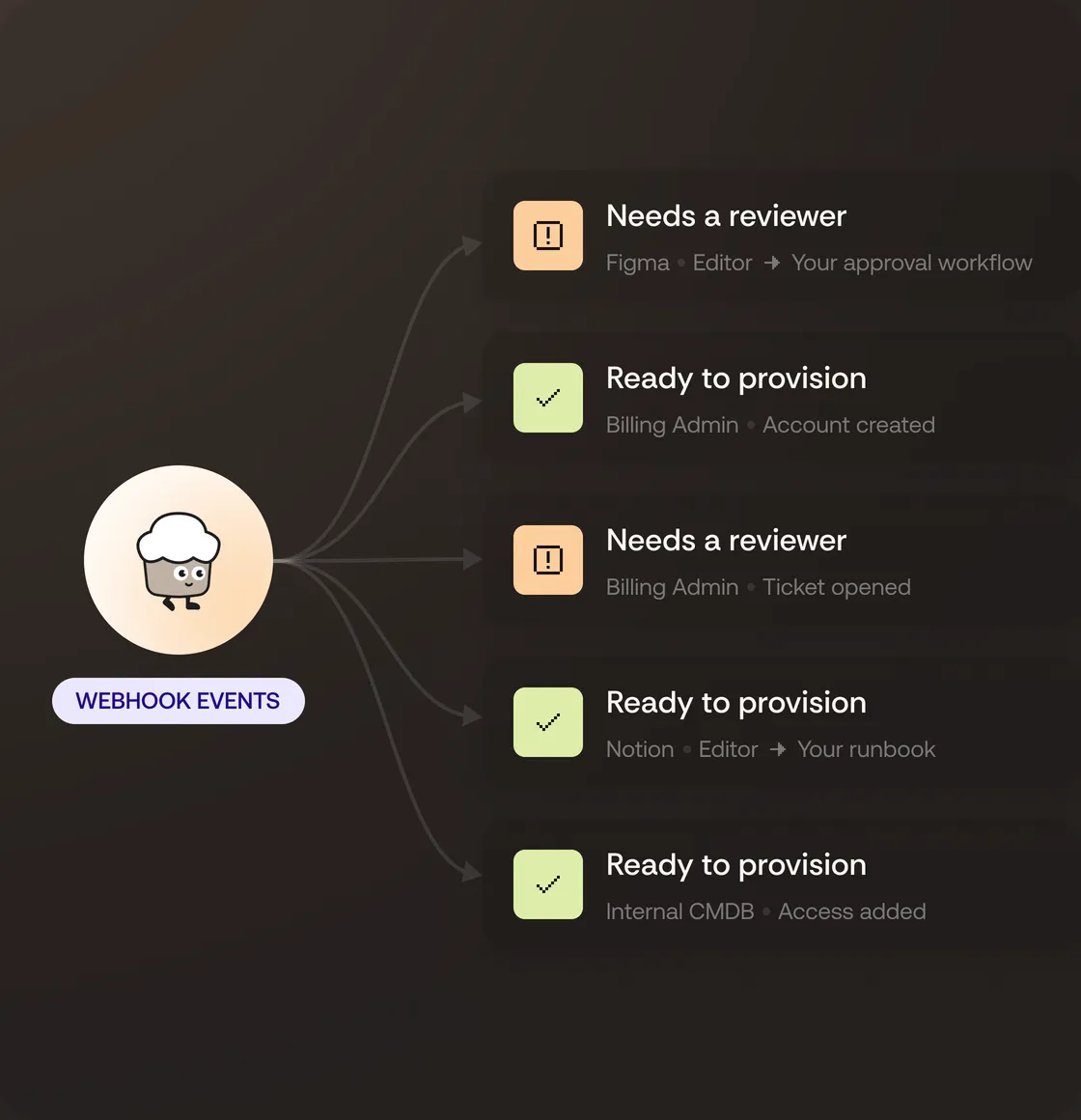
Cakewalk webhooks send two events: a review step waiting for a reviewer's decision and an action step, such as creating or removing an account, that is ready to run. Each message names the request type, the app, the permission level and the people involved.
What can people ask Cakewalk MCP?
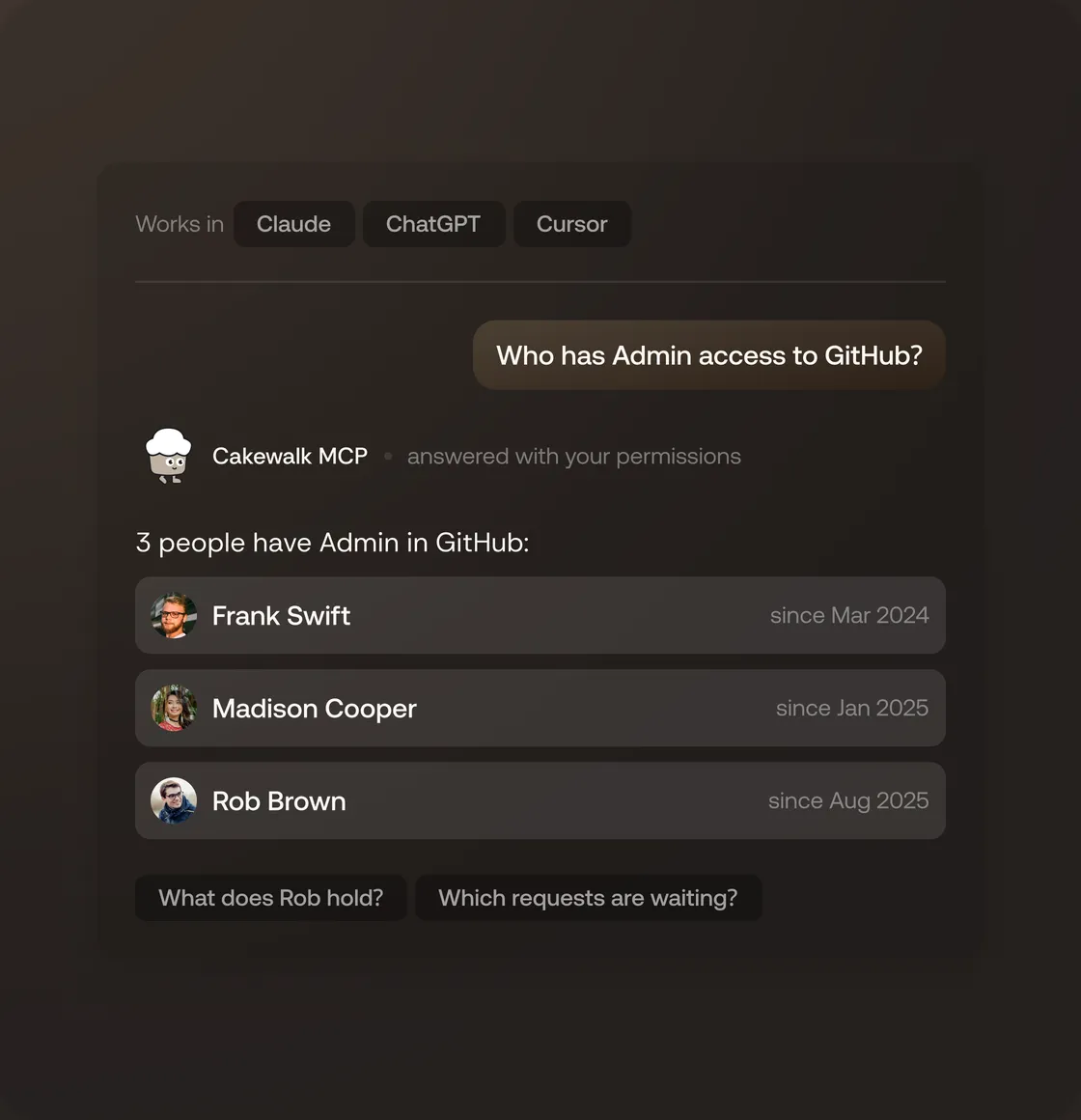
Cakewalk MCP, Cakewalk's Model Context Protocol (MCP) server, answers who has access to an app, which apps a person holds, which access requests are open or recent and what permission levels and custom fields an app has. Admins see the whole company and app owners see their apps. Everyone else sees their own access and that of the people who report to them.
Which AI clients work with Cakewalk MCP?
Claude, ChatGPT, Cursor and other AI clients that connect to remote MCP servers through OAuth work with Cakewalk MCP. Each person signs in with their Cakewalk account and approves the connection.
How does Cakewalk protect API and MCP access?
Only admins create API keys, and each key is read only or read and write. Webhooks carry a signature your company's systems check with Cakewalk's public key, plus a timestamp and delivery ID so they can reject replays. Cakewalk MCP signs each person in through OAuth with their own Cakewalk permissions, and it supports dynamic client registration (DCR), so AI clients connect without a shared key.
Who sets up the Open API and webhooks?
A Cakewalk admin creates API keys in the developer settings and adds webhook addresses under Settings. Cakewalk MCP needs no setup in Cakewalk, because each person connects their AI client to Cakewalk's server address and signs in.
Need to Talk Through Something Specific?
Contact Us
We start with a call about your setup
In a first call, we look at the AI agents and apps that already run in your company and where their access sits. We help you sort out the agent chaos and the scattered access, and together we find out whether Cakewalk fits.
You try Cakewalk for free on your own stack
We connect Cakewalk to your company's real systems and hand it over. You'll quickly know if your team will use it.
If Cakewalk helps, we roll it out together
The same team you met in the first call stays with you while we onboard the rest of your company. After that, we meet your team for regular check-ins and support you whenever you need us.