


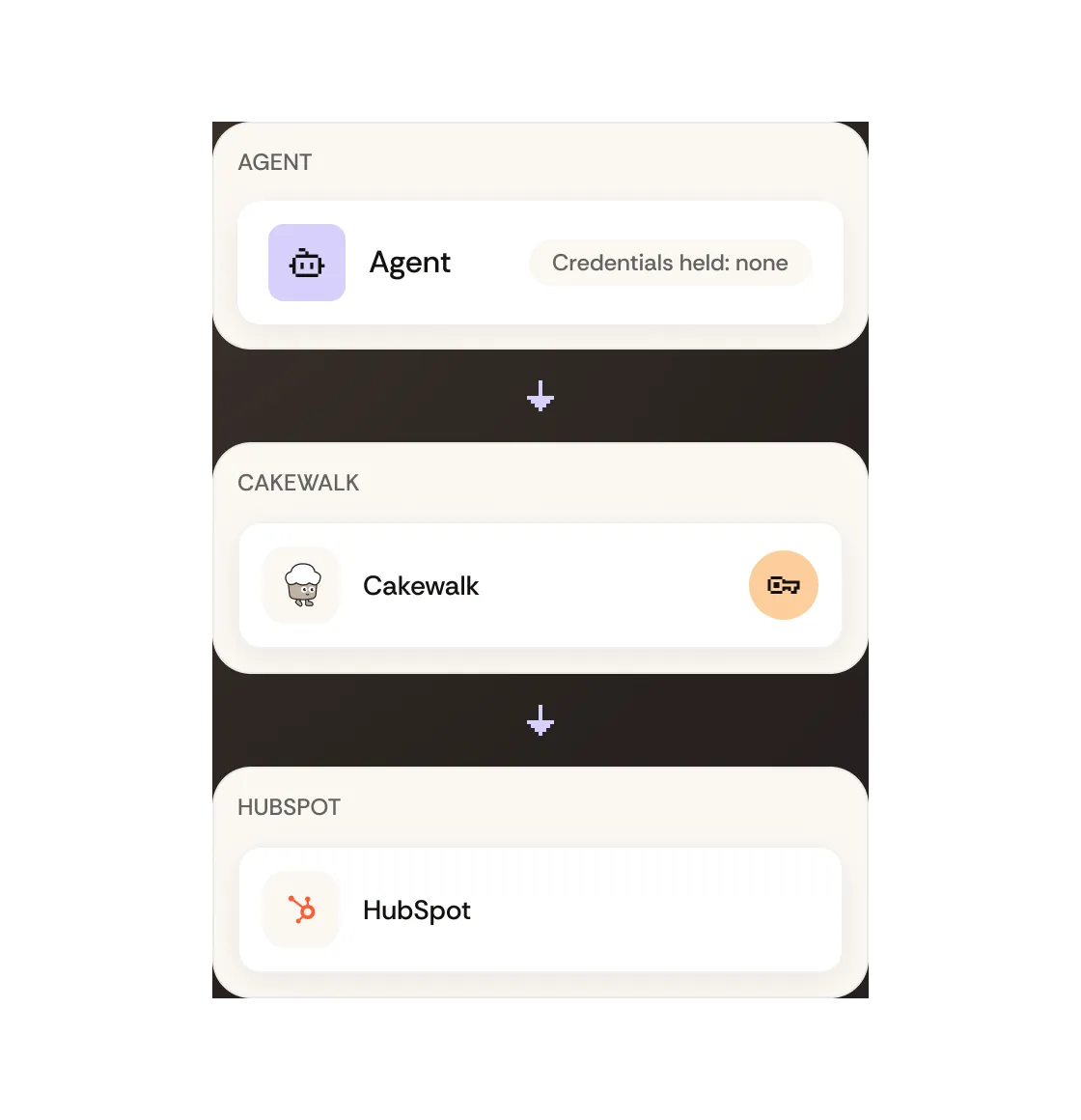
Agents connect to the Cakewalk MCP Gateway instead of directly to your company's apps. For every tool call, Cakewalk decides first and only then adds the credential for that one call.
Just-in-Time Access
Give AI Agents Access Only at the Moment They Act
Cakewalk decides every tool call at the moment it happens and adds the credential for that one call only. Between actions, agents hold no standing access and no credentials anyone could steal.
The problem
Agents Hold Access Long After They Need It
Tokens in Config Files
To connect an agent today, employees often paste personal tokens into config files on their laptops. Those tokens stay valid long after the task is done, whether the agent is working or not.
Credentials Within Reach
An agent that holds a token can be tricked into handing it over. One poisoned document or email is enough to send your company's credentials somewhere they should never go.
Access Decided Once
Most setups grant an agent access once, when it connects. After that, nothing checks whether each call still fits the person or the task.
How it works
Every Tool Call Starts With No Access
Every Call Decided by Policy
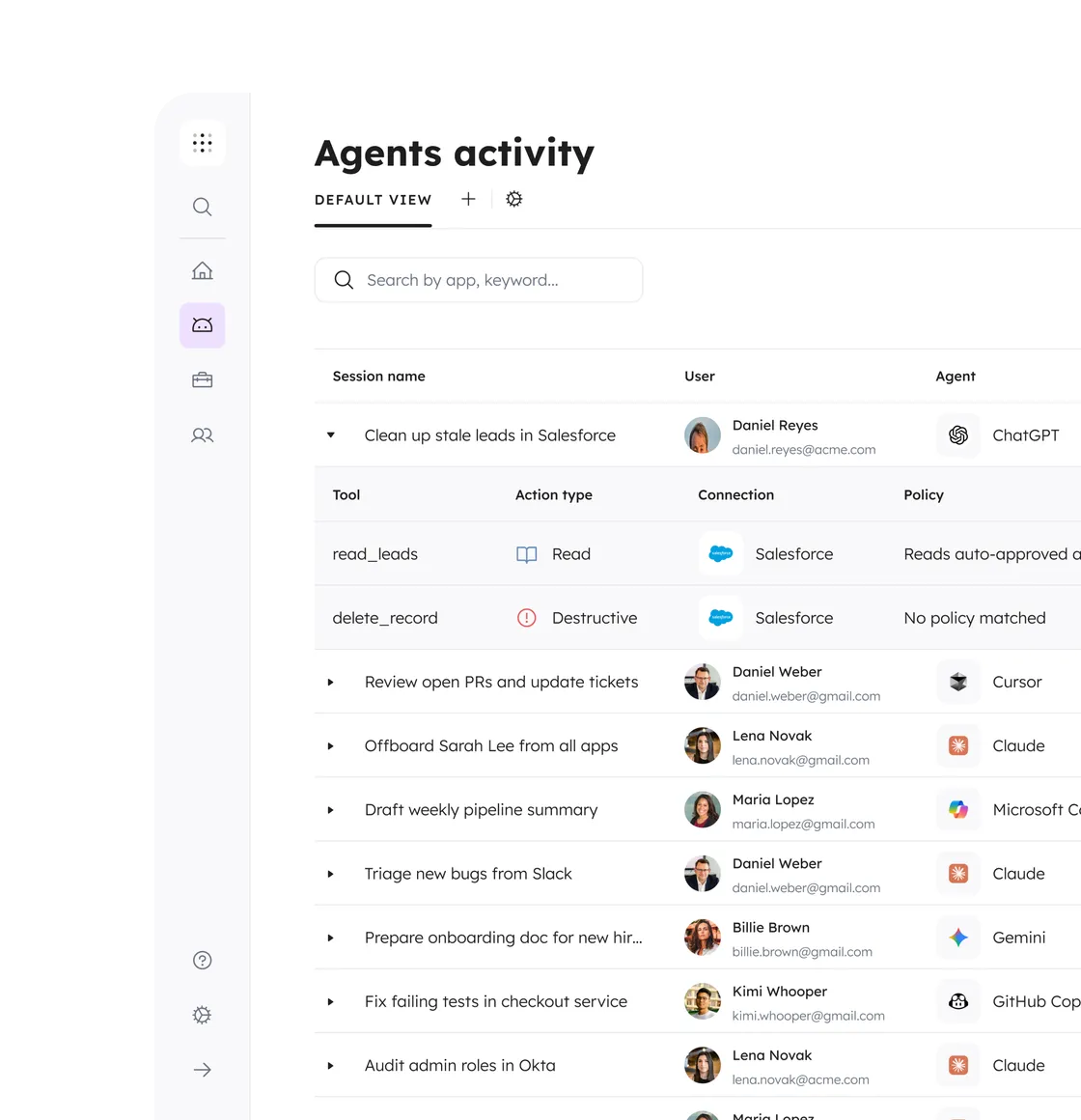
Cakewalk decides every call with your company's policies, and no AI model takes part in the decision. Agent Activity records each call with the employee, the agent, the app, the policy that fired and the outcome.
Every call on record
Policy and outcome in Agent Activity
Encrypted Vault
Credentials sit encrypted in Cakewalk's vault and never reach the agent, so a hijacked agent has nothing to hand over. Cakewalk is ISO 27001 certified.

ISO 27001
Certified
Works With OAuth and Personal Tokens
Just-in-Time Access works for every app connected through the Cakewalk MCP Gateway, whether it uses OAuth or a personal token. It works in any agent that connects over MCP, such as Claude, Cursor and VS Code.
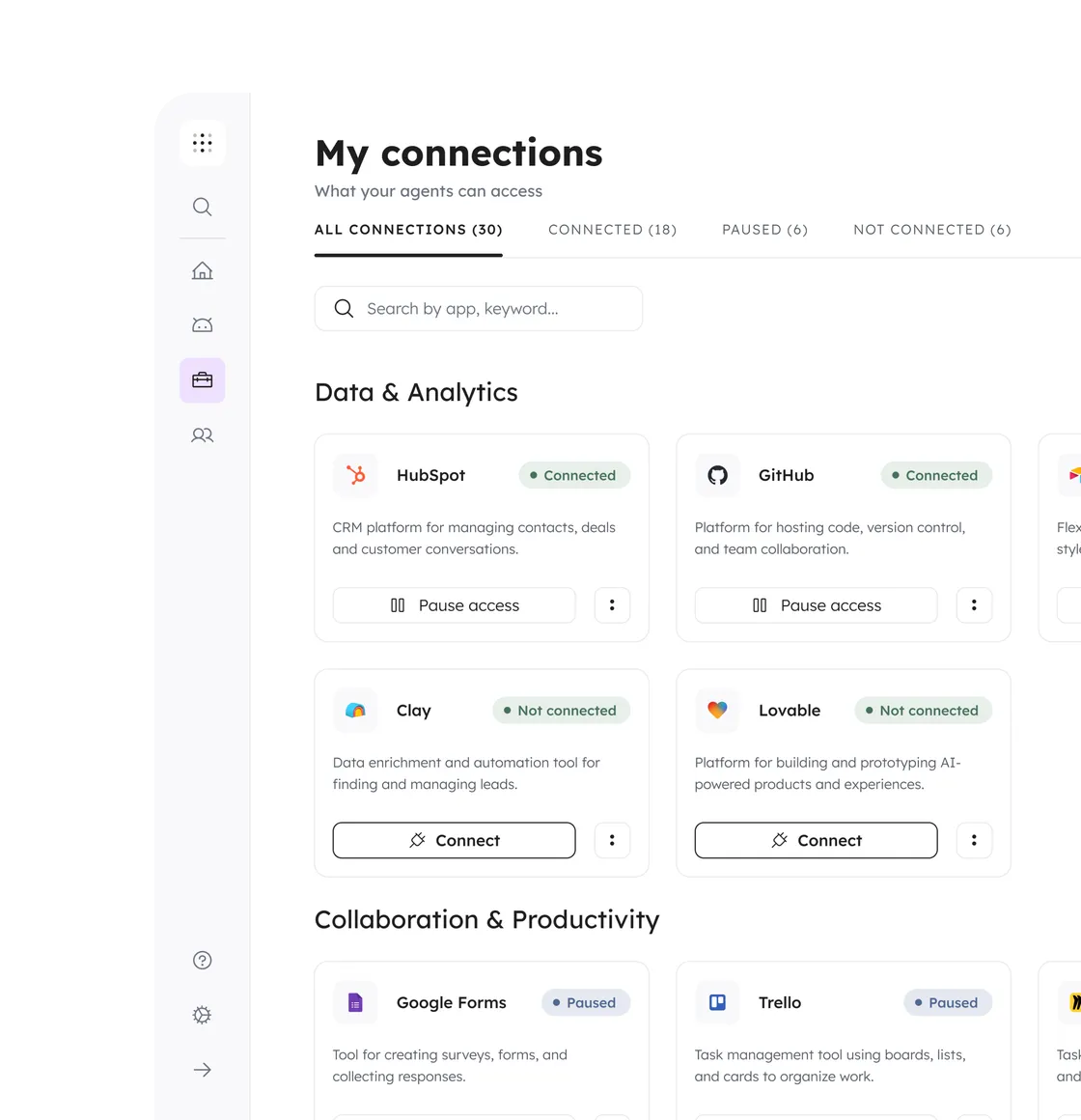
Every connected app
OAuth or personal token


Related features
More Ways to Control Agent Access
Least Privilege
Give AI agents only the access their task needs.
Human in the Loop
Require a yes from the person behind the agent before sensitive actions.
Instant Session Termination
Stop a person's agent activity from one place.
FAQ
Q&A

Need to Talk Through Something Specific?
Contact UsWhen does an agent's access end?
An agent's access ends after each call. The agent holds nothing between calls, so there is nothing left to expire.
Where are our credentials stored?
Cakewalk stores them encrypted in its vault and adds them to the outgoing request for each allowed call. The agent only receives the app's response. Credentials never appear in the agent's context or in config files on employees' laptops.
What if an agent is tricked by a prompt injection?
It has no credential to give away. A manipulated agent can still try tool calls, but each one goes through your company's policies first, and the token never leaves Cakewalk.
Do employees need to reconnect apps for every task?
No. Each employee connects an app once in Cakewalk. That connection stays in the vault, and Cakewalk uses it call by call, so the agent never holds it.
How is this different from least privilege?
Least privilege decides what an agent may do. Just-in-Time Access decides when access exists, which is only at the moment of each tool call. Cakewalk does both on every call.
What happens to an agent's access when an employee leaves?
Cakewalk deletes the employee's stored credentials, and every later tool call from their agents is denied, even in a session that is already running.
Need to Talk Through Something Specific?
Contact Us
We start with a call about your setup
In a first call, we look at the AI agents and apps that already run in your company and where their access sits. We help you sort out the agent chaos and the scattered access, and together we find out whether Cakewalk fits.
You try Cakewalk for free on your own stack
We connect Cakewalk to your company's real systems and hand it over. You'll quickly know if your team will use it.
If Cakewalk helps, we roll it out together
The same team you met in the first call stays with you while we onboard the rest of your company. After that, we meet your team for regular check-ins and support you whenever you need us.