


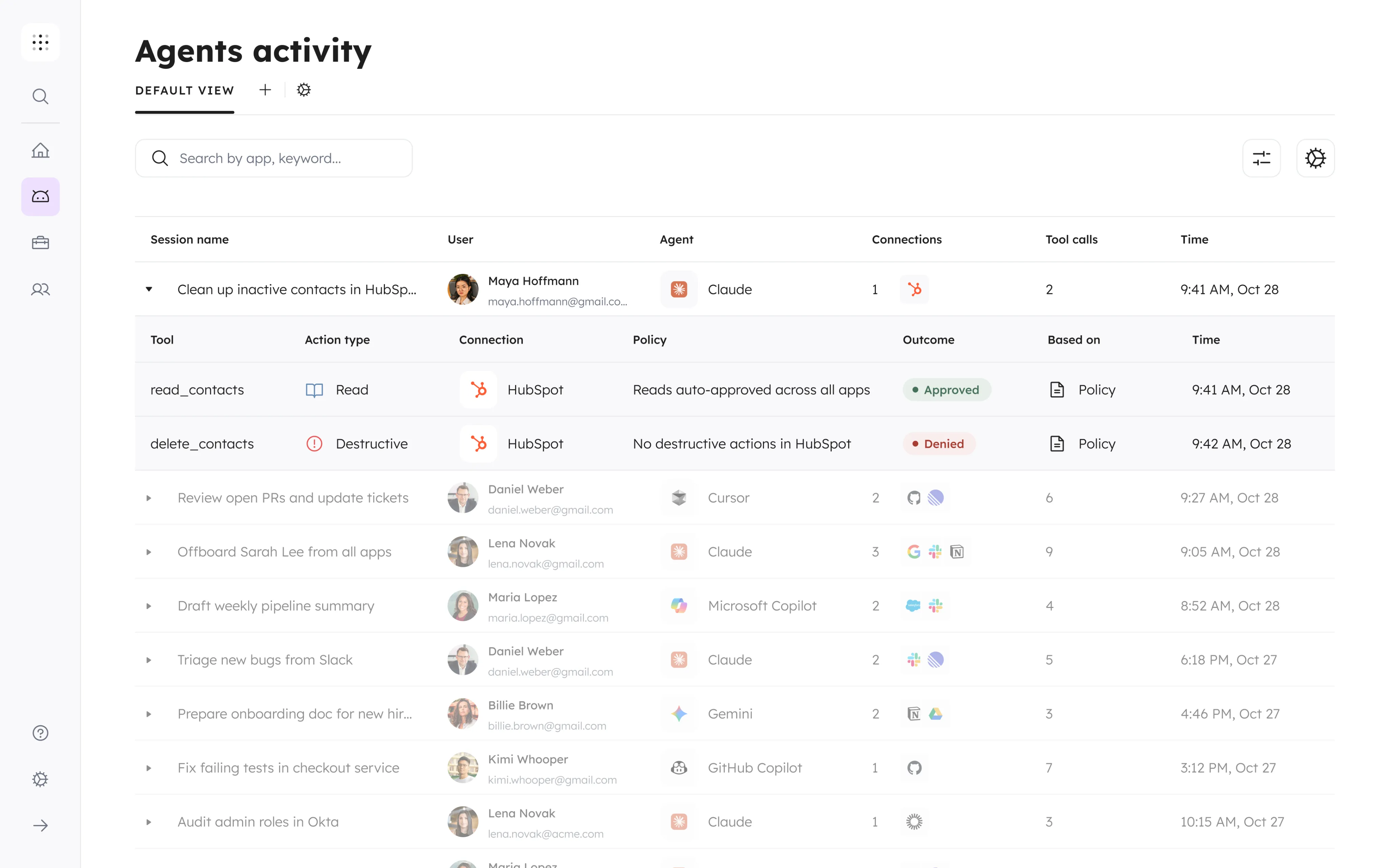
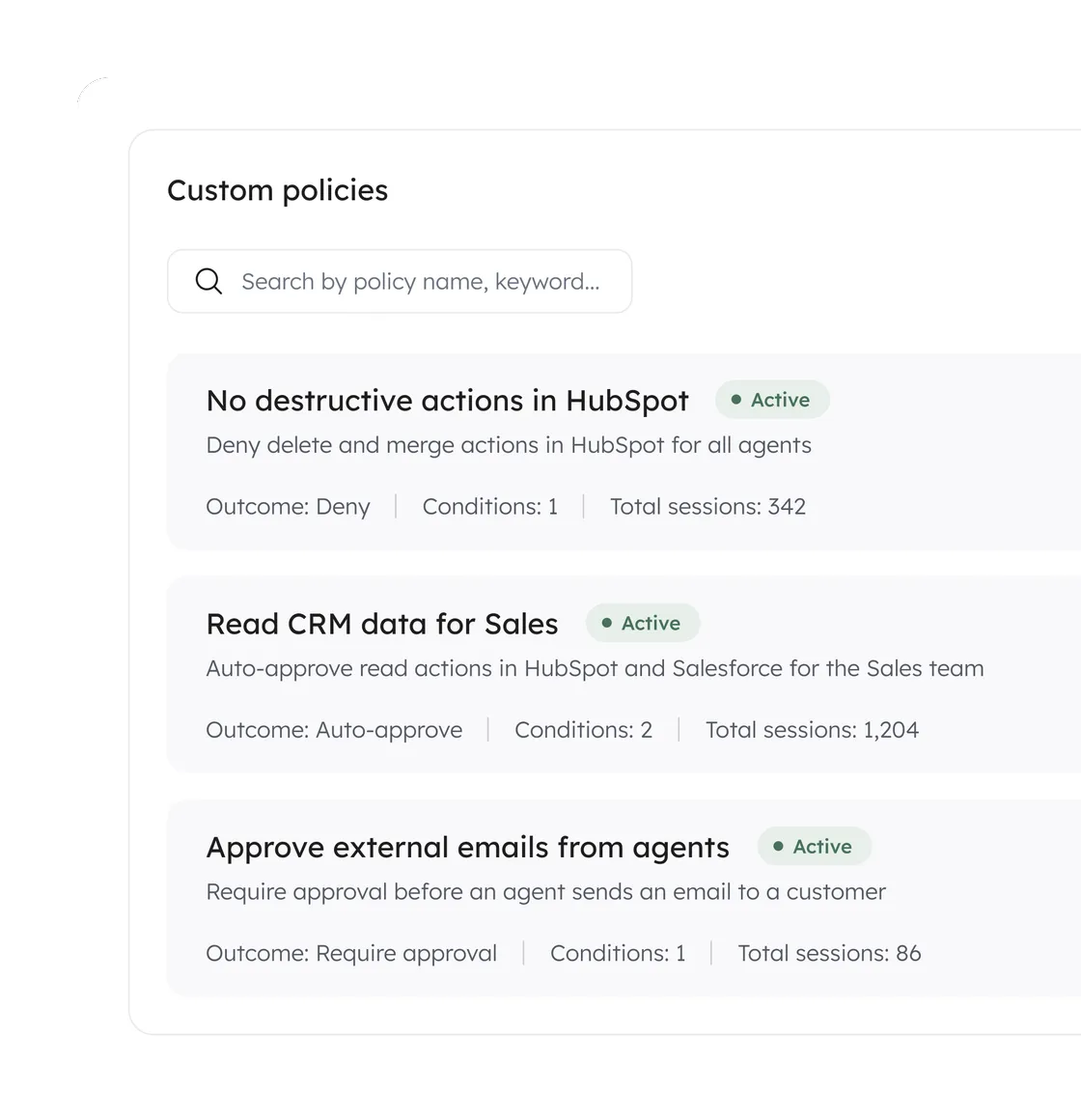
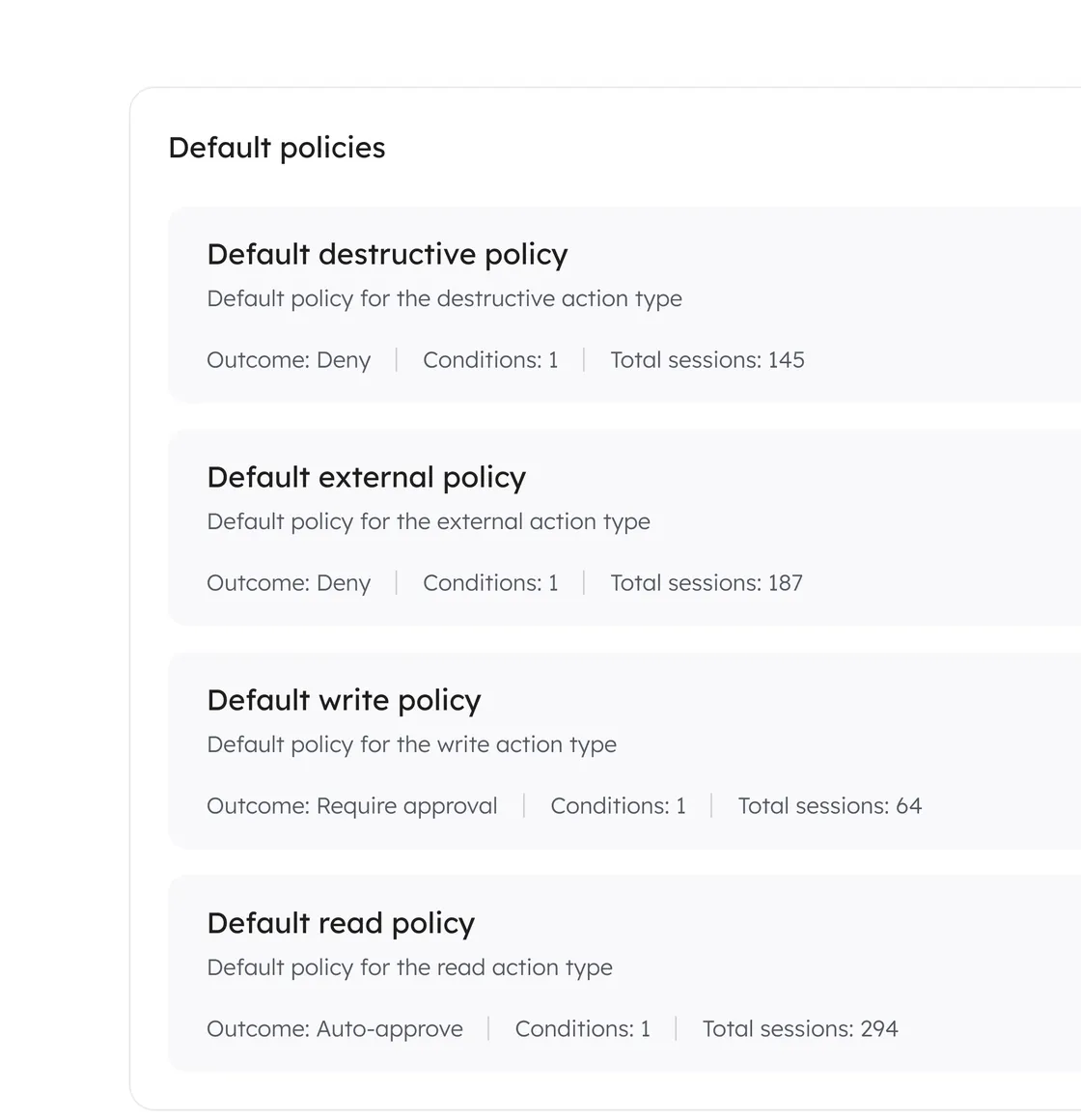
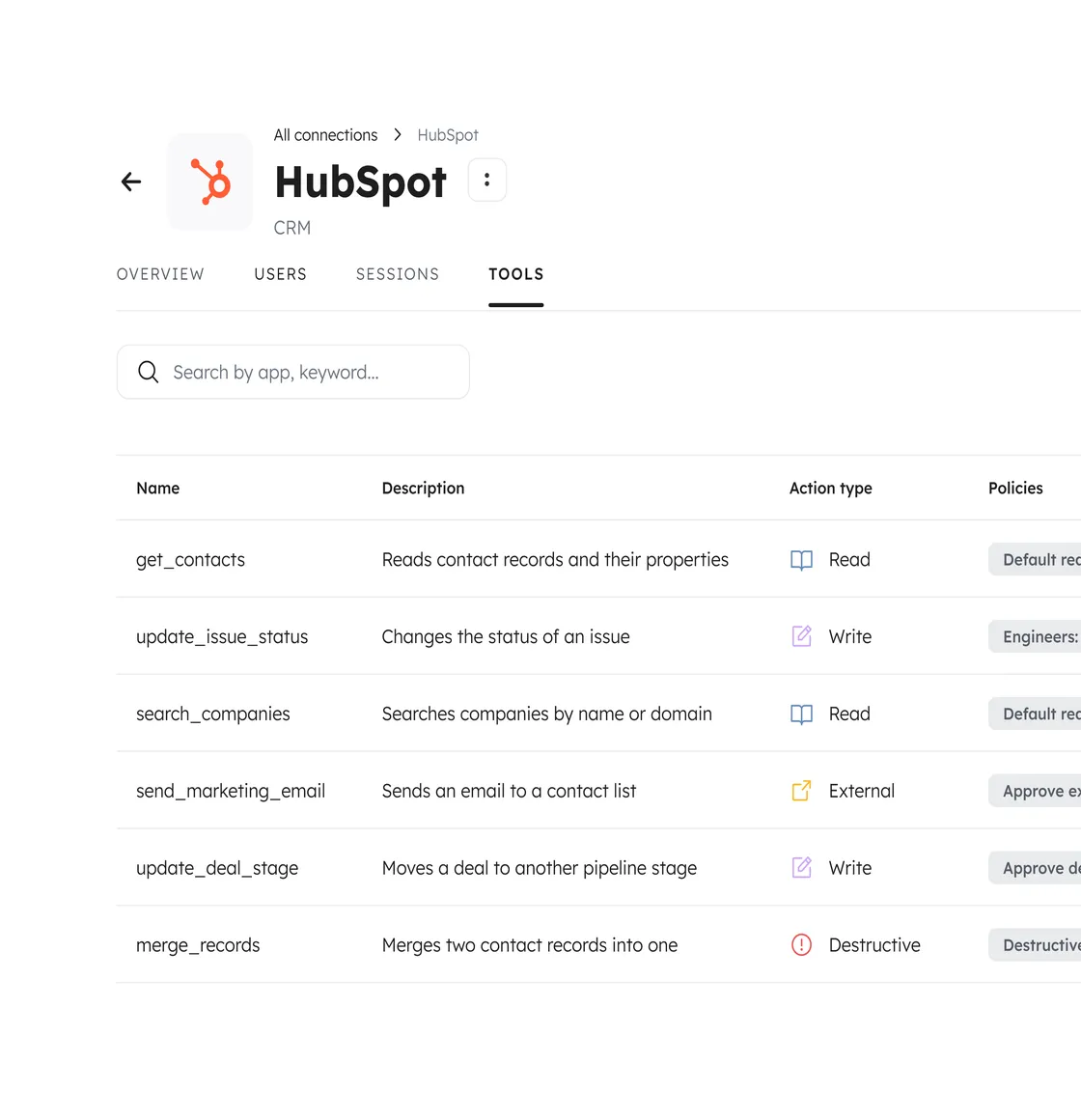
Cakewalk sits between the agent and the app. Every access action an agent takes is a tool call, and every tool call passes through the Cakewalk MCP Gateway first. The connected downstream app already labels each action as read, write, destructive or external. Cakewalk reads that label, checks it against your company's policies and decides: auto-approve, require approval or deny. If an app labels an action wrong, an admin can correct it.
Least Privilege
Give AI Agents Access, But Only the Access They Need
Cakewalk checks every tool call an AI agent takes against your company's policies and allows only the access the task needs. Agents never hold your credentials.


Agents never hold your credentials
The problem
Agents Inherit Far More Access Than They Actually Need
Agents get all of a person's access.

A task needs one slice of it.
Inherited Roles
Maria connects Claude to HubSpot, and the agent can do everything she can. It can read every contact, change every deal, delete records and email customers.
Hidden Instructions
Agents follow what they read. One line in an email or a shared document can tell an agent to use access nobody meant it to use.
No Agent-Sized Access
HubSpot treats every request from the agent as a request from Maria. Inside the app, nothing separates what she may do from what her agent may do.
How it works
Cakewalk Checks Every Tool Call Before It Runs
Guarantees
Answer the Questions Your Security Team Will Ask
No AI in the Decision
Every decision comes from your policies, and no AI model takes part in it. The same action from the same person gets the same outcome every time, and Cakewalk blocks any action it cannot confirm as allowed.
Deterministic
no model in the loop
Credentials Stay in the Vault
Agents never hold your credentials. Cakewalk takes the app's credential from its vault and adds it to the call on the way to the app, so a hijacked agent has nothing to leak. Cakewalk is ISO 27001 certified.

ISO 27001
Certified
Works With Your AI Stack
Cakewalk works with any agent that connects over MCP, from Claude to Cursor and VS Code. Pick apps from the Cakewalk catalog or add your own MCP servers.
Any MCP client
Claude, Cursor, VS Code


Related features
More Ways to Control Agent Access
Attribute-based Access
Set different policies for different people, based on department, title, team and location.
Human in the Loop
Ask a person to approve sensitive actions before an agent takes them.
Audit Trail
See every agent tool call, the human behind it and the policy that fired.
FAQ
Q&A

Need to Talk Through Something Specific?
Contact UsWhat does least privilege mean for AI agents?
Least privilege for AI agents means an agent gets the access it needs and nothing more. Cakewalk enforces it as AI agent access control on every action an agent takes.
Will Cakewalk slow our agents down?
No. Actions your policies allow pass through with millisecond overhead.
Can an agent do more than the human behind it?
No. Cakewalk sends every request with that person's own login, so the app applies their permissions. Your policies can only narrow that further.
Do we have to change permissions in every app?
No. Permissions inside your company's apps stay as they are. Cakewalk sets the policies for agents in one place, in front of every app.
What happens when a policy blocks something our agents need?
The agent gets a clear denial, and Agent Activity shows which policy stopped it. An admin can change that policy, and the next attempt follows the updated policy.
What happens when an app does not label an action?
Cakewalk treats it as destructive. The action stays blocked until an admin reviews it and sets the right type.
Need to Talk Through Something Specific?
Contact Us
We start with a call about your setup
In a first call, we look at the AI agents and apps that already run in your company and where their access sits. We help you sort out the agent chaos and the scattered access, and together we find out whether Cakewalk fits.
You try Cakewalk for free on your own stack
We connect Cakewalk to your company's real systems and hand it over. You'll quickly know if your team will use it.
If Cakewalk helps, we roll it out together
The same team you met in the first call stays with you while we onboard the rest of your company. After that, we meet your team for regular check-ins and support you whenever you need us.