


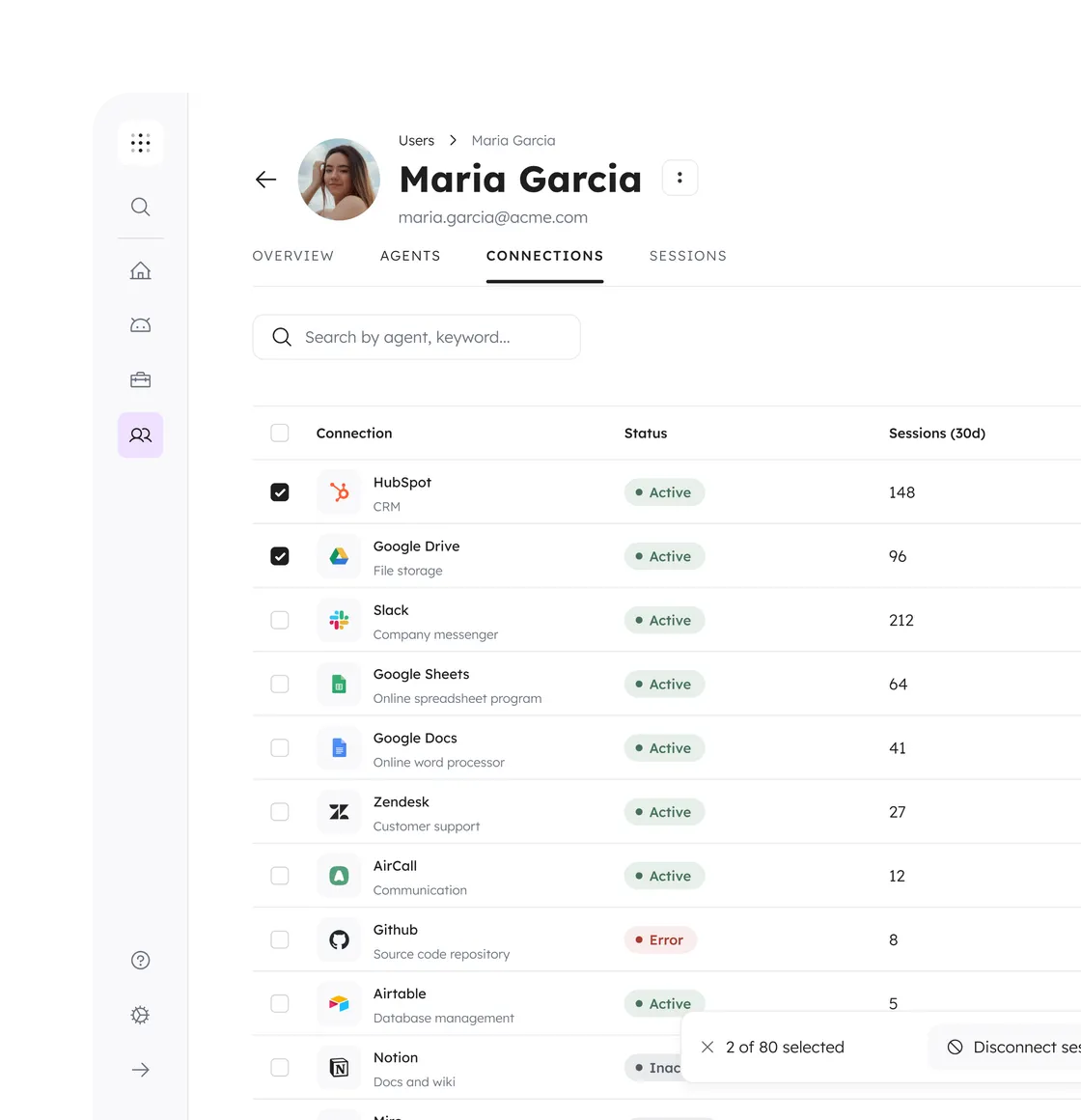
Every agent session that connects through the Cakewalk MCP Gateway is tied to a person and an app, so Cakewalk knows whose sessions to end. Lena ends them in that person's profile. Disconnect ends the running sessions and deletes the stored credential, so the person signs in again before new sessions start. Remove also takes the app away from the person in Cakewalk.
Instant Session Termination
Stop a Person's Agent Sessions Immediately
Cakewalk ends a person's active agent sessions with one click, and every tool call through Cakewalk stops immediately. Their agents start new sessions only after the person signs in to the app again.

The problem
There Is No Single Place to Stop an Agent
No Central Kill Switch
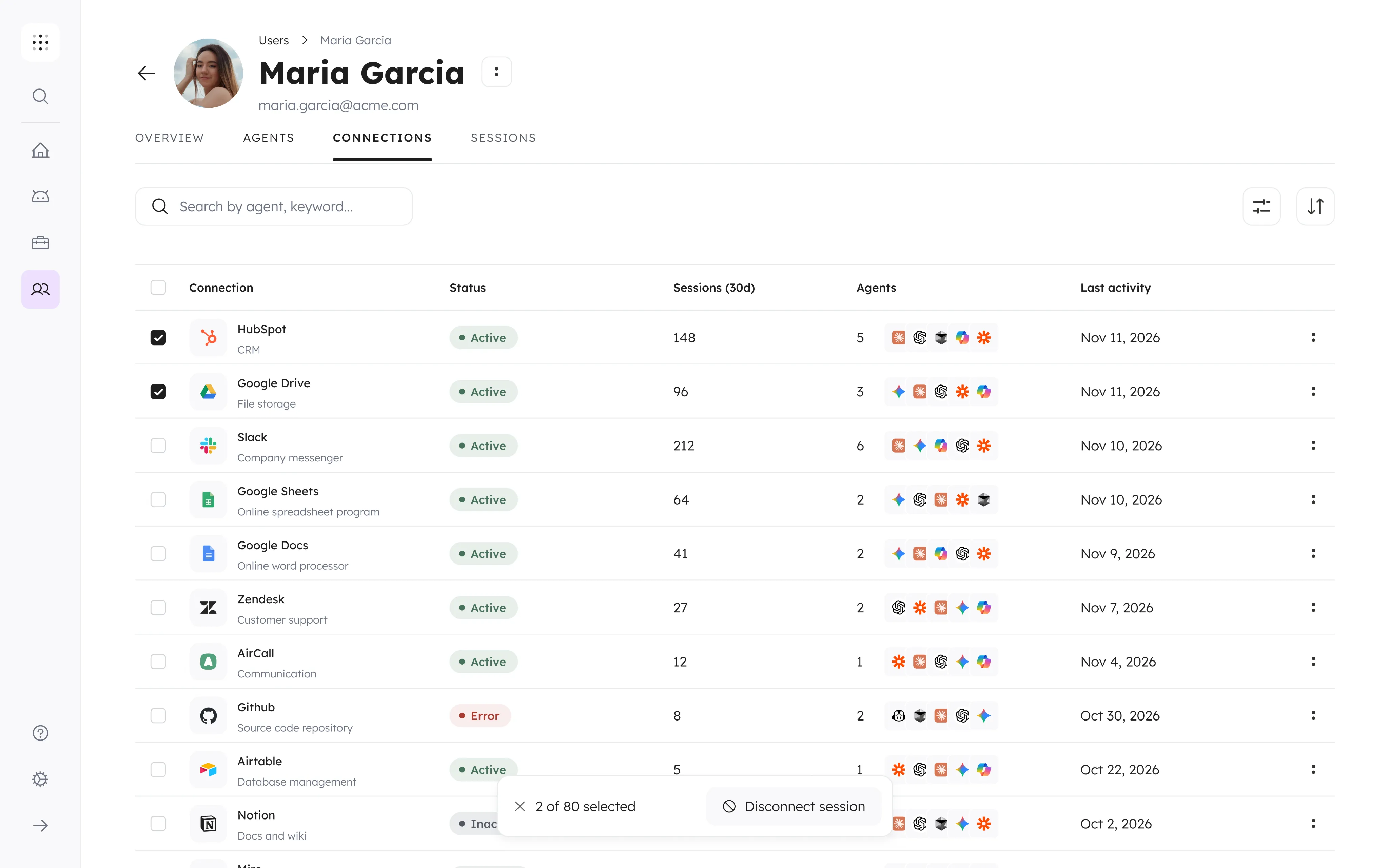
Maria's agents each hold their own access to HubSpot and Google Drive. When something goes wrong, nobody has one place to stop them all.
Access That Outlives Offboarding
When an employee leaves, the connections their agents use can keep working, and nobody has a list of them. Turning off the account in the identity provider does not always end them.
Stuck Waiting on the Employee
The agent's access sits in the employee's own setup. To cut it, IT has to reach that person first or go through every app one by one.

How it works
From Warning Sign to Full Stop
Guarantees
Answer the Questions Your Security Team Will Ask
Enforced at the Gateway
Cakewalk ends sessions at its own MCP Gateway, so stopping an agent never depends on the agent playing along. Every ended session stays on record in Agent Activity, and nobody can change that record afterwards.
Every ended session
on record in Agent Activity
No Token Left Behind
Agents never hold your company's credentials, so ending a session leaves no token behind with the agent. Disconnecting a session or removing a connection deletes the credential from Cakewalk's vault. Cakewalk is ISO 27001 certified.

ISO 27001
Certified
Works in Any MCP Client
Disconnect works for every connection that runs through the Cakewalk MCP Gateway, in any agent that connects over MCP, such as Claude, Cursor and VS Code.
Any MCP client
Claude, Cursor, VS Code


Related features
More Ways to Control Agent Access
Audit Trail
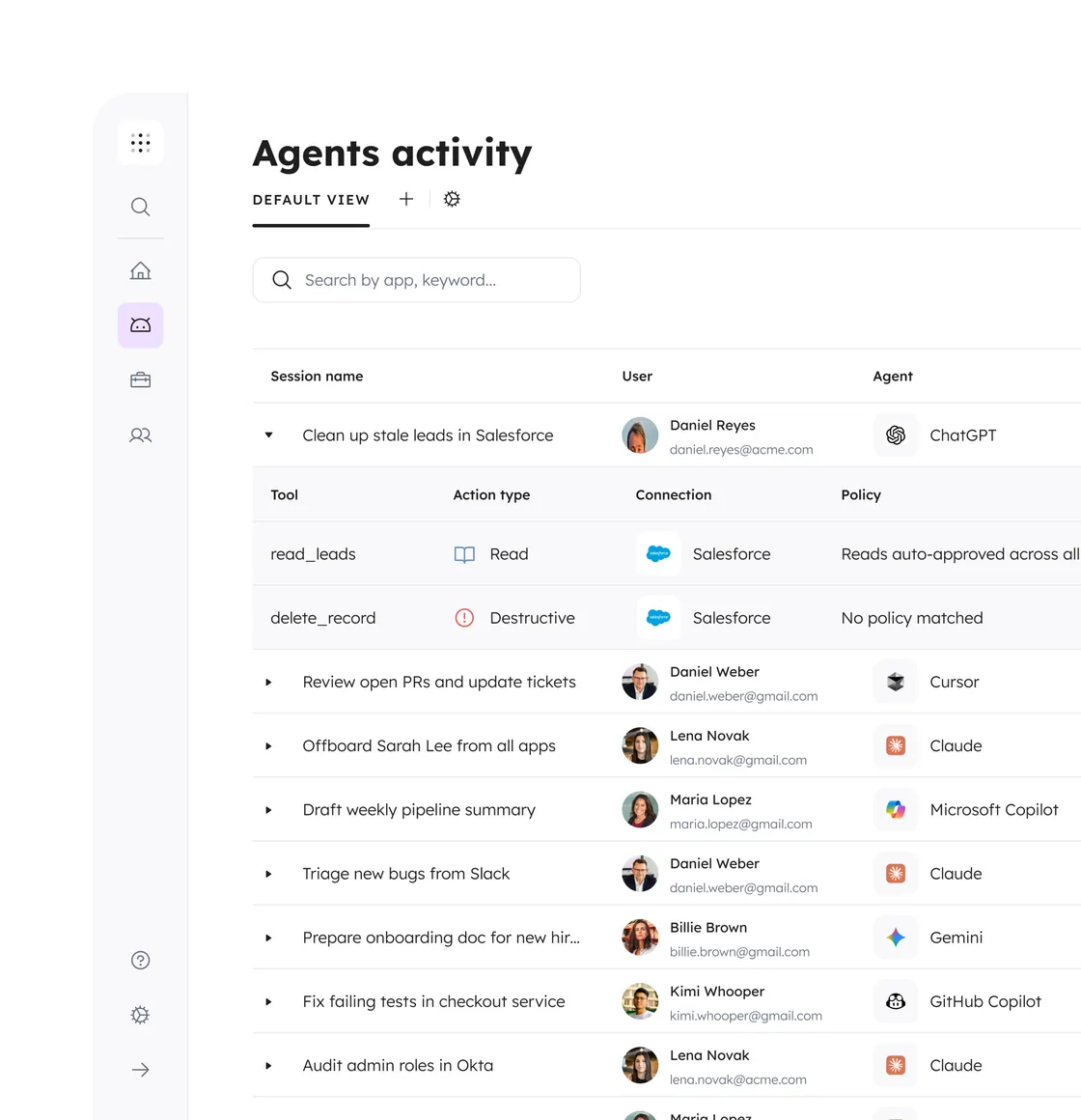
See every agent tool call, the human behind it and the policy that fired.
Team-based Connections
Decide which apps each team's agents may connect to.
Least Privilege
Give AI agents only the access their task needs.
FAQ
Q&A

Need to Talk Through Something Specific?
Contact UsHow do we keep an agent out of one app?
Remove the connection. Cakewalk ends the person's sessions on that app, deletes the stored credential and takes the app away from that person, so their agents can no longer use it through Cakewalk. A disconnect is lighter: it ends the sessions, and the person signs in again to continue.
What happens to an agent when an employee leaves?
Cakewalk deletes the employee's stored credentials, and every later tool call from their agents fails, even in a session that is already running. Only a call that is already in progress at that moment can finish.
Can we stop a single app instead of everything?
Yes. Disconnect session works per connection, so Lena can stop Maria's agents in HubSpot and leave Google Drive running.
Who can end a session?
Admins end sessions for any person under Users.
Do we see what the agent did before we stopped it?
Yes. Every action up to the stop stays in the audit trail with the employee, the agent, the app, the policy that fired and the outcome.
Need to Talk Through Something Specific?
Contact Us
We start with a call about your setup
In a first call, we look at the AI agents and apps that already run in your company and where their access sits. We help you sort out the agent chaos and the scattered access, and together we find out whether Cakewalk fits.
You try Cakewalk for free on your own stack
We connect Cakewalk to your company's real systems and hand it over. You'll quickly know if your team will use it.
If Cakewalk helps, we roll it out together
The same team you met in the first call stays with you while we onboard the rest of your company. After that, we meet your team for regular check-ins and support you whenever you need us.