


Time-Based Access
Replace Standing Admin Rights With Just-in-Time Access
Cakewalk's just-in-time access enforces least privilege by preventing standing admin rights and dormant accounts attackers are looking for. People get only the permission level they need, only for as long as the work takes, and Cakewalk starts the removal automatically when the access expires.

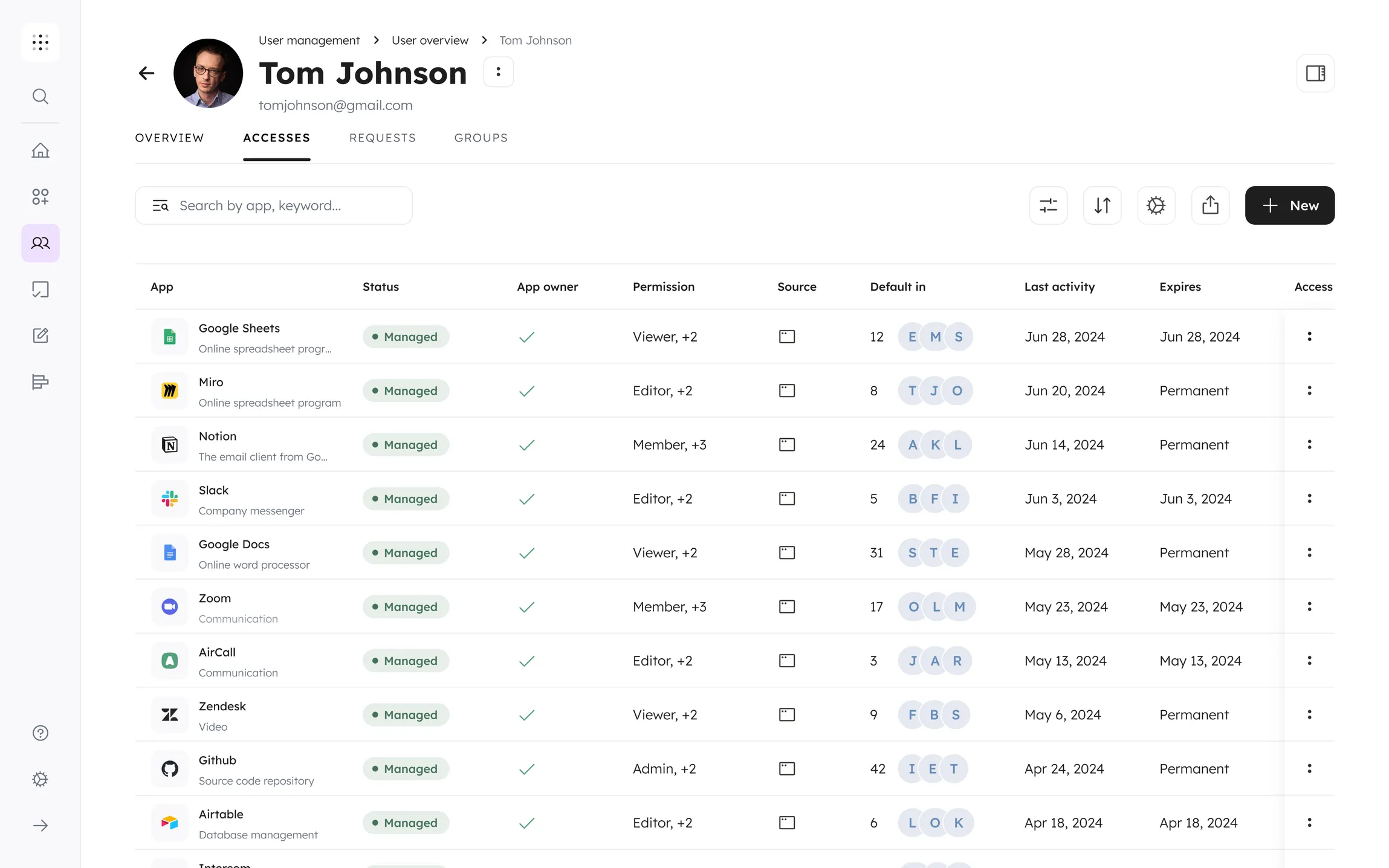
Dormant admin accounts let breaches go unnoticed
Their owners no longer sign in, so nobody spots a login that should not be there. Admin access nobody removes once it is no longer needed leaves another dormant account behind.
Leftover access becomes an audit finding
Auditors check least privilege: each access must still match a need. Access that outlived its project turns into a finding in your company's next ISO 27001 or SOC 2 audit.
Cleanup turns into grinding work
Someone has to track each end date and chase the app owner to remove the account. That work repeats with every contractor and every admin request.
What you get
Automate Least Privilege From Request to Removal
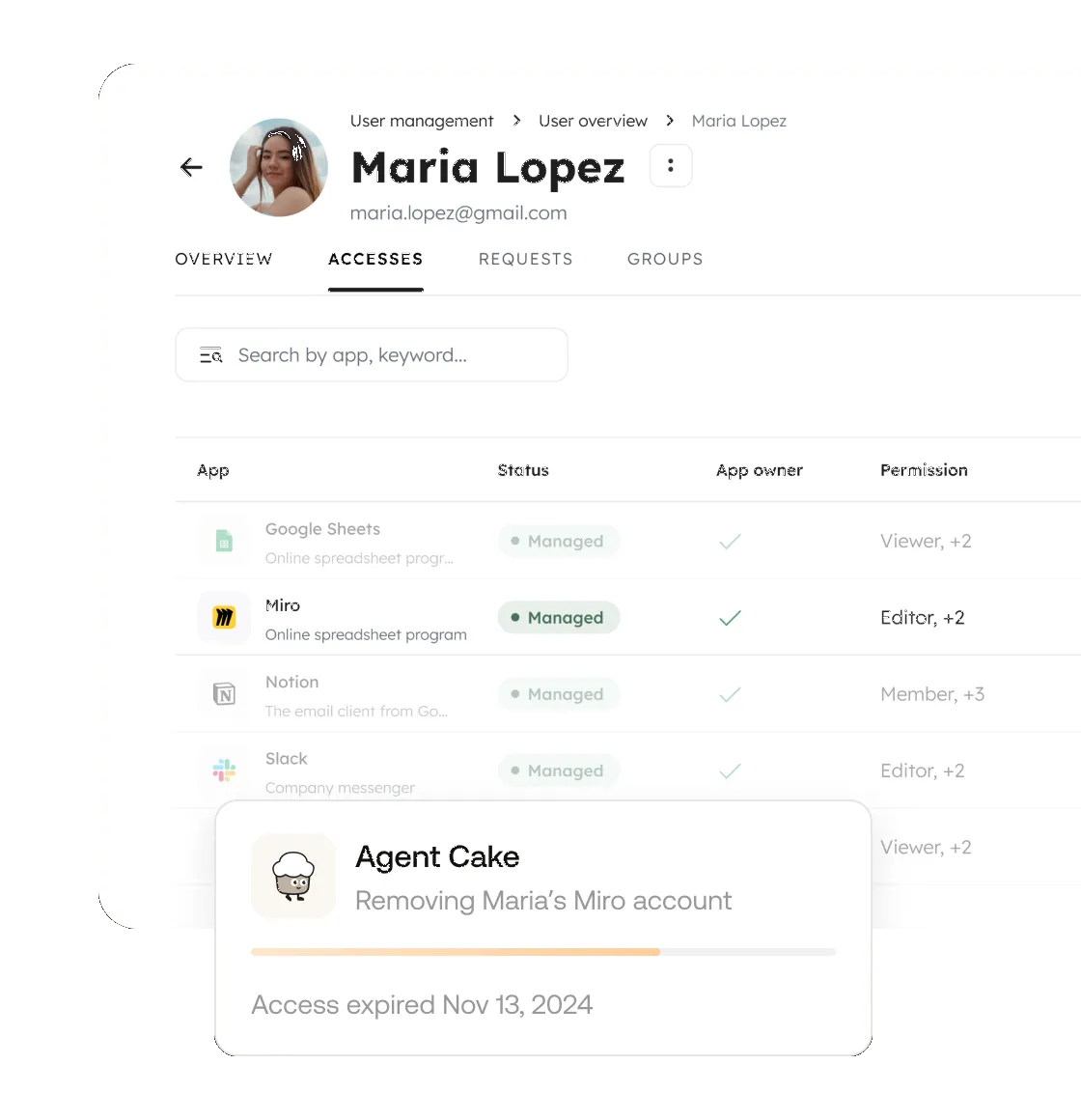
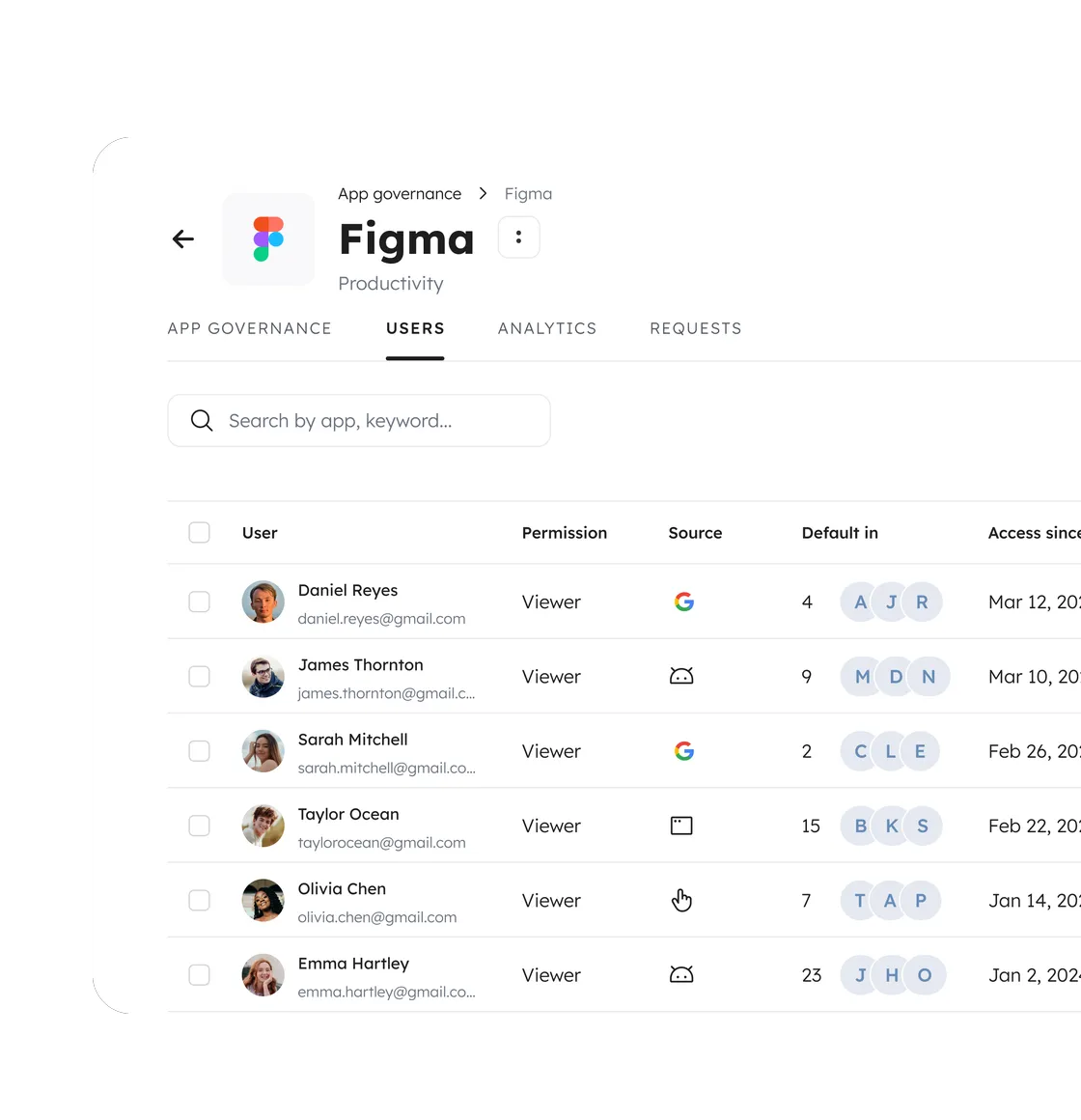
How it works
Take Access Back Without Chasing Anyone
Slack App
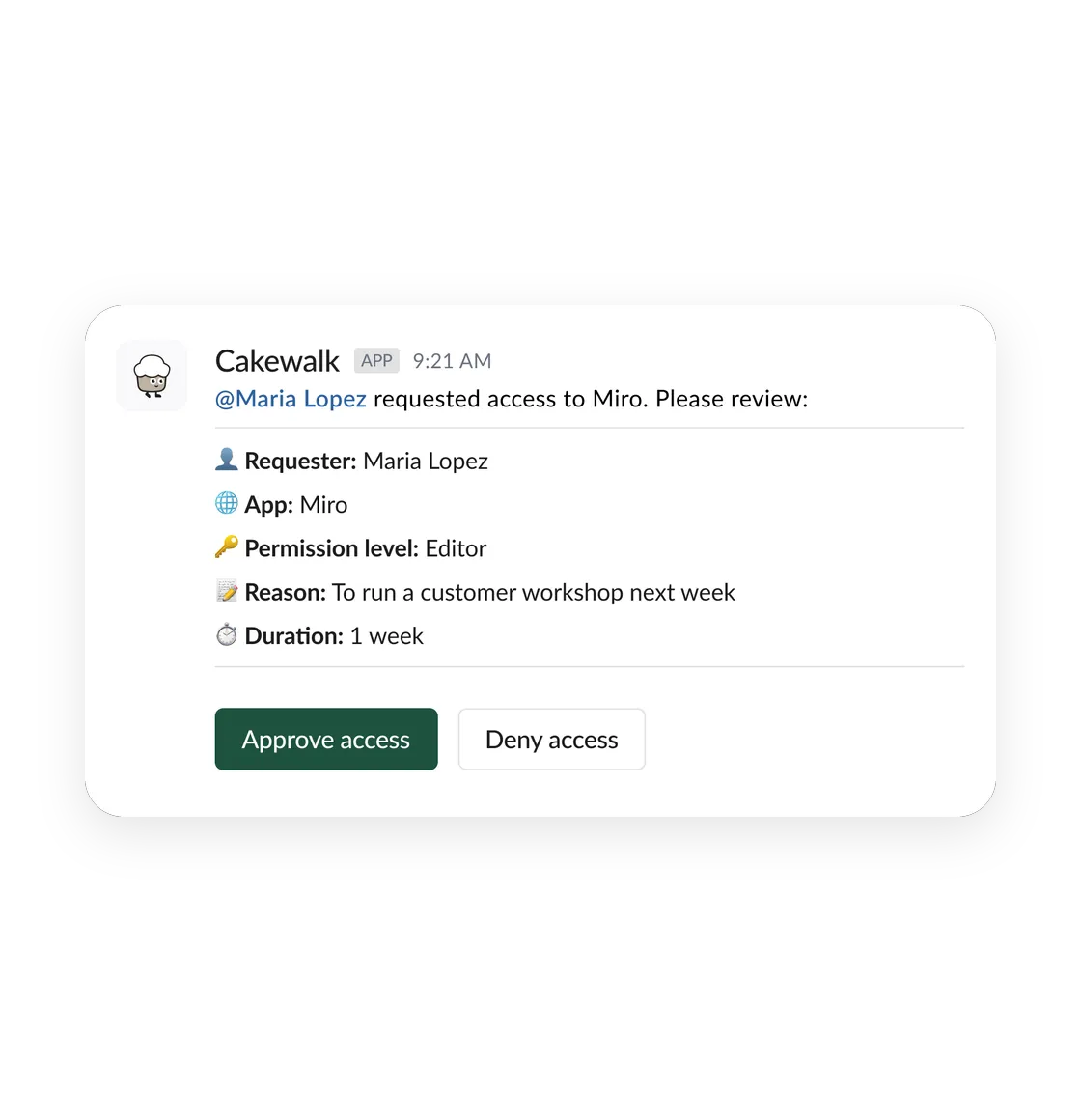
Request and approve just-in-time access without leaving Slack.
Works in Slack
Requests and approvals
Identity provider (IdP) integrations
Okta, Microsoft Entra ID and Google Workspace. Group access stays in place, and anything people request on top can carry an end date.
3 IdPs
Okta, Google, Microsoft
74 apps ready for Agent Cake
Agent Cake grants and removes access in apps without Security Assertion Markup Language (SAML) or SCIM.
74 apps
Notion, Miro, GitHub


Related features
Apply the Same Control to Reviews, Offboarding and Requests
User Access Reviews
Catch the access nobody gave an end date.
Onboarding and Offboarding
Remove all access when someone leaves.
Self Service Access
Let people request any app from your company's catalog.

Need to Talk Through Something Specific?
Contact UsDoes Cakewalk support just-in-time access?
Yes. Cakewalk's Time-Based Access gives people an app or admin rights only when they need them and only for as long as the work takes. When the access expires, Cakewalk starts the removal automatically.
When does the time start?
Once the access is granted. A request that waits for approval does not lose any of its time.
Can approvers change how long access lasts?
Yes. Approvers can shorten the requested time or add an end date to a request for permanent access, and no review step can extend it.
What if the app still shows the account after the removal?
For apps Cakewalk syncs, Cakewalk creates the removal again until the app no longer shows the account.
What stops someone from keeping access after it expires?
The removal cannot be canceled or declined, so keeping the app takes a new request that someone approves, or a group that includes the app.
Need to Talk Through Something Specific?
Contact Us
We start with a call about your setup
In a first call, we look at the AI agents and apps that already run in your company and where their access sits. We help you sort out the agent chaos and the scattered access, and together we find out whether Cakewalk fits.
You try Cakewalk for free on your own stack
We connect Cakewalk to your company's real systems and hand it over. You'll quickly know if your team will use it.
If Cakewalk helps, we roll it out together
The same team you met in the first call stays with you while we onboard the rest of your company. After that, we meet your team for regular check-ins and support you whenever you need us.