


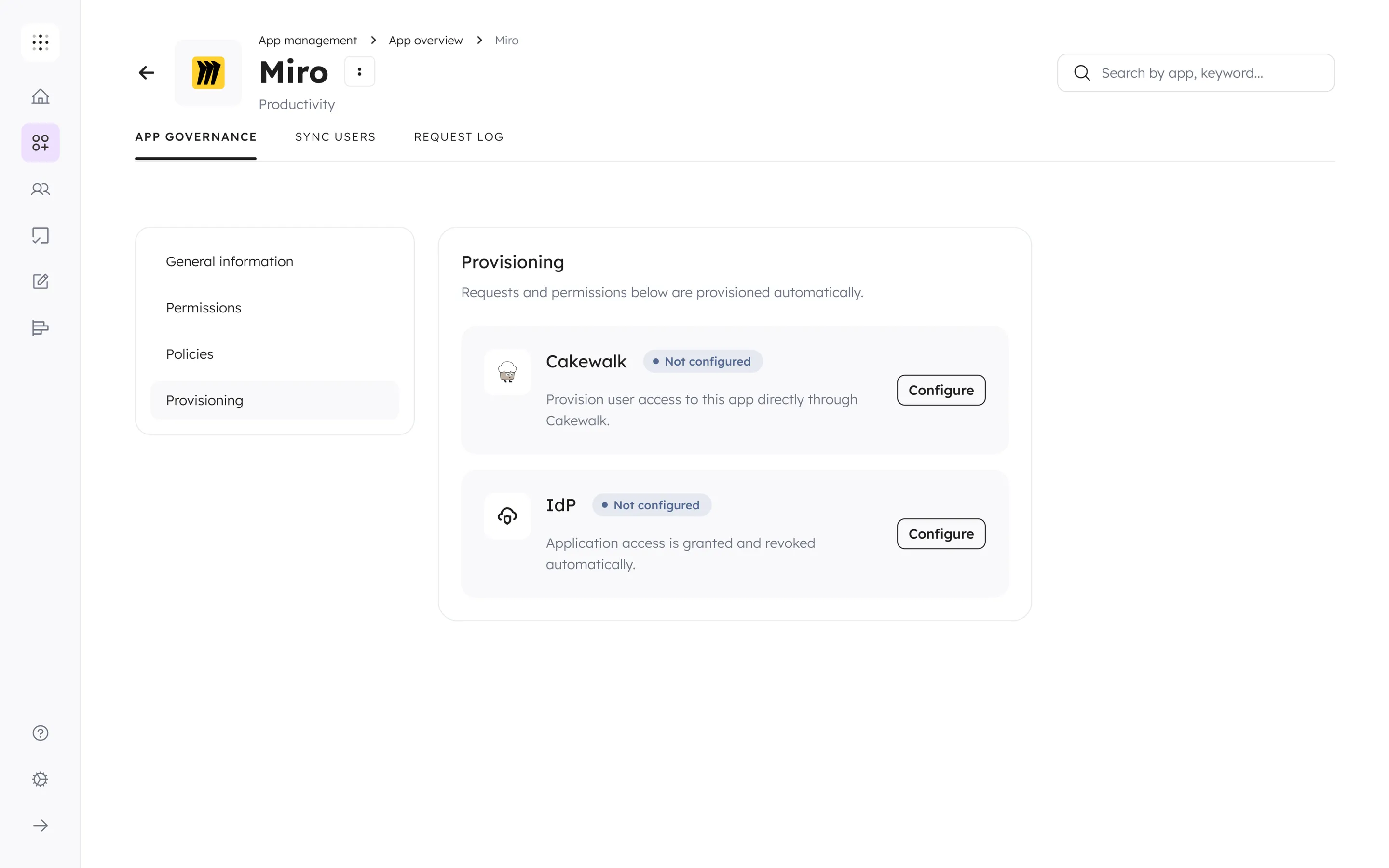
Cakewalk is where access gets approved. It then creates the account through your company's IdP or Agent Cake, whichever the app uses.
Auto provisioning
Automate User Provisioning for Your Apps and AI Tools
Cakewalk automates user provisioning, so IT stops creating and removing accounts by hand. Agent Cake, our AI provisioning agent, does this even in apps with no SSO or SCIM.

Apps without SSO or SCIM stay manual
Your company's identity provider (IdP) can only automate accounts in apps that support SSO or SCIM, often only on the enterprise plan. Every other account is manual work for IT.
Approvals don't change IdP groups
Even for apps whose plan includes provisioning, someone needs to manually add each approved person to the right groups in your company's IdP. When one change is missed, the group no longer matches what was approved.
Leavers keep accounts the IdP can't close
Disabling someone in the IdP ends their SSO sign in but closes accounts only in apps whose plan includes deprovisioning through SCIM. Every other account stays open, and many still work for the person who left.
How it works
Turn Approvals Into Working Accounts
74 apps ready for Agent Cake
74 apps
Slack, Linear, HubSpot
Okta, Microsoft Entra ID and Google Workspace
Connect the IdP your company already uses.
3 IdPs
Okta, Google, Microsoft


Related features
Keep Onboarding, Offboarding and Requests in One Place
Onboarding and Offboarding
Start provisioning from your company's HR system when people join, move and leave.
Access Requests
Let people request apps in the web app or Slack, with each request routed to the right approver.
Time-Based Access
Give temporary access that ends on its own.

Need to Talk Through Something Specific?
Contact UsCan we automate user provisioning without SCIM or an enterprise plan?
Yes. Many apps offer SCIM, the standard identity providers use to create and remove accounts, only on their enterprise plan. Agent Cake, our AI provisioning agent, creates and removes accounts in supported apps without it. Where your company's identity provider (IdP) already provisions an app through SCIM, Cakewalk uses that instead.
What does Cakewalk add if we already use SSO?
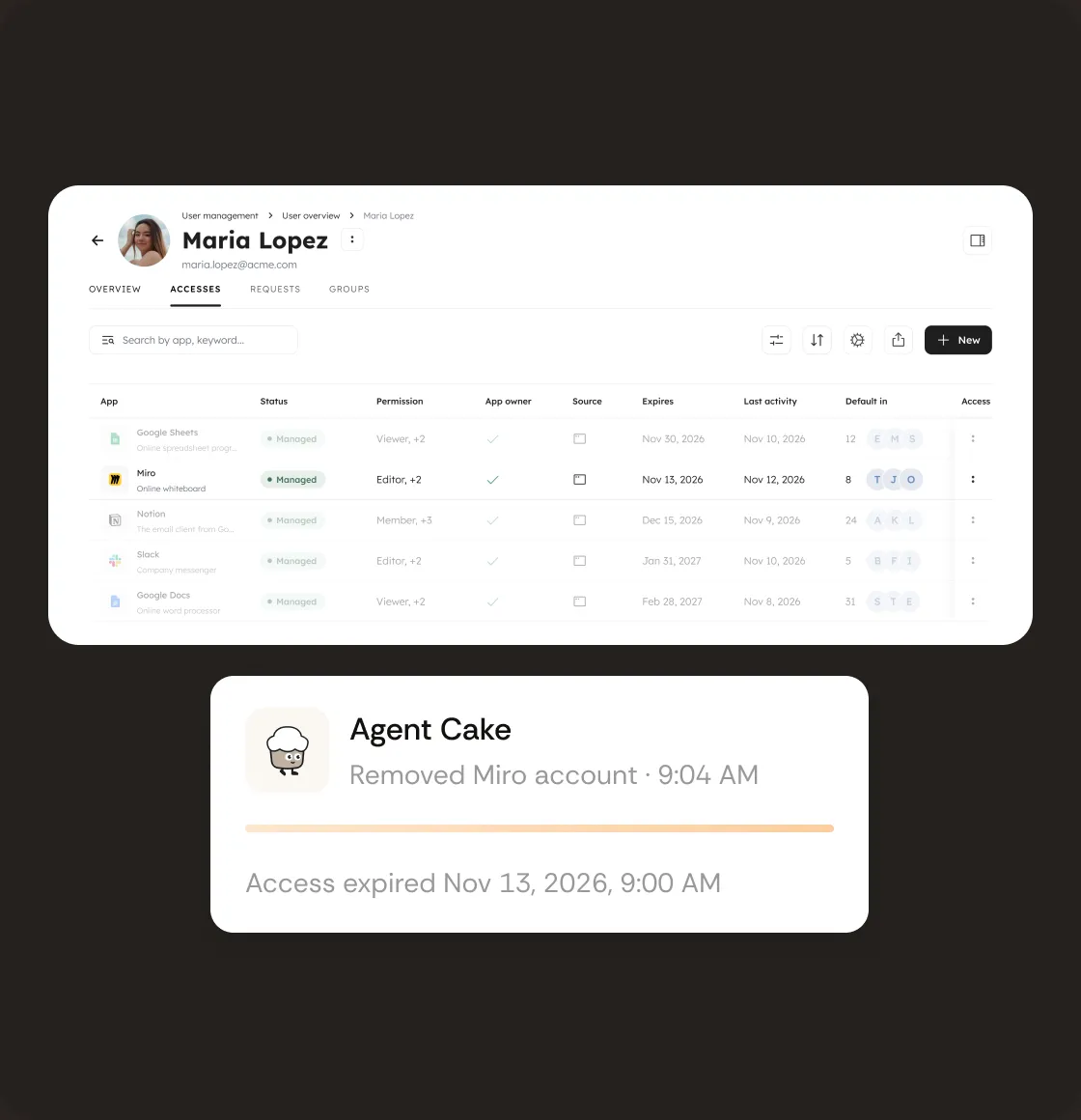
SSO signs people in, and some apps then create a seat at the first sign in. SSO never removes that seat. Agent Cake creates accounts once access is approved and removes them when access ends, including in apps whose plan doesn't include provisioning.
How does Agent Cake sign in to our apps, and how are the credentials protected?
An admin connects each app once to Agent Cake with an admin login, an API key or a Google or Microsoft sign in. Agent Cake fills in authenticator codes on its own. Passwords, authenticator secrets and API keys are encrypted in the admin's browser before Cakewalk receives them and are decrypted only while a job runs.
When does Agent Cake create or remove an account?
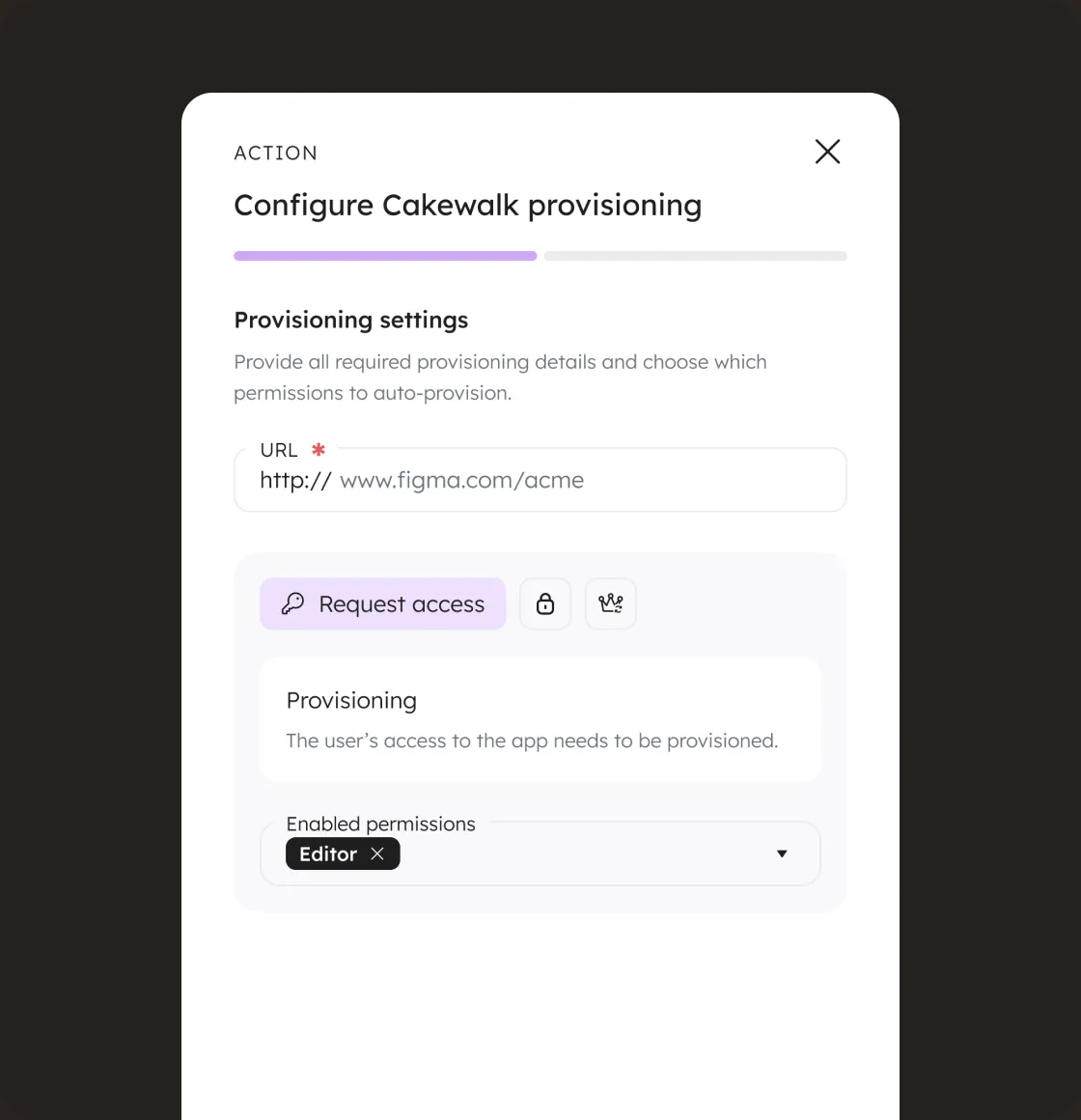
Agent Cake acts once your company has approved the access: after a request passes the review steps in its access policy, when someone is added to a group or when temporary access runs out.
Can Cakewalk use the groups we already have in our identity provider?
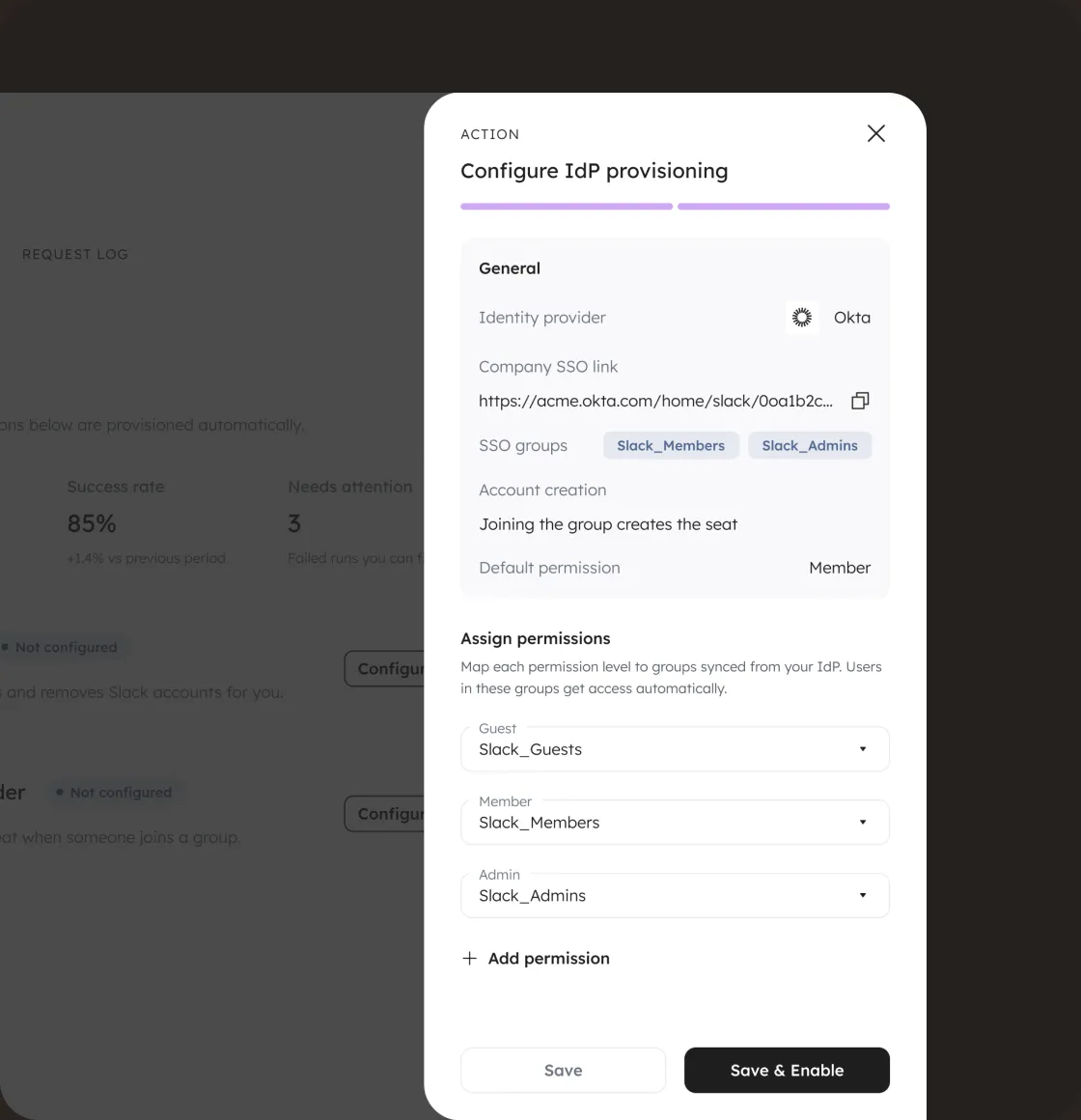
Yes. Map the groups your company already has in its identity provider (IdP) to each app and permission level in Cakewalk. Changes made directly in the IdP show up in Cakewalk too. This works with groups in Okta, Microsoft Entra ID and Google Workspace, once Cakewalk has write access to the groups you map.
Can we choose which permission levels are provisioned automatically?
Yes. Pick the permission levels Agent Cake may grant in each app, or map a group in your company's identity provider only to the levels you want automated.
Need to Talk Through Something Specific?
Contact Us
We start with a call about your setup
In a first call, we look at the AI agents and apps that already run in your company and where their access sits. We help you sort out the agent chaos and the scattered access, and together we find out whether Cakewalk fits.
You try Cakewalk for free on your own stack
We connect Cakewalk to your company's real systems and hand it over. You'll quickly know if your team will use it.
If Cakewalk helps, we roll it out together
The same team you met in the first call stays with you while we onboard the rest of your company. After that, we meet your team for regular check-ins and support you whenever you need us.