










An agent works with the access of the person who delegated the task. Cakewalk governs both on one platform, so every agent decision can use what Cakewalk already knows about that person: their role, their team and the apps they may use.
Access Management for Your Entire Workforce


Cakewalk runs access for people and their AI agents on one platform. Both modules share one directory and one lifecycle, so every agent works within the context of the person behind it.
Better together
Agents Need the Context of the Person Behind Them
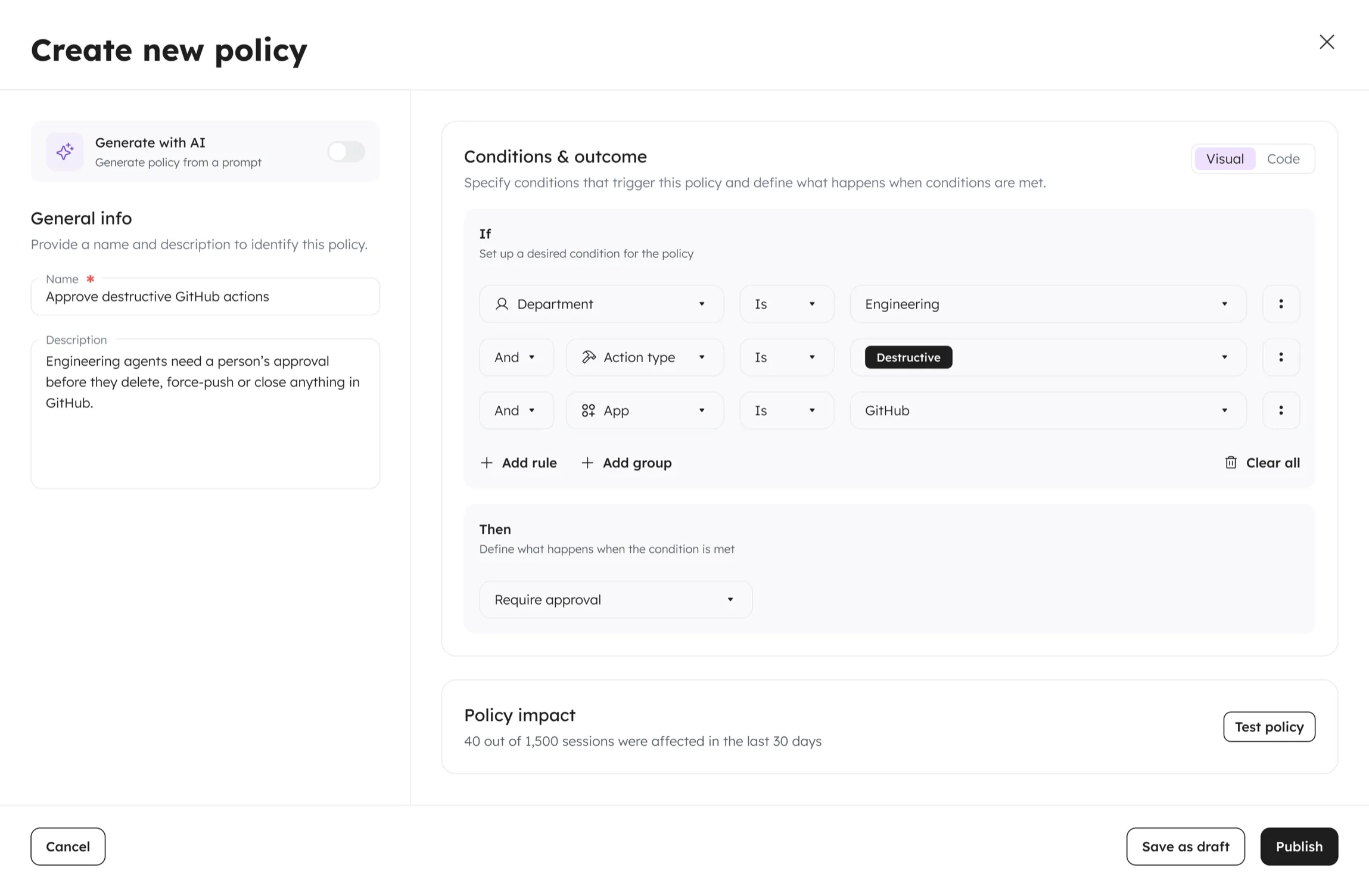
Agent Policies Read the Same HR Data
One HRIS or IdP connection feeds both modules. The department, title, team and location that decide a person's app access also decide what their agents may do.
Every Change Reaches the Agents
A new team or a new title changes the person's attributes, and policies apply them at the agent's next action. When someone leaves, offboarding deletes the credentials behind their agents' connections.
Agent Access Works Like Any Other App
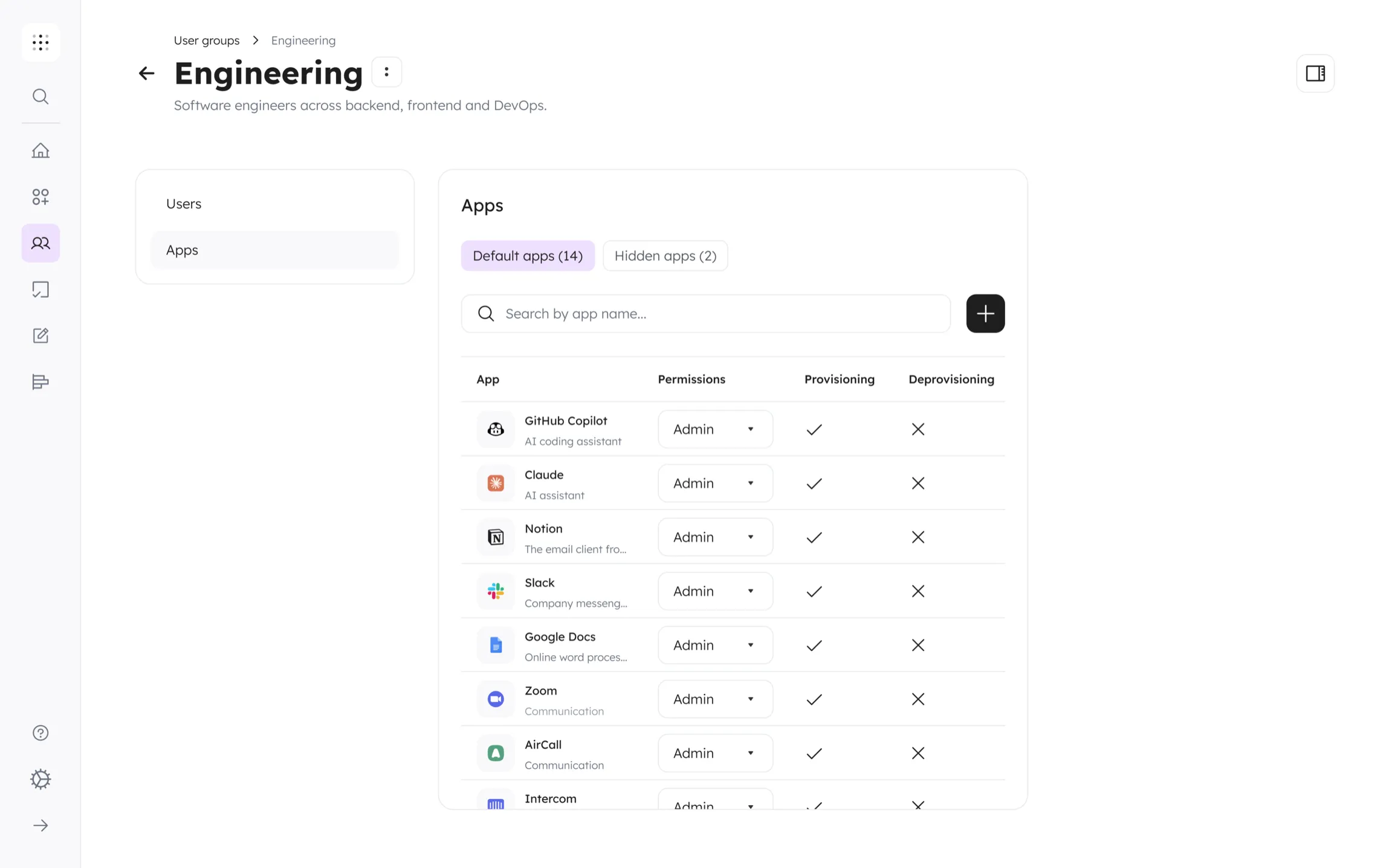
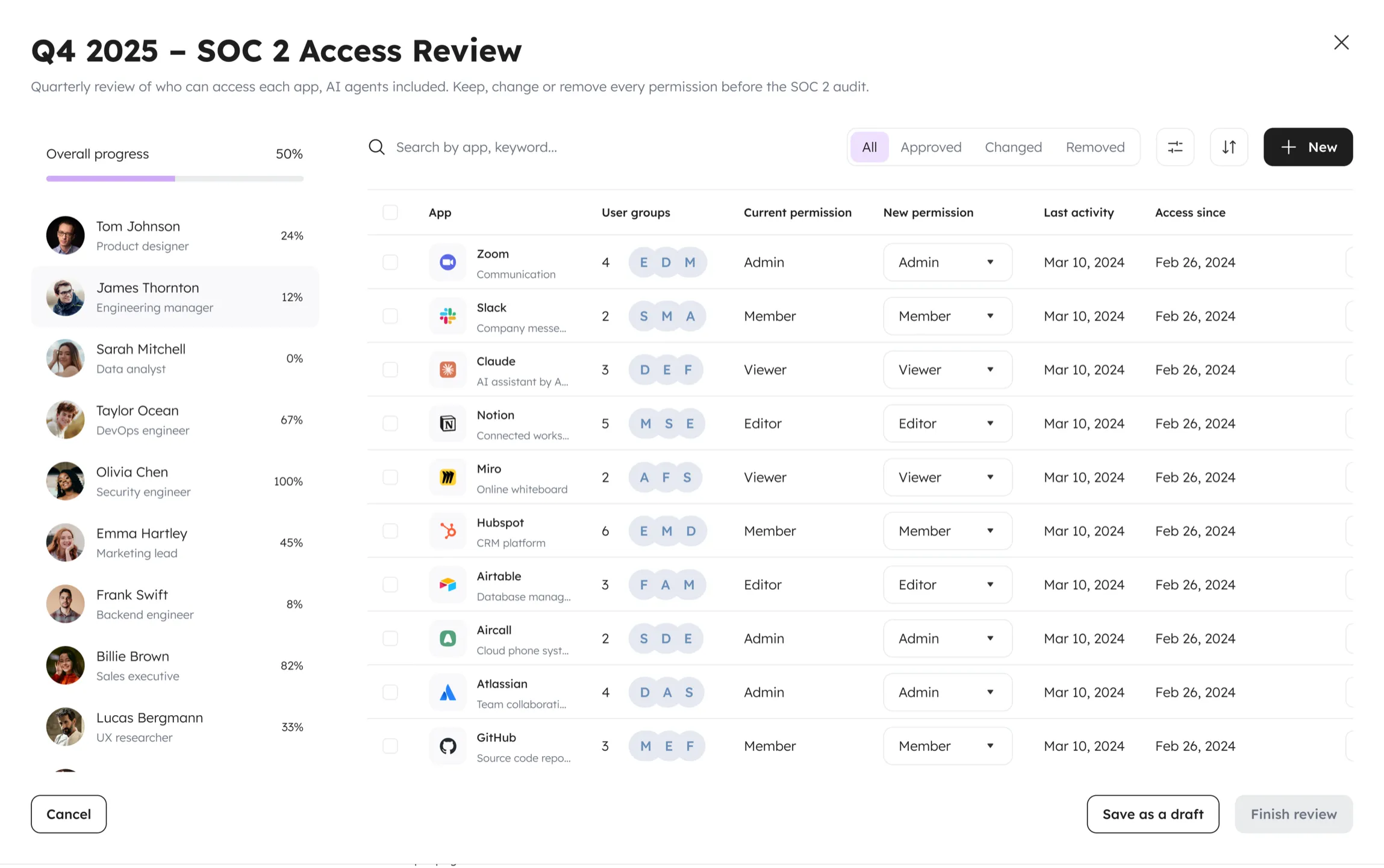
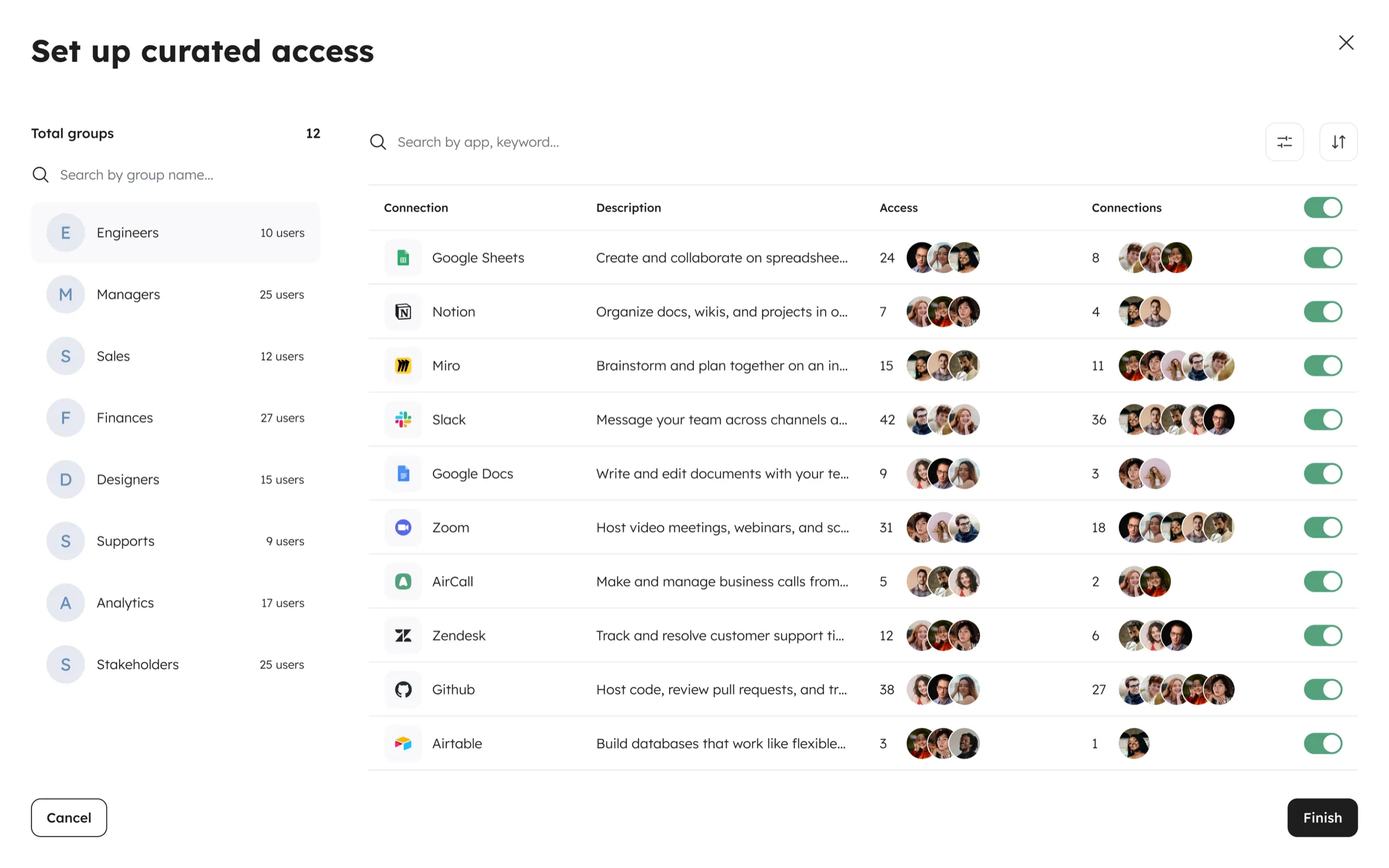
Cakewalk lists agent access as a managed app. Groups can grant it by default, employees request it through the usual approval flow and access reviews cover it.
Under both modules
Access Management Needs All Three Layers
Security decides who gets access to what. Automation keeps that access current as people join, move and leave. Compliance proves it to the auditor. Cakewalk builds each layer into both modules.


Human Access Management
Cakewalk grants least-privilege access by role from day one and finds the apps the identity provider cannot see.
Agent Access Management
Cakewalk checks every tool call against policy before it runs, and agents never hold a credential.
Human Access Management
Our AI agents provision and remove seats without SCIM, and employees ask for access in Slack.
Agent Access Management
Policies decide each agent action automatically, and sensitive actions wait for a person's approval.
Human Access Management
Cakewalk keeps one record of every access, and each access review becomes audit evidence.
Agent Access Management
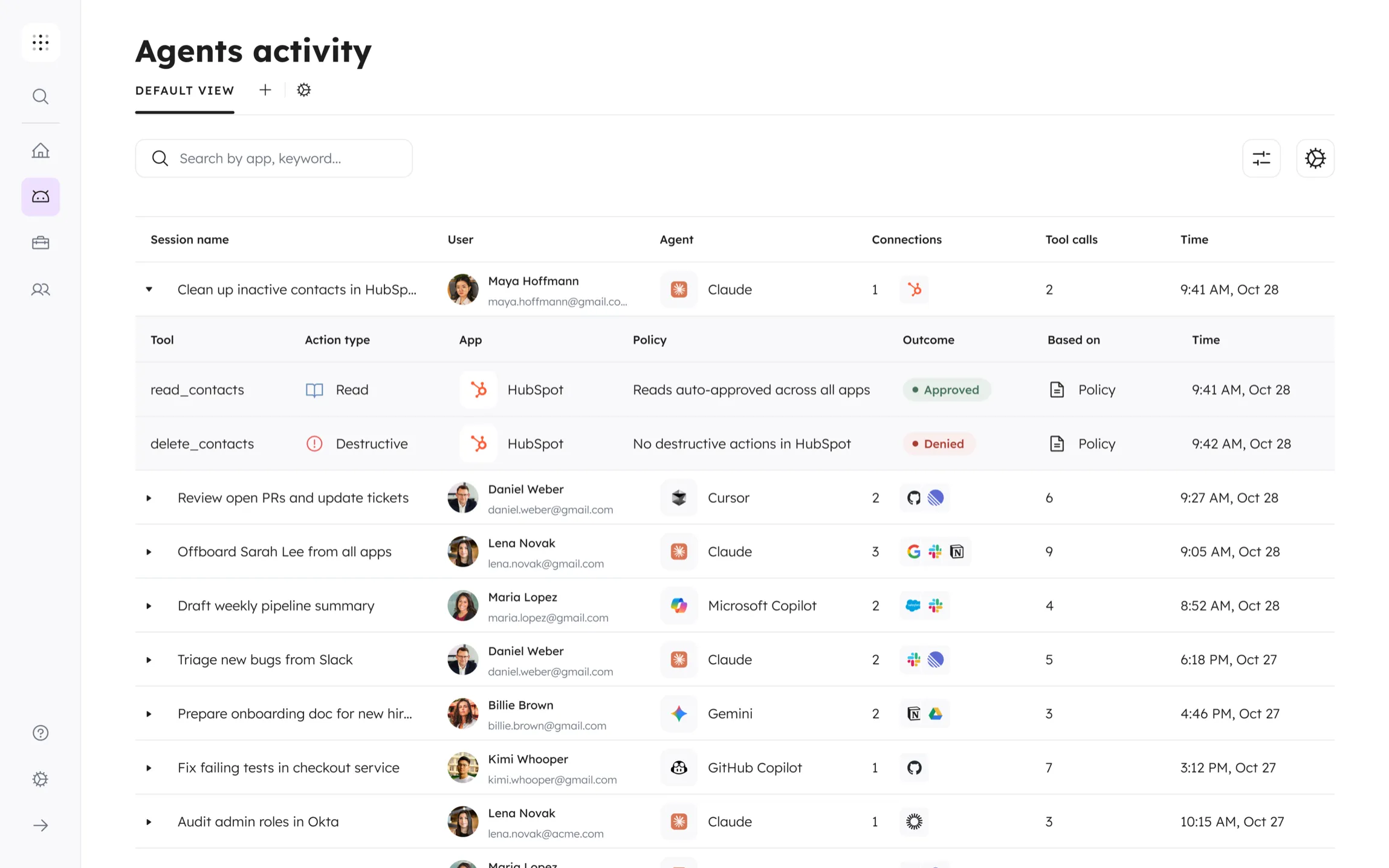
Cakewalk records every tool call with the person, the agent, the app, the policy that fired and the outcome.
The HRIS or IdP syncs in once, and both modules read the same department, title, team and location.
The platform
End-to-End Identity Governance for Your Entire Workforce
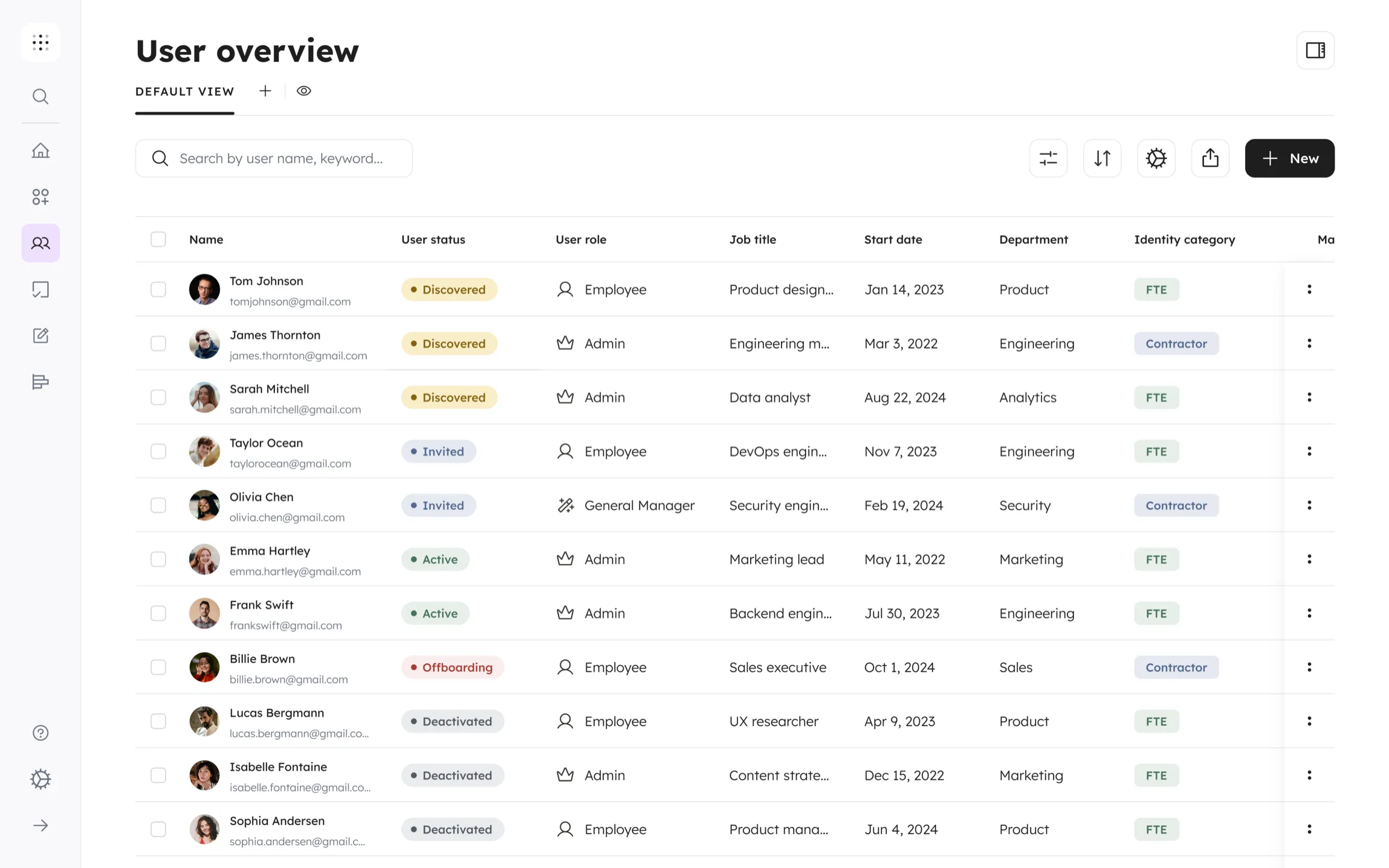
The Human Access Module governs which apps a person may use. The Agent Access Module controls how their agents can spend this access. Employee and their agents are connected through one shared directory and access rights and permissions follow user access.
Run joiner, mover and leaver flows in full sync with your IdP or HRIS.
Define once which apps, AI agents and permission levels each team member gets by default via role-based access control (RBAC).
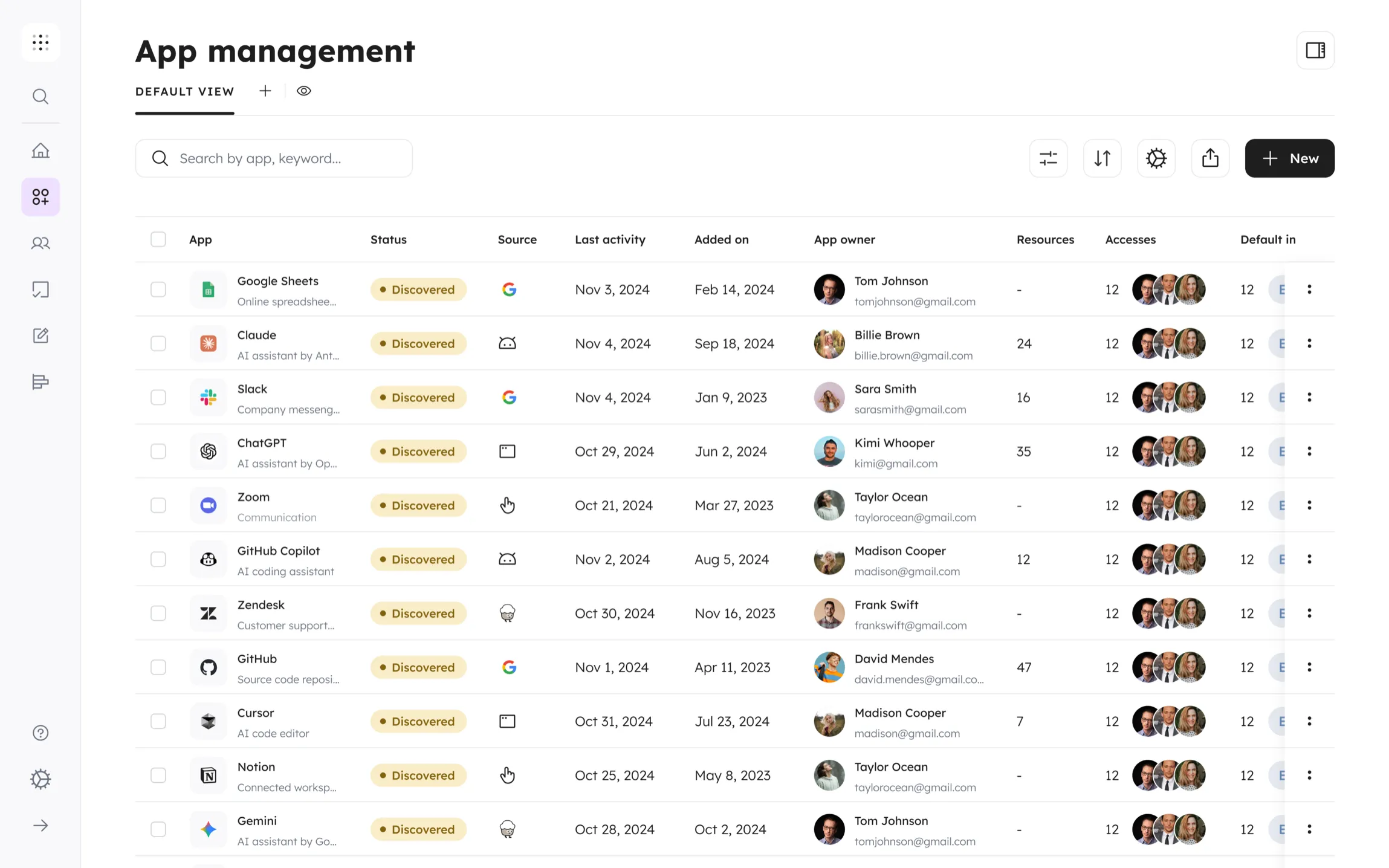
Discover every AI agent and app your employees are using (also outside SSO) in real time.
Run user access reviews (UAR) across your entire company from a single source of truth.
Build policies based on context from your HRIS or IdP, the specific access action an agent is aiming to execute and the respective app the agent calls.
Allow connections per group, synced from your HRIS or IdP.
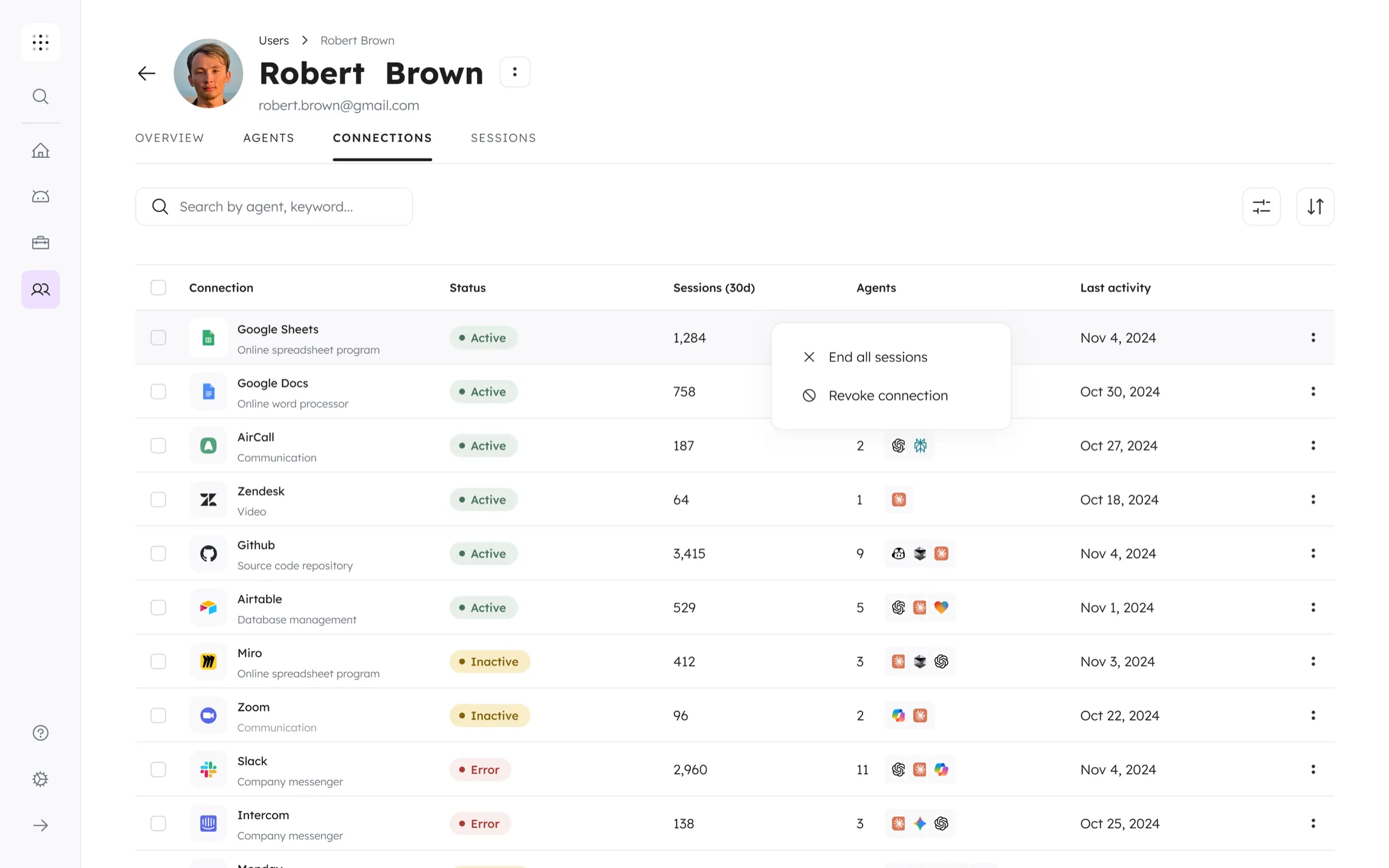
Stop misbehaving agents instantly. End the employee's active sessions in Cakewalk, and all agent activity stops immediately.
See all AI agents your employees connect through Cakewalk, the company systems these agents access and the human behind each agent.







FAQ
Q&A

Need to Talk Through Something Specific?
Contact UsCan we start with just one module?
Yes. Each module works on its own, so your company can start with either one and add the other later.
What changes when we run both modules?
Both modules share one HRIS or IdP connection and one directory of people. Cakewalk grants and removes agent access like any other app, and the Human Access Module also shows each person's agent and connection activity.
How do we switch between the modules?
Open the profile menu in the navigation bar and choose Human Access or AI Agent Access. Cakewalk grays out a module that your company does not run or that the person has no access to.
What happens to someone's agents when they leave?
Cakewalk creates an offboarding task when the HRIS or IdP marks the person as leaving, and the removals start once your team confirms it. Offboarding removes their agent access and deletes the credentials behind their connections. Cakewalk then denies every tool call from their agents, including calls in a session that is already running, and the person cannot reconnect.
What happens when someone changes teams?
Cakewalk updates their group memberships and the apps those groups grant. Agent policies read the same department, title, team and location, so their agents follow the new attributes from the next tool call after the HRIS sync, which runs every two hours.
Do agents ever hold app credentials?
No. Cakewalk stores every credential encrypted in its vault, scoped to the person and your company. For each tool call, the MCP Gateway adds the credential on Cakewalk's side, checks the call against policy and records the decision.
What counts as an AI agent?
An AI agent is any AI client that connects through Cakewalk's MCP Gateway, such as Cursor, Claude, ChatGPT, Microsoft Copilot or Codex. Cakewalk governs the person who delegates the task, the agent that runs it and the app it accesses.
Do we have to replace our identity provider?
No. Cakewalk connects to the HRIS or IdP your company already runs and syncs your people into one directory that both modules read.
What does Cakewalk cost?
See the pricing page or book a demo for a quote.
Need to Talk Through Something Specific?
Contact Us
We start with a call about your setup
In a first call, we look at the AI agents and apps that already run in your company and where their access sits. We help you sort out the agent chaos and the scattered access, and together we find out whether Cakewalk fits.
You try Cakewalk for free on your own stack
We connect Cakewalk to your company's real systems and hand it over. You'll quickly know if your team will use it.
If Cakewalk helps, we roll it out together
The same team you met in the first call stays with you while we onboard the rest of your company. After that, we meet your team for regular check-ins and support you whenever you need us.