


Access Requests
Run Self-Service Access Everyone Uses
Access management is only as secure as its weakest link, so Cakewalk is built for every employee. Each request goes to the people best placed to decide, such as the person's manager or the app owner, and our AI agents provision the access once they approve.

Every request is manual work for IT
People ask for access in a direct message, an email or a ticket, and someone in IT provisions each account manually. Requests get lost on the way, and people wait days or even weeks for the apps they need.
Slow access feeds shadow AI and IT
When access approvals take days, people bypass IT and sign up for another app on their own. That access sits outside your company's identity provider (IdP) and policies, where nobody reviews or removes it.
Informal approvals leave no proof
A yes in a direct message or an email has no link to the account someone creates later. When the auditor asks, IT digs the trail out of old threads.
What you get
Hand Access Requests to Our AI Agents
How it works
Watch a Request Become a Working Account
The Cakewalk app for Slack
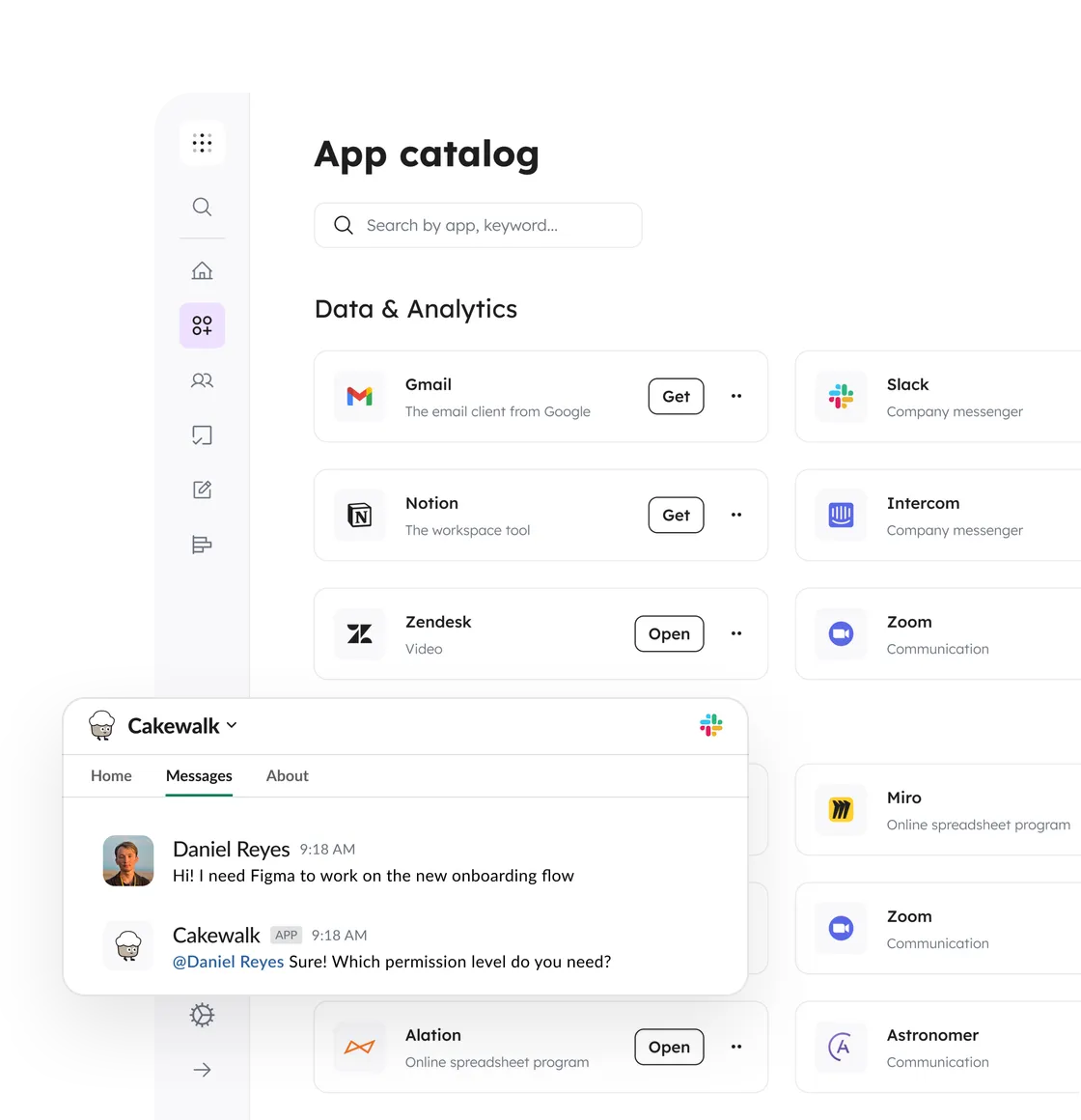
People request access and approvers decide right in Slack. Add the app to your company's Slack workspace once from Cakewalk's settings.
Works in Slack
Requests and approvals
74 apps Agent Cake provisions
Agent Cake provisions the account as soon as a request is approved, with no SCIM needed. Search for your company's apps to see which ones it covers.
74 apps
Notion, Miro, GitHub


Related features
Keep Requested Access in Check
Customization
Set the approval policy for each app and permission level in the policy builder.
Auto Provisioning
Create and remove accounts without manual work.
Time-Based Access
Give access that ends on its own.

Need to Talk Through Something Specific?
Contact UsHow do employees request access in Cakewalk?
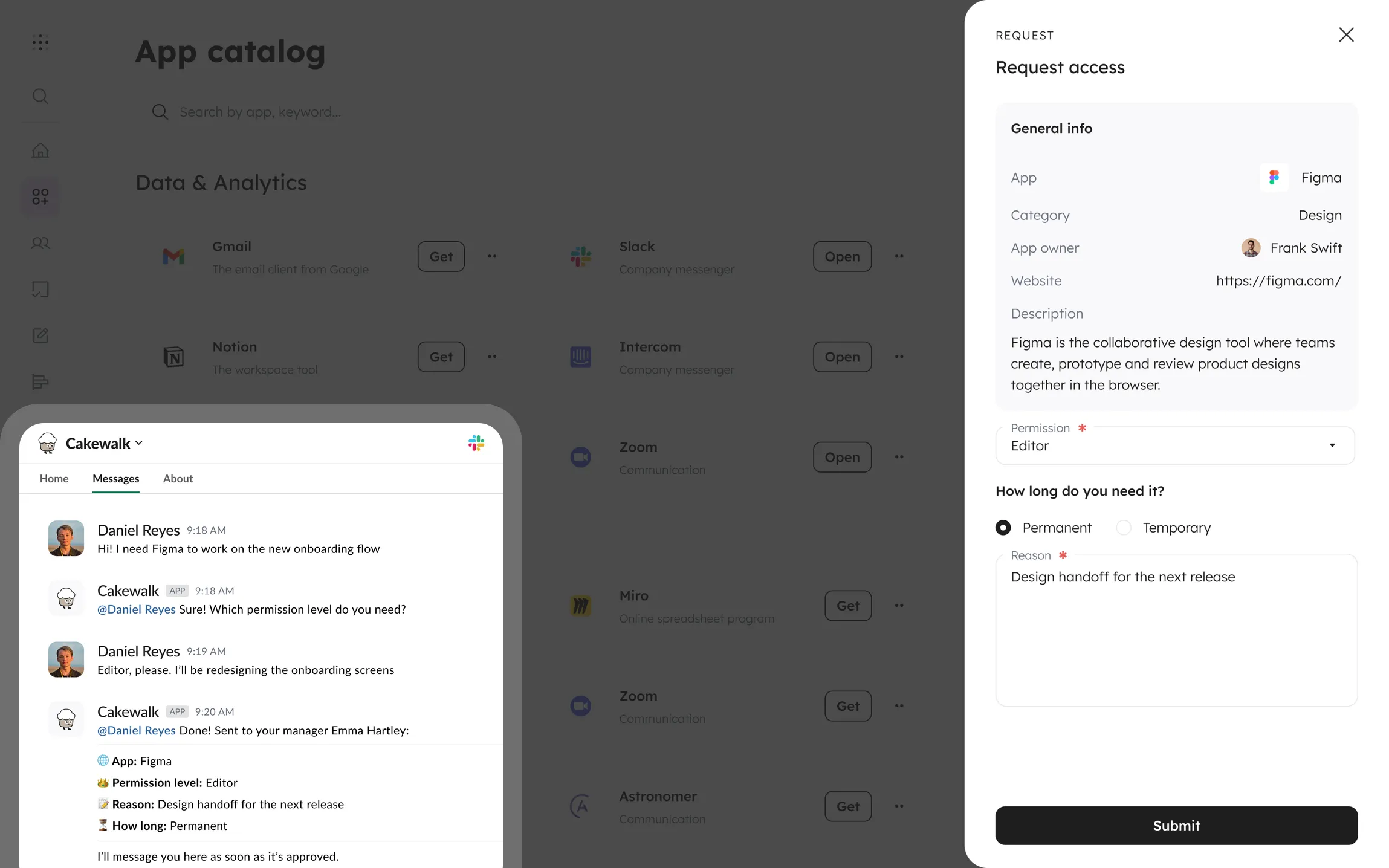
Employees pick the app in the App Catalog in the Cakewalk web app or ask Cakewalk's Slack agent, for example "I need access to Figma". Either way, the employee confirms the permission level and gives a reason, and the request goes into your company's approval policy.
Which apps can employees request in Cakewalk?
The apps your company manages in Cakewalk, except any app hidden from their user groups. Cakewalk refuses any other access request, whether it comes from Slack, the web app or the API.
Can employees check where their request stands in Cakewalk?
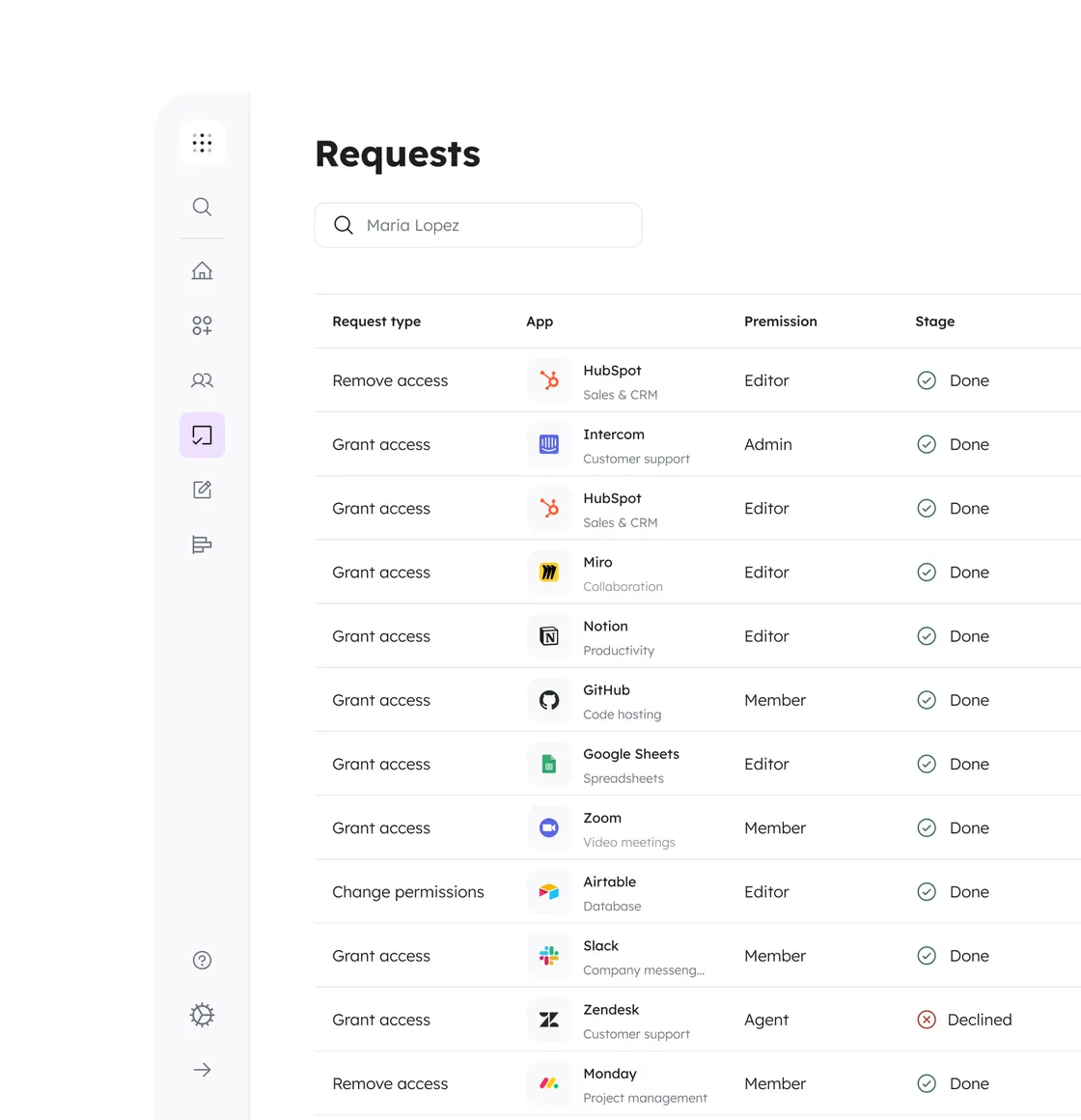
Yes. The Requests page in the Cakewalk web app shows each request's status and who needs to act next, and the Slack agent answers the same question in a chat.
Who approves an access request in Cakewalk?
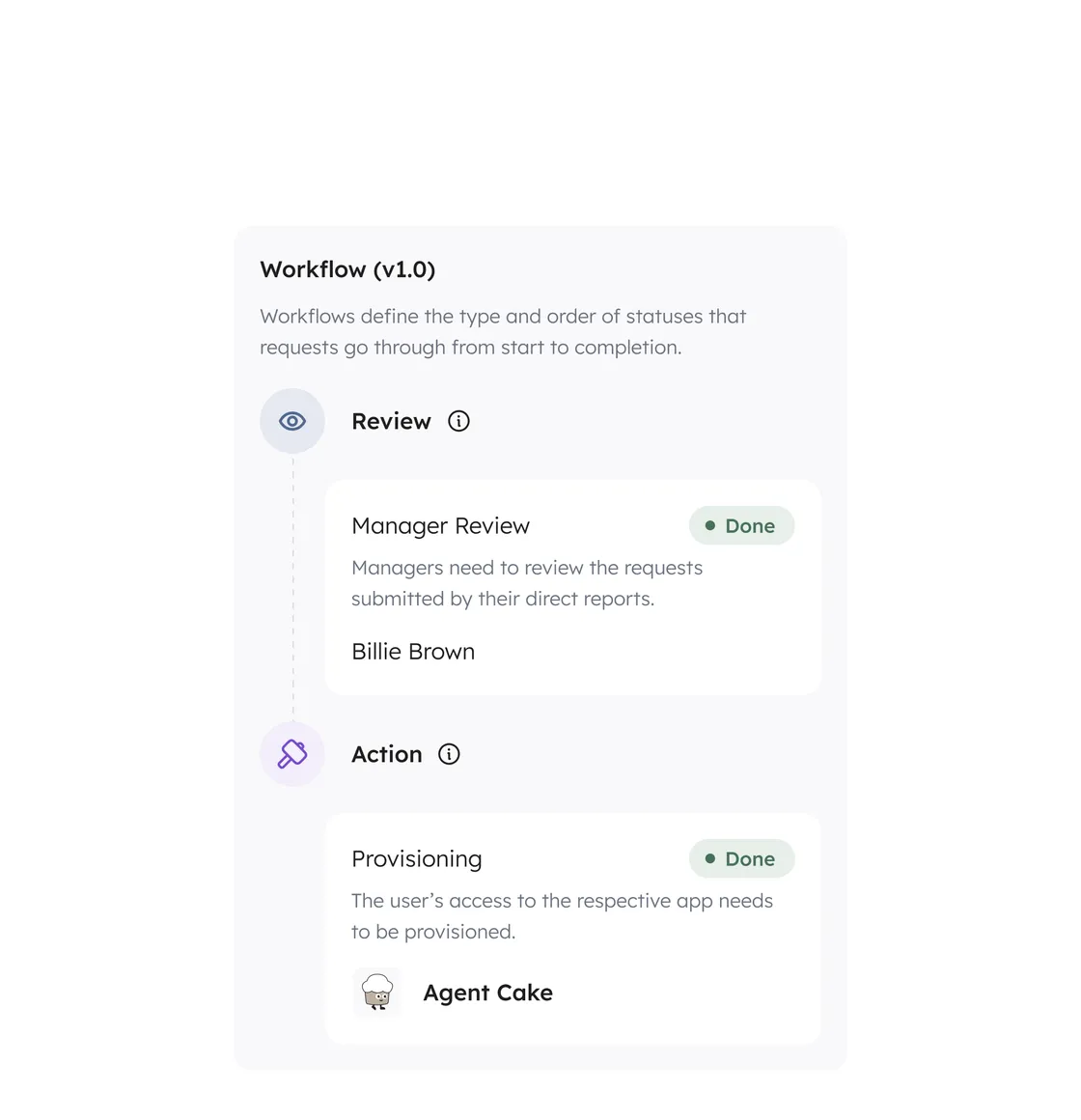
Cakewalk sends each access request to the approvers your company's policy names for the app and permission level. By default the person's manager approves, and your company can add steps for the app owner, named people, user groups or admins. Approvers decide in the Cakewalk web app or from a card in Slack that shows the app, the permission level with its description, how long the access lasts and the reason.
Can employees request temporary access in Cakewalk?
Yes. With Time-Based Access, an employee picks how long they need the access in the request form, in the Cakewalk web app or the Cakewalk app for Slack. Cakewalk starts the removal when the time is up.
Can employees request an app your company does not use yet?
Yes. Employees request a new app from the App Catalog in the Cakewalk web app, or from the browser extension when they open an app your company does not manage yet. Your company's admins review the request by default, and once approved, the app joins the catalog.
What happens after an access request is approved in Cakewalk?
Agent Cake, Cakewalk's AI provisioning agent, provisions the account at the approved permission level in the apps it supports, and the employee is notified when it is ready.
Need to Talk Through Something Specific?
Contact Us
We start with a call about your setup
In a first call, we look at the AI agents and apps that already run in your company and where their access sits. We help you sort out the agent chaos and the scattered access, and together we find out whether Cakewalk fits.
You try Cakewalk for free on your own stack
We connect Cakewalk to your company's real systems and hand it over. You'll quickly know if your team will use it.
If Cakewalk helps, we roll it out together
The same team you met in the first call stays with you while we onboard the rest of your company. After that, we meet your team for regular check-ins and support you whenever you need us.