


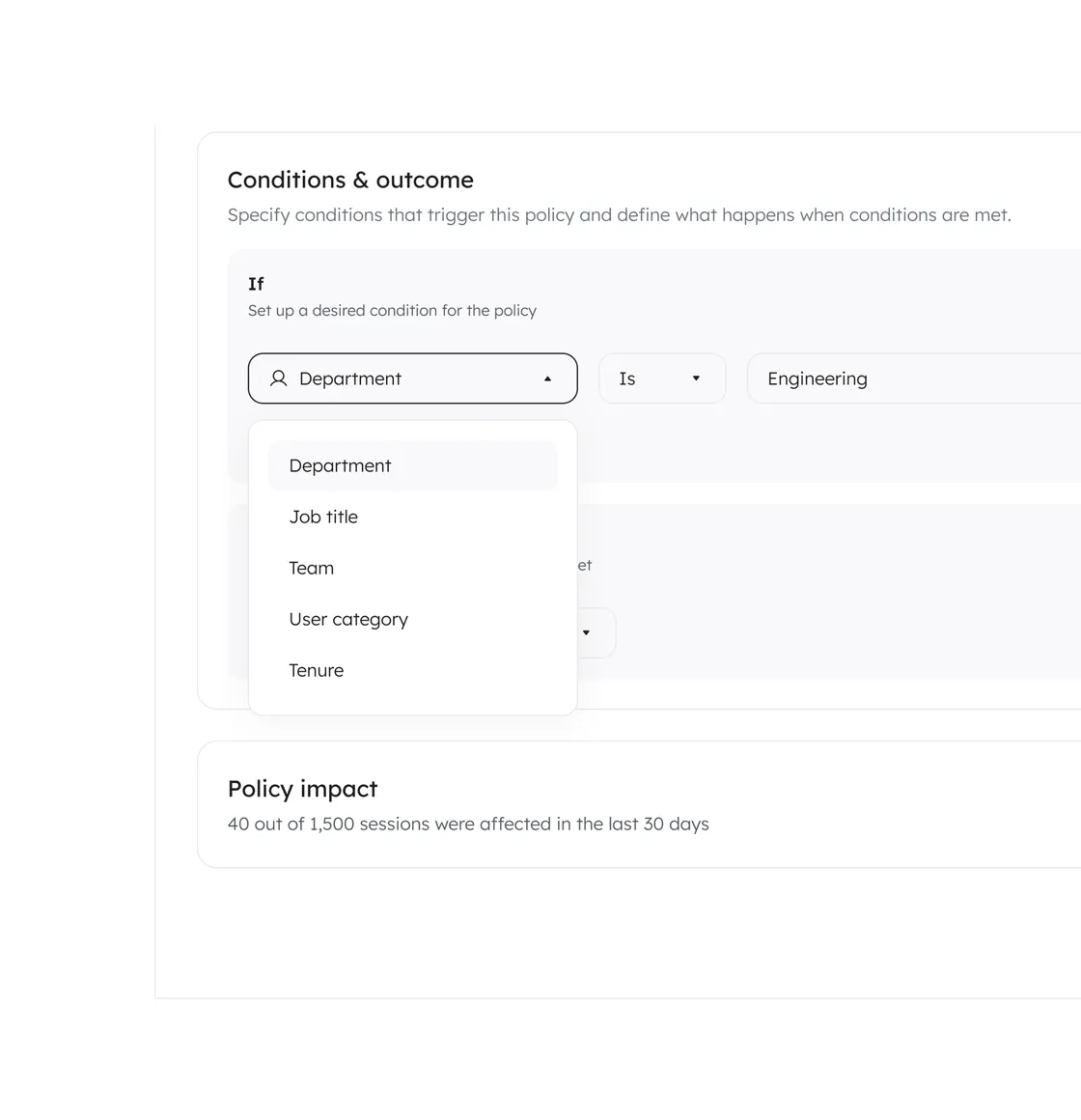
When an agent acts, Cakewalk looks at three things: the action, the app and the human behind the agent. It reads that person's department, title, team and location from your HRIS or IdP and checks every policy that matches. Two agents can ask for the same action and get different answers, because the people behind them hold different roles. Cakewalk knows the human behind the agent and the app behind the connection.
Attribute-based Access
Tailor AI Agent Access to the Person Behind It
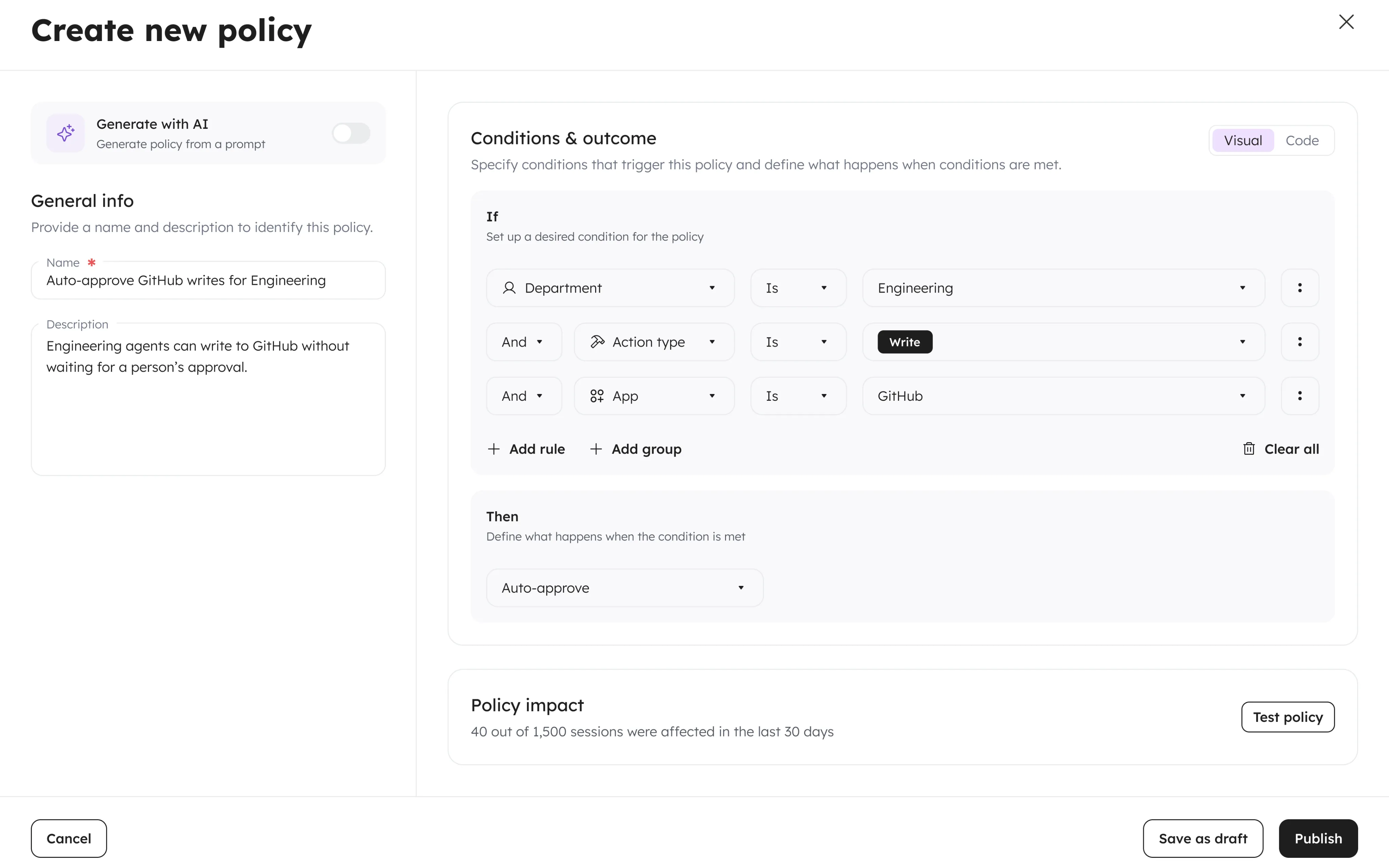
Define policies in Cakewalk to decide what each AI agent may do, based on the department and team of the person who delegated the work. Cakewalk enforces them on every agent tool call and when someone changes teams, their agents follow the new team's policies with the next sync from your HRIS or IdP.

One Size for Everyone
Daniel's agent needs to open pull requests in GitHub. Maria's agent never does. A static policy for every agent ends up too loose for one team or too tight for the other.
App Access Is All or Nothing
Today an agent gets everything its person can do in an app, or nothing. Security teams cannot allow reading deals while blocking deletes for one team only.
Policies Blind to the Person
A policy that only sees the action cannot tell who is behind the agent. A request from sales and one from engineering look exactly the same.
How it works
Every Decision Starts With the Human Behind the Agent
Guarantees
Answer the Questions Your Security Team Will Ask
Predictable Decisions
Every decision comes from your policies and the attributes in your directory, and no AI model takes part in the decision. The same action from a person with the same attributes gets the same outcome every time. Agent Activity Log shows which policy decided each action.
Deterministic
no model in the loop
Read-Only Directory Sync
Cakewalk only reads people and their attributes from your HRIS or IdP and never writes changes back. Agents never hold your credentials, and Cakewalk is ISO 27001 certified.

ISO 27001
Certified
Works With Your HRIS or IdP
Cakewalk syncs people from more than 100 HRIS and IdP systems, including Personio, HiBob, Workday, Okta, Microsoft Entra ID and Google Workspace. It works with any agent that connects over MCP. Without a sync, admins can set department, title and team for each person by hand.
100+ HRIS and IdPs
Personio, Workday, Okta


Related features
More Ways to Control Agent Access
Least Privilege
Give AI agents only the access their task needs.
Team-based Connections
Decide which apps each team's agents may connect to.
Audit Trail
See every agent tool call, the human behind it and the policy that fired.
FAQ
Q&A

Need to Talk Through Something Specific?
Contact UsWhat is attribute-based access control for AI agents?
Attribute-based access control for AI agents decides what an agent may do based on facts about the human behind it, such as department or location, together with the app and the action. Cakewalk checks these facts on every action an agent takes.
Which attributes can our policies use?
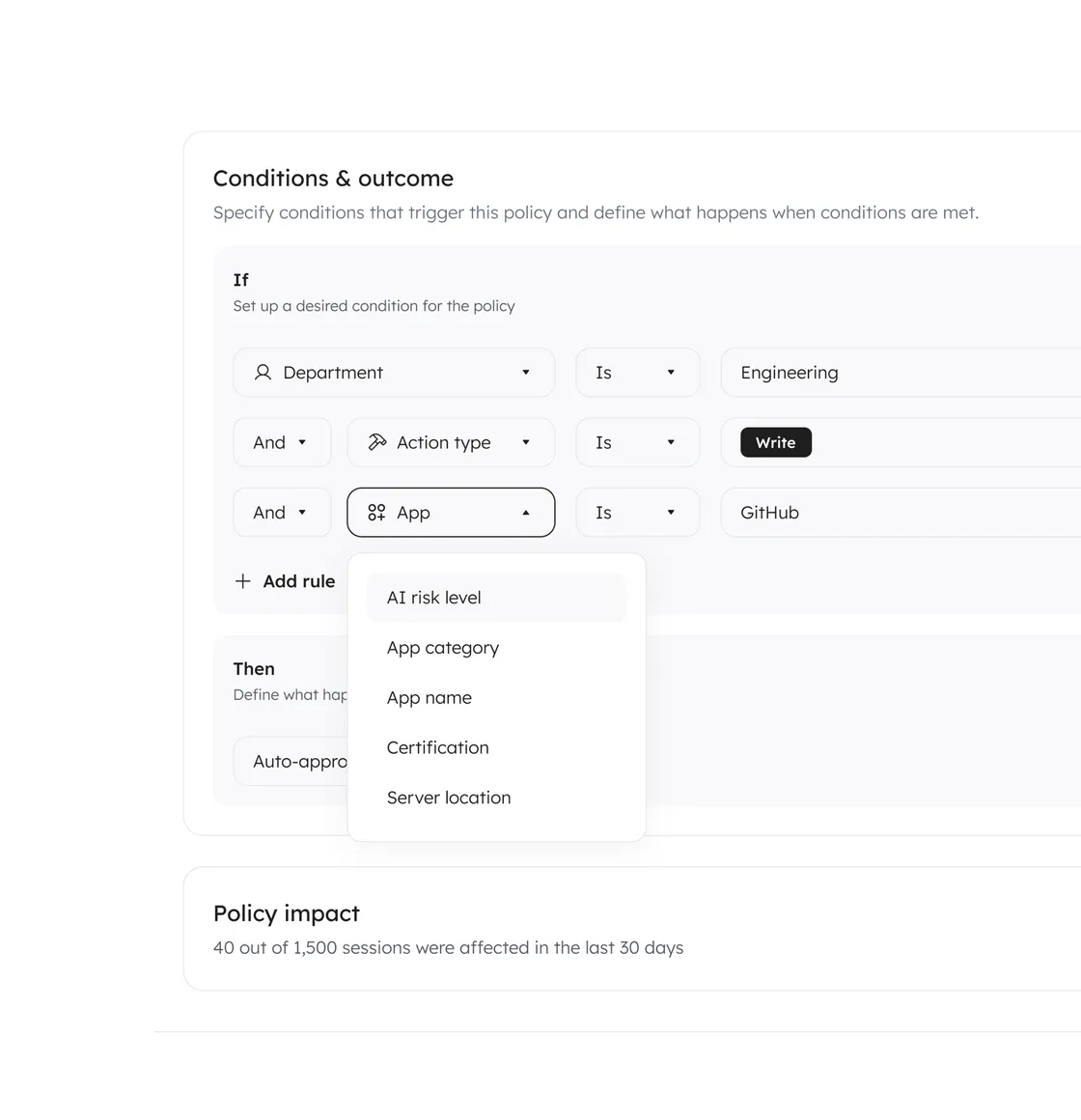
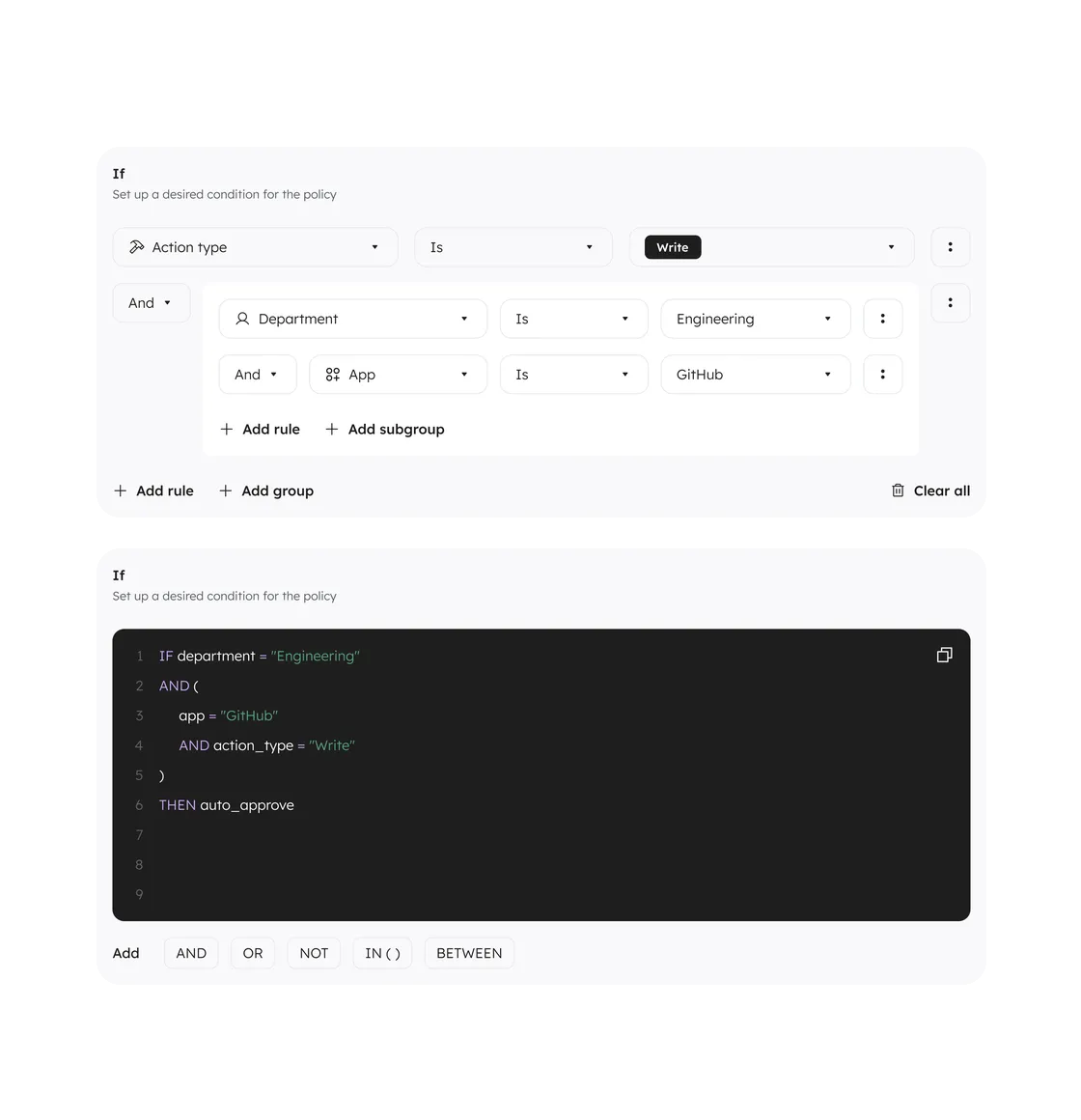
Cakewalk policies combine three kinds of context in a single policy: the human behind the agent, the app and the action. For people, Cakewalk reads department, title, team and location from your HRIS or IdP. For apps, it uses category, risk level, server location and certifications. Admins mix all of them with AND and OR, and the list grows as more HRIS fields and apps are mapped.
What happens when someone changes teams?
Cakewalk picks up the change with the next sync from your HRIS or IdP. From then on, that person's agents follow the policies of the new team, and nobody has to edit a policy.
How is this different from role-based access control?
Role-based access control gives each role a fixed set of rights. Attribute-based access control combines several facts at once, such as department, location and the action, so one policy can cover many cases without a new role for each.
Do we need to write code?
No. Admins describe a policy in plain language and Cakewalk's AI writes it, or they build it in the visual builder. Cakewalk turns each policy into Rego, and engineers can read that code next to the visual version.
Need to Talk Through Something Specific?
Contact Us
We start with a call about your setup
In a first call, we look at the AI agents and apps that already run in your company and where their access sits. We help you sort out the agent chaos and the scattered access, and together we find out whether Cakewalk fits.
You try Cakewalk for free on your own stack
We connect Cakewalk to your company's real systems and hand it over. You'll quickly know if your team will use it.
If Cakewalk helps, we roll it out together
The same team you met in the first call stays with you while we onboard the rest of your company. After that, we meet your team for regular check-ins and support you whenever you need us.