
Skip to content

Joiners, movers and leavers (JML)

Automate Onboarding and Offboarding Across Every App

Cakewalk keeps every person's app access in sync with your company's HR system or identity provider (IdP) as they join, move and leave. When someone leaves, Cakewalk removes all their access across every app, with or without SSO.

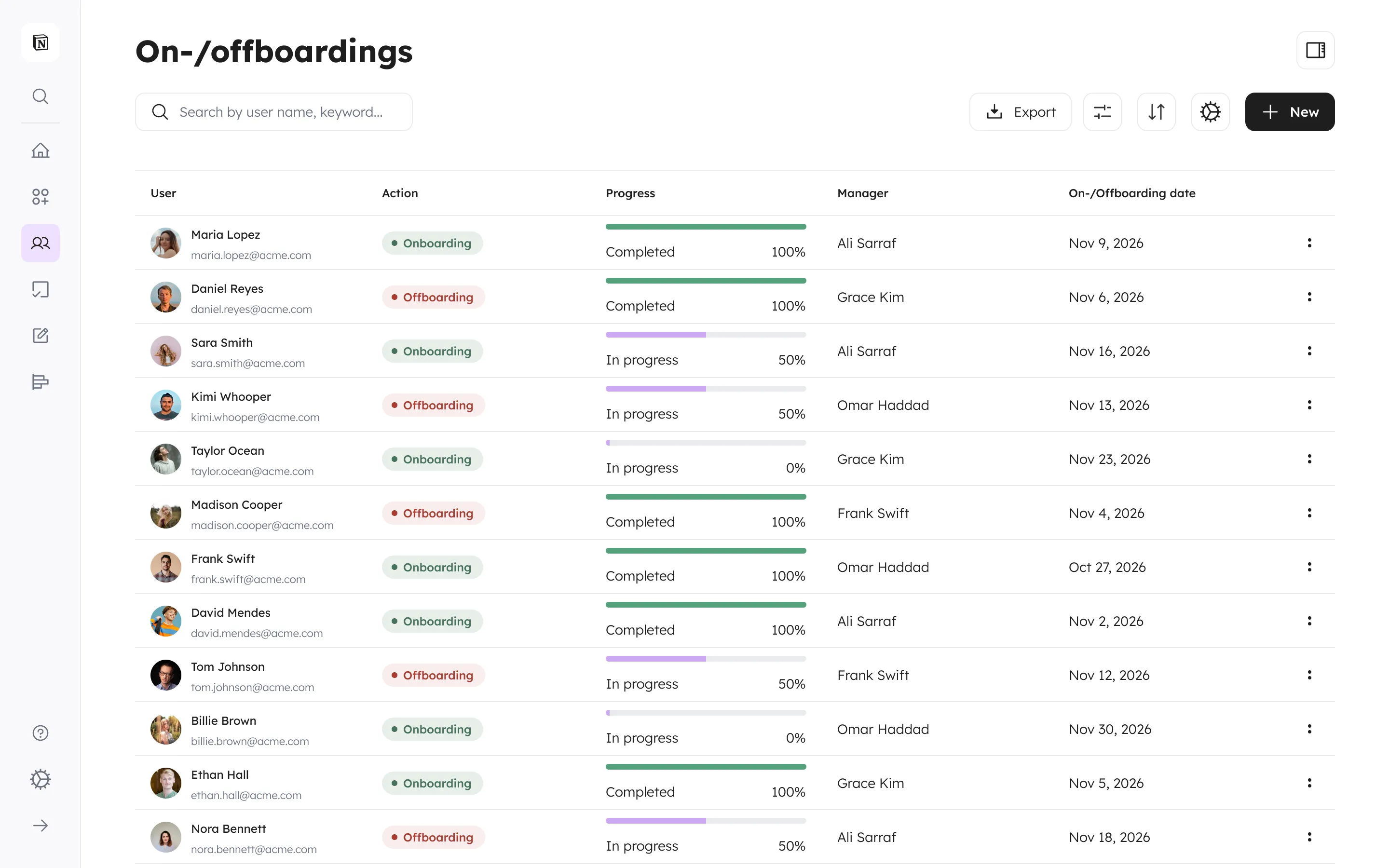
Cakewalk's onboarding and offboarding list with Maria's onboarding and Daniel's offboarding; callouts: every onboarding and offboarding, progress across every app, ready to export for audits

Trusted by Fast-Moving Security and IT Teams

Why it matters

End Access That Outlives your Employees

More on joiners, movers and leavers
  • Leavers keep access outside SSO

    Suspending someone in your company's IdP closes the apps behind SSO. Apps with their own logins stay open until someone finds them.

  • Movers accumulate dormant accounts

    The HR system records the move, but the access change behind it rarely has an owner. IT adds new access, the old access stays and least privilege erodes one move at a time.

  • Audits run on screenshots

    IT clicks through each app by hand and hopes nothing was missed. At audit time, the only proof is a folder of screenshots.

What you get

Put Onboarding and Offboarding on Autopilot
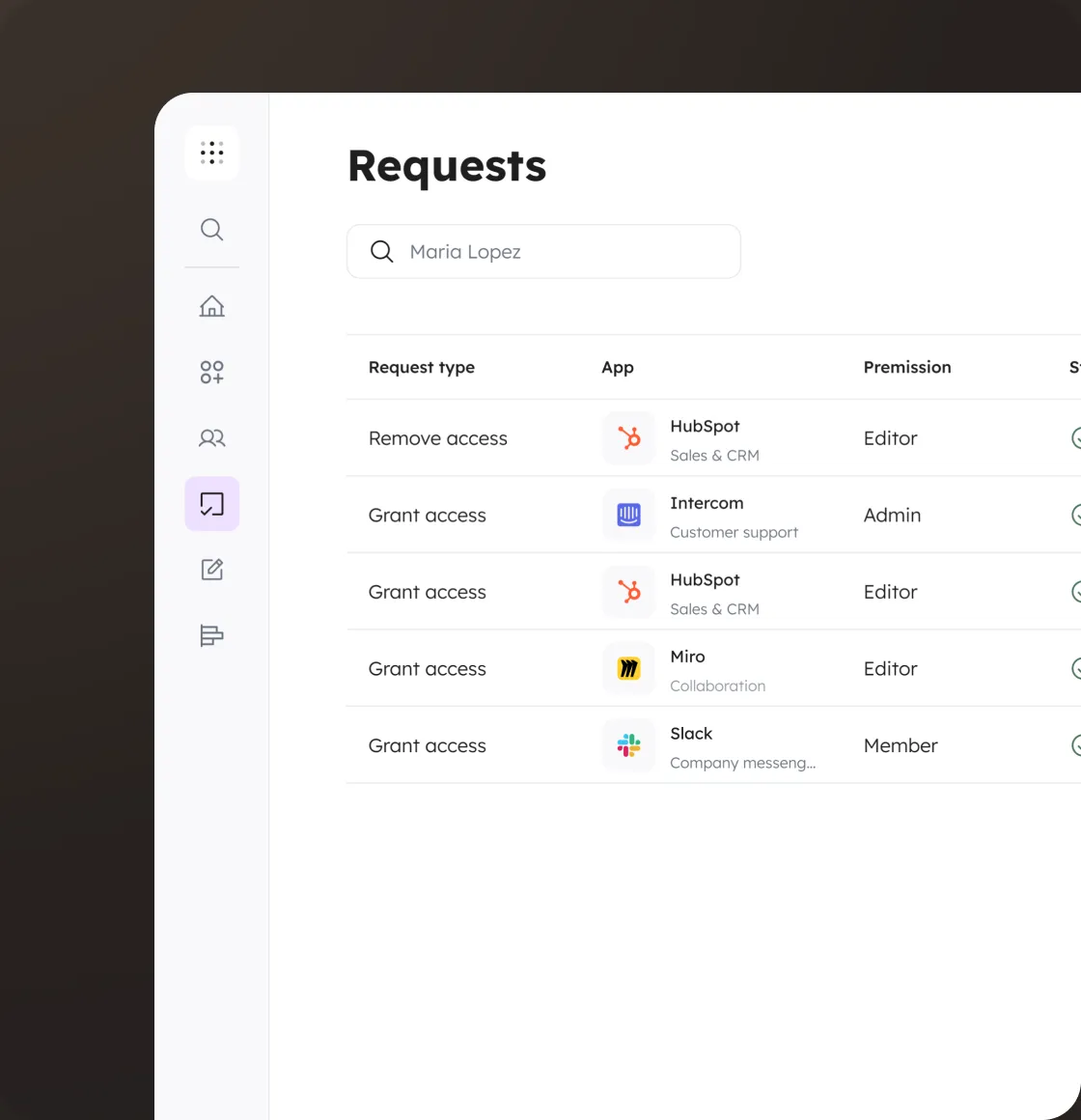
Maria Lopez's requests after her move: Intercom granted and HubSpot removed by Agent Cake
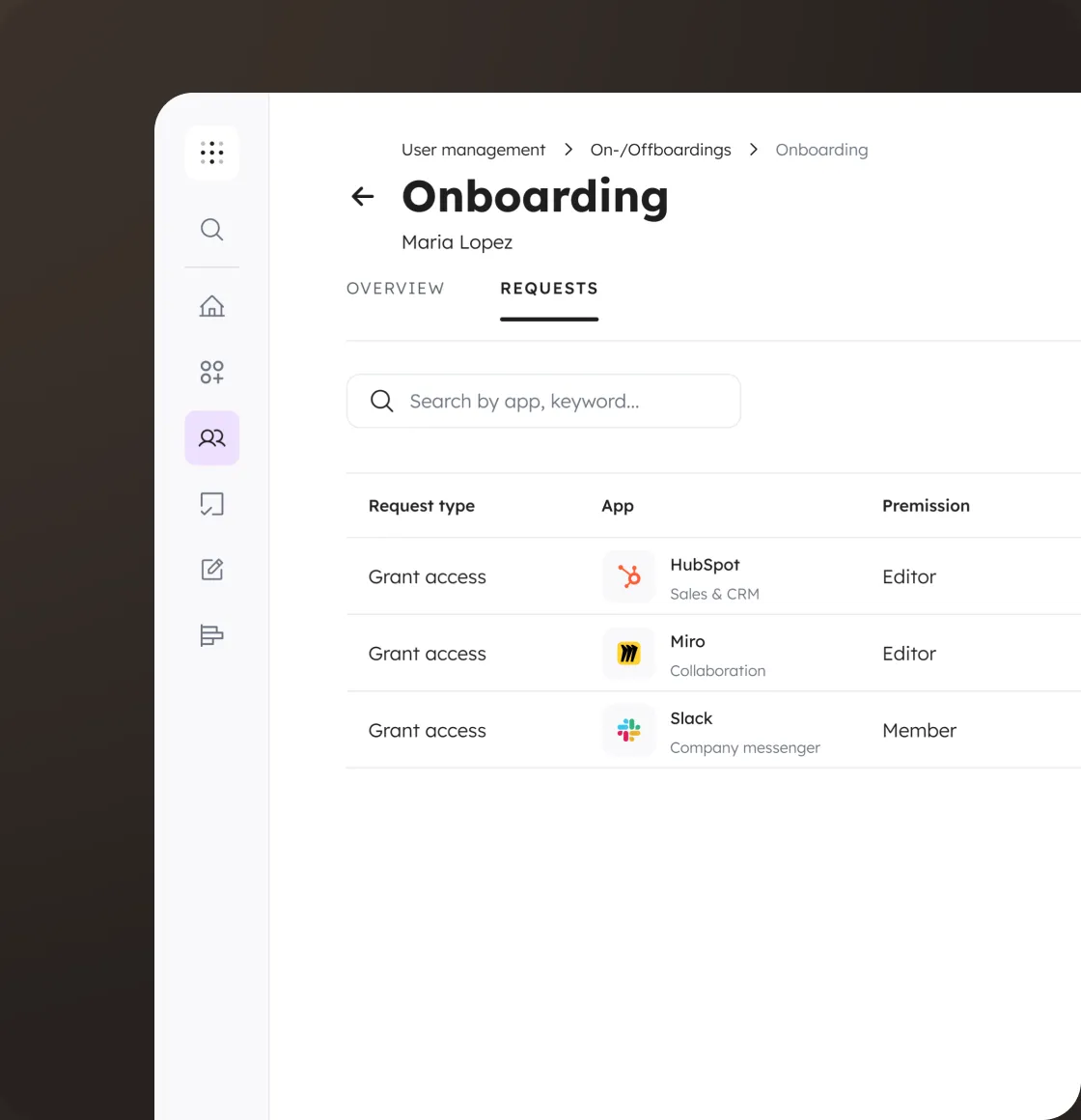
Maria Lopez's onboarding requests in Cakewalk for HubSpot, Miro and Slack
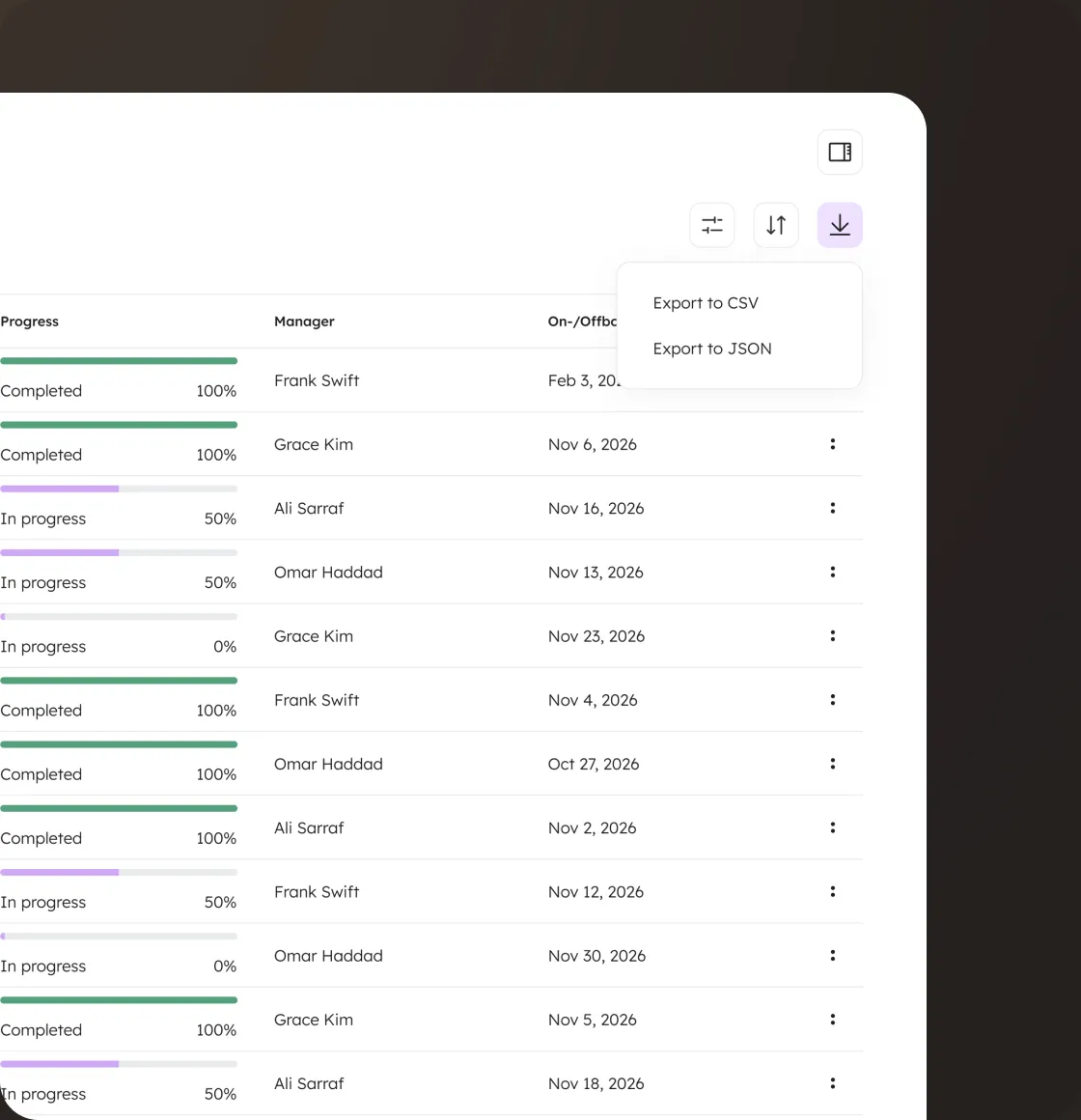
Cakewalk's onboarding and offboarding list with progress per person and the Export to CSV or JSON menu
  1. Sync groups from your IdP and set the apps each group grants by default. Every joiner gets their group's apps and every mover switches to the new group's apps, so access follows each person's role.

  2. Let Agent Cake, Cakewalk's AI provisioning agent, create and remove accounts without SCIM or an enterprise plan. Your IdP handles the apps it already provisions. Any app left over gets a task, and an offboarding closes only once every removal is done.

  3. Export every onboarding and offboarding with its progress, assignees and completion date when your auditor asks for SOC 2 or ISO 27001 evidence.

How it works

Turn Every HR Change Into the Right Access Change

Walkthrough steps
1/8
JoinerTrigger: A new hire appears in your company's HR system or IdP. Admins and managers can also add contractors by hand.
Cakewalk's user overview with new hires from the HR system marked Discovered
2/8
JoinerDecision: No-Touch Onboarding starts the onboarding automatically for the group you pick.
Maria Lopez arrives from Personio, No-Touch Onboarding is on for Sales and her onboarding starts on its own
3/8
JoinerAction: Cakewalk requests the default apps of the person's groups. Agent Cake or your IdP creates the accounts where provisioning is automated. Every other app gets a task.
Maria Lopez's onboarding requests completed by No-Touch Onboarding: accounts created automatically
4/8
MoverTrigger: The person moves to a new team or role, and their group membership changes in your company's IdP or in Cakewalk.
Okta moves Maria Lopez from Sales to Customer Success and Cakewalk syncs her groups
5/8
MoverDecision: The group change is the decision. Cakewalk requests the new group's default apps and removes apps that none of the person's other groups still grants, with no approval round.
Default apps of Sales and Customer Success side by side: three apps stay, two are removed and two are added
6/8
LeaverTrigger: Your company's HR system or IdP records an exit: an end date, a deactivation or a deleted account. Admins and managers can also start an offboarding by hand.
Cakewalk's user overview with Daniel Reyes marked for offboarding
7/8
LeaverDecision: One person confirms the exit, and Cakewalk asks for successors for the person's direct reports and apps.
The Offboard user drawers: Daniel Reyes's details and a new owner for GitHub, the app he owned
8/8
LeaverAction: Cakewalk starts a removal in every managed app the person holds. Before it marks the person Deactivated, it checks its records once more and adds a removal for any access still left.
Daniel Reyes's removal requests for GitHub, Sentry and Figma, all done

Integrations

Connect the Systems Your Company Already Runs

See all integrations
  • 25 HR systems and IdPs

    Connect Personio, HiBob, BambooHR, Okta, Microsoft Entra ID, Google Workspace and more.

    • Okta
    • BambooHR
    • Google Workspace

    25 HRIS and IdPs

    Okta, BambooHR, Google

  • 74 apps ready for Agent Cake

    • Slack
    • Linear
    • HubSpot

    74 apps

    Slack, Linear, HubSpot

Related features

Do we need SCIM or an enterprise plan for each app?

No. Agent Cake, Cakewalk's AI provisioning agent, creates and removes accounts without SCIM or an enterprise plan. For apps already set up in your company's identity provider (IdP), Cakewalk can provision through it instead.

What happens to apps Cakewalk cannot automate?

Offboarding creates a task for each of them, assigned to the person your access policy names, such as the app owner. They remove the account and mark the task done in Cakewalk. The offboarding closes only when every task is done.

What if the HR system marks the wrong person as leaving?

Nothing is removed until someone starts the offboarding from its review task. If the HR system drops the end date, Cakewalk withdraws the task.

How quickly does a leaver lose access?

Cakewalk puts the exit up for review shortly after your company's HR system records it, often before the last day. When someone starts the offboarding, Cakewalk requests removal in every managed app at once.

Does it work for contractors?

Yes. Admins and managers can add contractors who are not in your company's HR system or identity provider (IdP) by hand, then onboard and offboard them the same way.

Can we prove an offboarding to an auditor?

Yes. The onboarding and offboarding list shows each one's progress, assignees and completion date, ready to export for your auditor.

Need to Talk Through Something Specific?

Contact Us

Get started

Talk to Us First, Then Test Cakewalk on Your Stack

Book a Demo
  1. We explore

    We start with a call about your setup

    In a first call, we look at the AI agents and apps that already run in your company and where their access sits. We help you sort out the agent chaos and the scattered access, and together we find out whether Cakewalk fits.

  2. You try

    You try Cakewalk for free on your own stack

    We connect Cakewalk to your company's real systems and hand it over. You'll quickly know if your team will use it.

  3. We roll out

    If Cakewalk helps, we roll it out together

    The same team you met in the first call stays with you while we onboard the rest of your company. After that, we meet your team for regular check-ins and support you whenever you need us.

Book Your Cakewalk Demo

Take Control of Your AI Agents & Human Identities.

I understand that by submitting the form, Cakewalk will use the information collected above to schedule a meeting in accordance with our Privacy Policy.

You'll see how to

30 min
  • Find every AI agent and human identity already running across your stack

  • Grant or revoke access in seconds, for both agents and employees

  • Pass your next audit with evidence for every access decision, AI or human

Limited Spots Left

Govern Access for Every AI Agent.

Cakewalk controls what every AI agent can access across your stack, scoped to each task and revoked the moment it's done.

By submitting this form, you agree to receive other communications from Cakewalk per our Privacy Policy. Learn how we store, process and use your data.

  • 300+

    Integrations and agent platforms

  • Zero Standing Permissions

    Every agent starts each task with no access

  • Just-in-Time Access

    Agents get only what the task needs, then lose it

  • Full Audit Trail

    Every agent action is logged and replayable