
Skip to content

User Access Reviews

Run User Access Reviews for Every App in One Place

Show reviewers who still uses each app and agent, so they can make informed decisions. When a reviewer decides to remove access, our provisioning agents revoke it right away, with no manual deprovisioning work for IT.

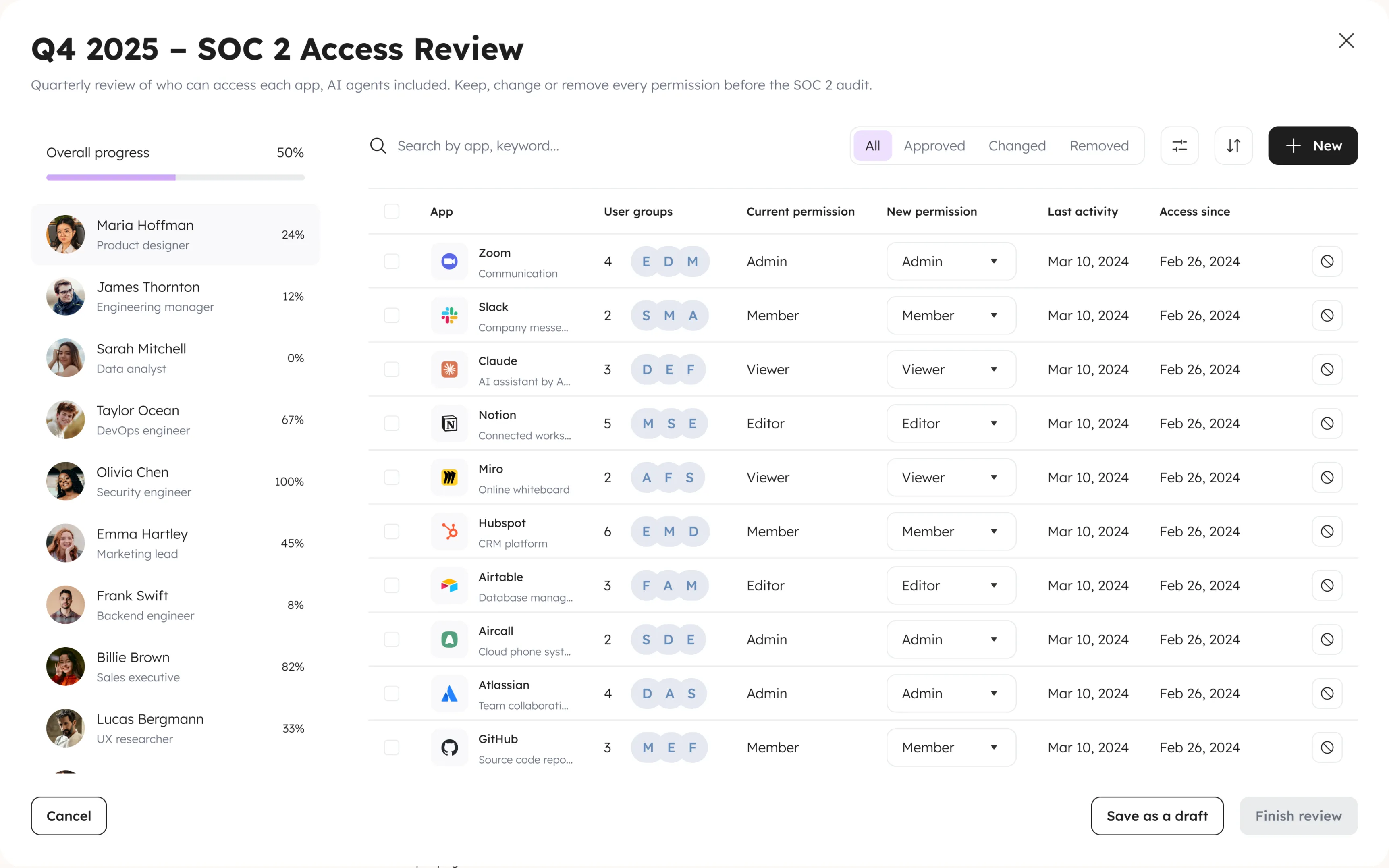
A reviewer's list in a Cakewalk access review, with each app's permission, last activity, access date and review actions

Trusted by Fast-Moving Security and IT Teams

Why it matters

Stop Reviewing Access Blindly

More on access reviews
  • Reviewers Approve Access Without Any Context

    A manager gets a long list of logins and no way to tell who still uses what, so they approve all of it. The review passes and the extra access stays.

  • Reviews Stall While IT Chases Reviewers

    Managers and app owners prioritize their daily work, so the review is postponed again and again. IT sends reminders manually until the audit deadline.

  • Review Evidence Lives in Spreadsheets

    Access lists get exported, emailed around and pasted back. When the SOC 2 or ISO 27001 auditor asks what changed as a result, the answer sits in old email threads.

What you get

Let Reviewers Decide and Cakewalk Handle the Rest
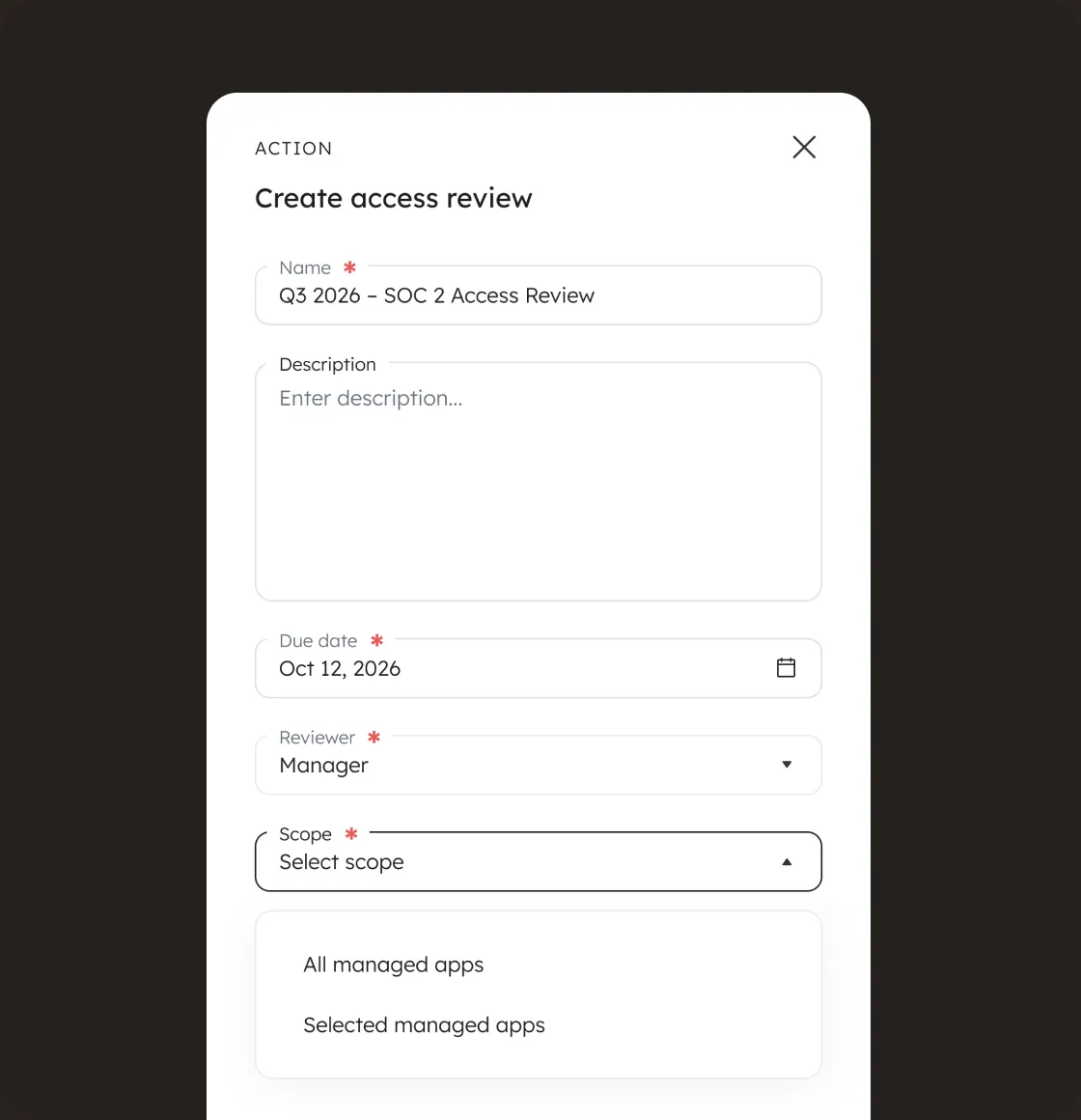
Cakewalk's form to create an access review, with its name, due date, reviewer type and scope
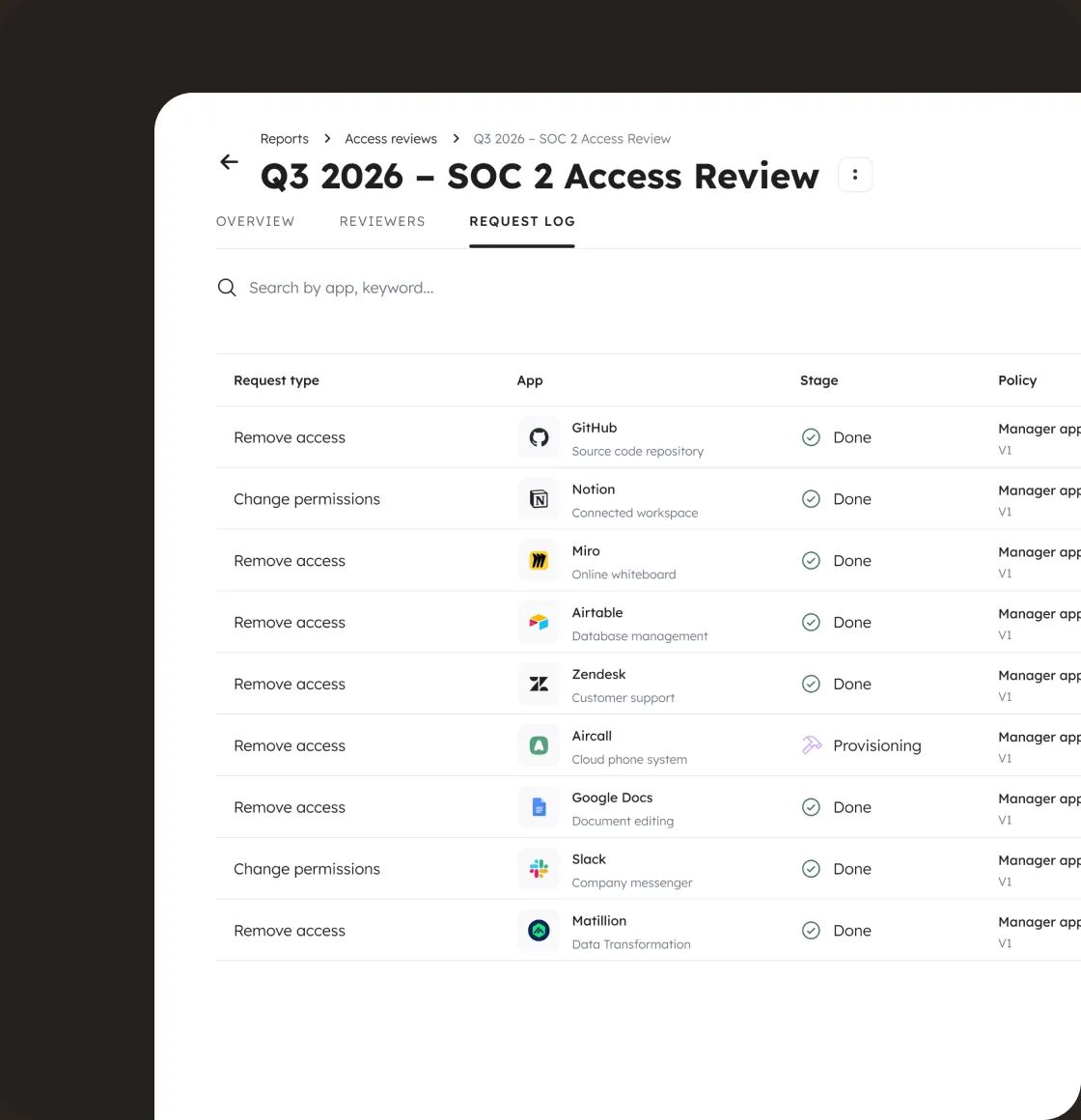
An access review's request log, with each access removal and permission change marked done
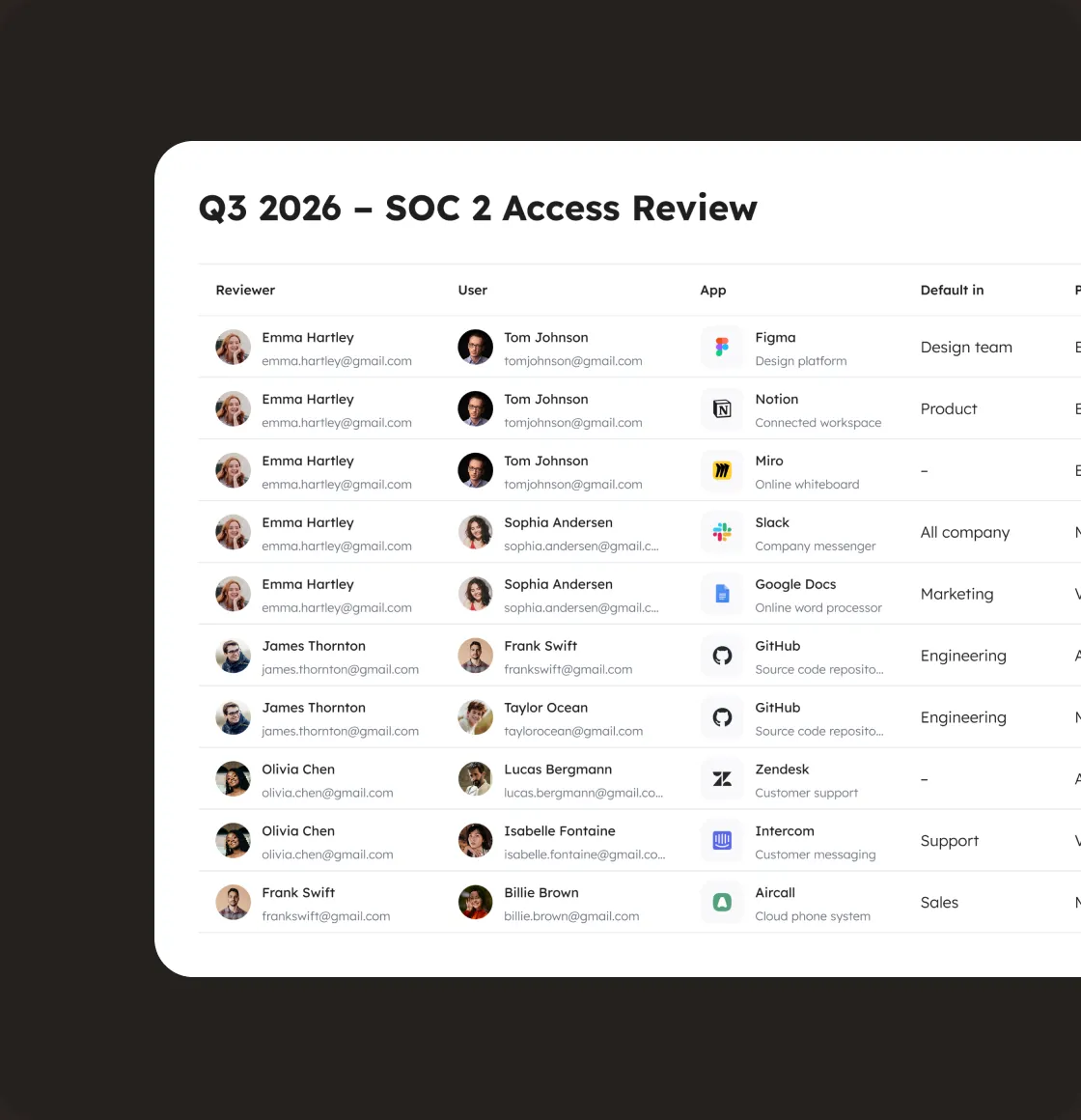
An access review export listing each reviewer, user, app and decision
  1. Pick the apps and the type of reviewer, and Cakewalk sends every access to each app's owner or each person's manager. When a manager or owner changes, their open items move with the role.

  2. Let Agent Cake, Cakewalk's AI provisioning agent, revoke the access reviewers decide to remove, without SCIM or an enterprise plan. Each revocation starts as soon as the reviewer submits.

  3. Keep every decision on record, with the removal or change it triggered. Export the results as evidence for your company's SOC 2 or ISO 27001 audit, or upload them to the GRC platform of your choice.

How it works

Follow a Review From Kickoff to Evidence

Walkthrough steps
1/4
StartPick the apps, the type of reviewer and a due date. Reviewers are each app's owner, each person's manager from your company's HR system or the admin who starts the campaign.
The form to create an access review with its name, due date and manager as reviewer: apps, reviewers and a due date
2/4
NotifyReviewers get an email and a Slack message when the campaign starts. Once the due date passes, Cakewalk keeps reminding them in Slack until they finish.
Cakewalk's Slack message telling a manager that a review of HubSpot, GitHub and Figma has started
3/4
DecideEach row shows one person's access to one app: their groups, their permission level, how long they have held it and their last activity where Cakewalk has it. Reviewers keep, change or remove the access.
Maria's rows in a manager's review list, with HubSpot and Figma approved and GitHub removed: usage behind every decision
4/4
RevokeEach removal or change becomes a request under your company's access policy, and our provisioning agents revoke the access reviewers decide to remove. Cakewalk tracks each reviewer's progress and every request the review triggered.
The review's reviewer progress and its request log with each removal done: revoked right away, on record

Integrations

Connect the Apps Your Reviews Run On

See all integrations
  • 74 apps ready for Agent Cake

    Agent Cake grants and revokes access automatically in every app listed here.

    • Figma
    • GitHub
    • Linear

    74 apps

    Figma, GitHub, Linear

  • 19 apps with Access Sync

    Sync accounts and permission levels directly from each app, so every review starts from the app's own list.

    • Notion
    • Slack
    • HubSpot

    19 apps

    Notion, Slack, HubSpot

Related features

Who reviews access in a Cakewalk access review?

The reviewer type you pick for each campaign: each app's owner, each person's manager or the admin who starts the campaign. Cakewalk takes managers from your company's HR system or identity provider (IdP), sends people without a manager to that admin and moves open items when a manager or app owner changes.

Do Cakewalk access reviews cover apps outside SSO?

Yes. Cakewalk keeps all access in one system of record, whatever its source: SSO, the browser extension, an app integration or a manual entry. A review covers all of it on the apps you pick.

What audit evidence does a Cakewalk access review keep?

Each campaign export lists every access with its reviewer and the decision, and marks anything nobody reviewed yet. Hand it to your company's auditor as SOC 2 or ISO 27001 evidence, or upload it to the GRC platform of your choice. The campaign's request log shows each removal and change the review triggered, with its status and date.

Can we check removals before Cakewalk carries them out?

Yes. Each removal follows the app's Remove Access policy, so any approval step in it runs first, unless the reviewer is one of its approvers. Add an approval step to the apps where you want a second look.

What happens when a reviewer removes access in Cakewalk?

Cakewalk creates a removal request as soon as the reviewer submits, and the request follows the app's access policy. Agent Cake, Cakewalk's AI provisioning agent, removes the account in apps where it is set up.

Need to Talk Through Something Specific?

Contact Us

Get started

Talk to Us First, Then Test Cakewalk on Your Stack

Book a Demo
  1. We explore

    We start with a call about your setup

    In a first call, we look at the AI agents and apps that already run in your company and where their access sits. We help you sort out the agent chaos and the scattered access, and together we find out whether Cakewalk fits.

  2. You try

    You try Cakewalk for free on your own stack

    We connect Cakewalk to your company's real systems and hand it over. You'll quickly know if your team will use it.

  3. We roll out

    If Cakewalk helps, we roll it out together

    The same team you met in the first call stays with you while we onboard the rest of your company. After that, we meet your team for regular check-ins and support you whenever you need us.

Book Your Cakewalk Demo

Take Control of Your AI Agents & Human Identities.

I understand that by submitting the form, Cakewalk will use the information collected above to schedule a meeting in accordance with our Privacy Policy.

You'll see how to

30 min
  • Find every AI agent and human identity already running across your stack

  • Grant or revoke access in seconds, for both agents and employees

  • Pass your next audit with evidence for every access decision, AI or human

Limited Spots Left

Govern Access for Every AI Agent.

Cakewalk controls what every AI agent can access across your stack, scoped to each task and revoked the moment it's done.

By submitting this form, you agree to receive other communications from Cakewalk per our Privacy Policy. Learn how we store, process and use your data.

  • 300+

    Integrations and agent platforms

  • Zero Standing Permissions

    Every agent starts each task with no access

  • Just-in-Time Access

    Agents get only what the task needs, then lose it

  • Full Audit Trail

    Every agent action is logged and replayable